Establishing secure connection…Loading editor…Preparing document…

Notice of Commencement

This template is fully customizable. Edit the text, fill out the fields, and send it for signature. Give it a try!
Notice of Commencement

What a Notice of Commencement Is and when it matters

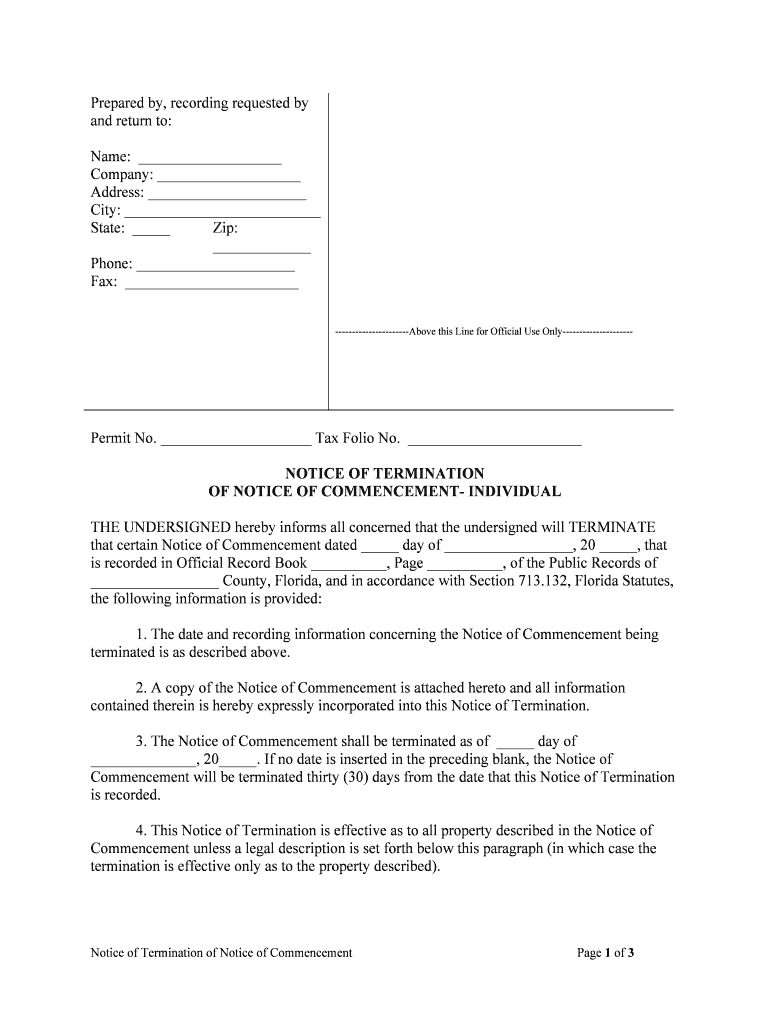
A Notice of Commencement is a formal construction document filed or recorded at project start to establish the official commencement date, identify the owner and contractor, and notify potential lien claimants. It frames lien priority, clarifies contract parties, and helps subcontractors and suppliers verify project details before furnishing labor or materials. Requirements and recording practices vary by state and county; some jurisdictions require notarization or specific language. Use the Notice to reduce filing disputes and create a clear administrative record at the outset of a construction project.

Why filing a Notice of Commencement is important

Filing a Notice of Commencement clarifies the project start date, preserves lien priorities, and reduces disputes over entitlement and scope. It gives subcontractors and suppliers written notice of the controlling parties and recording location, which can streamline payment and lien defense processes while improving transparency for all stakeholders.

Why filing a Notice of Commencement is important

Typical parties who prepare or rely on a Notice of Commencement

Several parties routinely create, file, or rely on a Notice of Commencement on construction projects.

  • Property owners and developers who want to establish contract parties and project filing location for lien priority and public record.
  • General contractors responsible for initiating project documentation and notifying subcontractors and suppliers of official project details.
  • Subcontractors and material suppliers who use the Notice to confirm contract scope, verify owner/contractor names, and protect lien rights.

Who prepares the form depends on local practice; either the owner, the contractor, or their attorney typically files the Notice before or at the start of on-site work.

Core elements included in a professional Notice of Commencement

A well-prepared Notice of Commencement contains specific project identifiers, clear party details, and recording instructions so claimants can locate and rely on the record.

Project ID

Project name and physical address plus parcel or legal description to uniquely locate the site.
Owner

Full legal name and mailing address of the property owner or developer as recorded with the county.

Contractor

Primary contractor name, license number where applicable, and business address for contact and service.

Commencement Date

Date work begins or site is made available; this date often sets lien priority and notice deadlines.

Recording Info

County recorder or clerk where the Notice is filed and the document reference for future retrieval.

Notary Block

Notarial acknowledgment or signature block if the jurisdiction requires notarization or witnesses.

Step-by-step: preparing and filing a Notice of Commencement

Follow this sequence to prepare a clear, enforceable Notice of Commencement and meet common recording requirements.

  • 01
    Gather details: Collect owner, contractor, property description, and commencement date before drafting.
  • 02
    Draft form: Populate official Notice template with exact legal names and address data.
  • 03
    Notarize if required: Sign before a notary or witnesses where the state mandates authentication.
  • 04
    Record copy: File the Notice with the county recorder and retain stamped copies for distribution.

How the Notice of Commencement affects project stakeholders

A recorded Notice creates a public record that influences lien enforcement, notice obligations, and information flow among project participants.

  • Public record: County record shows key project parties and commencement date to all claimants.
  • Notice to suppliers: Suppliers rely on the Notice to identify where and when to provide labor or materials.
  • Lien timing: Commencement date often sets deadlines for preliminary notices and lien filings.
  • Dispute clarity: Clear records reduce factual disputes about when work began or who authorized contracts.

Customizing an online Notice of Commencement workflow

Configure fields and routing so the form captures required data and triggers recording or distribution steps automatically.

Field Configuration
Project name field Required text field; validation against permit number optional.
Owner name field Required; autocomplete with title company data where available.
Commencement date field Date picker MM/DD/YYYY; required for effective record.
Notary block Conditional section shown if state requires notarization.

Digital signing and technical delivery considerations

Choose e-signature and storage options that meet legal, security, and integration needs for construction filings.

  • File formats: PDF and DOCX accepted; PDF preferred for recording.
  • Integrations: Connectors with Procore, NetSuite, and Google Workspace simplify routing.
  • Authentication: Use SMS or advanced authentication where jurisdiction demands stronger identity proofing.

Ensure the chosen platform supports audit trails, secure storage, and the export formats required by the county recorder or project management system.

Timing and filing expectations for a Notice of Commencement

Timelines differ by jurisdiction; follow local recording rules and align the Notice filing with contract milestones and permit issuance.

File at project start:

Record the Notice before or immediately upon commencing physical work when local law requires.

Preliminary notice window:

Use the commencement date to calculate any state-specific preliminary notice deadlines for subcontractors.

Recording turnaround:

County recording times vary from same day to several business days depending on method.

Distribution timing:

Provide copies to subcontractors and lenders promptly after recording to preserve rights.

Update obligations:

Amend or re-record if project parties or legal descriptions change, subject to local rules.

Key milestones from preparation to recorded Notice

Track these milestones to ensure the Notice is effective and available to interested parties throughout the project lifecycle.

01

Preparation

Collect legal names, property description, permit numbers, and commencement date.

02

Execution

Signatures and notarization completed where required by state law.

03

Recording

Submit to county recorder or clerk and obtain recorded reference or stamp.

04

Distribution

Send recorded copies to subcontractors, lenders, and insurance contacts as necessary.

Principal risks of an incorrect or missing Notice of Commencement

Lost lien priority: Could impair or delay mechanics lien rights
Recording rejection: Errors in legal description may cause refusal to record
Disputed parties: Incorrect owner/contractor names create enforceability issues
Missed notices: Failure to distribute can limit subcontractor protections
Fee exposure: Additional county fees or re-recording costs
Contract conflicts: Inconsistent dates can cause scope and payment disputes

Common mistakes to avoid when preparing the Notice

  • Using an informal or incomplete property description that does not match county title records, which can prevent correct indexing and retrieval.
  • Entering abbreviated or inconsistent owner or contractor names that differ from title or license records, complicating enforcement and searches.
  • Failing to notarize or obtain required witness signatures when the local statute or recorder requires authentication for recording.
  • Neglecting to distribute the recorded Notice to key subcontractors, suppliers, or lenders, which can affect their ability to preserve lien rights.

Security, compliance, and audit features to consider

Encryption: TLS 1.2/1.3 in transit
Data at rest: AES-256 encryption
Audit trail: Timestamp, IP, and action history
ESIGN / UETA: Legal framework compliance
HIPAA BAA: Available where health data applies
21 CFR Part 11: Supported for regulated workflows

Real-world examples of Notice workflows in practice

These brief examples show how organizations document project starts and the practical benefits of accurate Notices.

Martin Properties

A small development needed a clear start date to protect lien priority.

  • The Notice was recorded before site work.
  • Tim Martin reports that having a recorded Notice reduced contractor questions and simplified payment tracking during the build, and it served as a clear reference in communications with lenders and subcontractors.

BIS

A mid-size contractor standardized Notices across projects to avoid errors.

  • Standard template plus digital notarization saved administrative time.
  • Dan Rotelli notes that using consistent, recorded Notices improved internal compliance, reduced re-recording, and made it easier to provide proof of commencement to suppliers and insurers.

Simple pricing and capability comparison for eSignature options

Compare core pricing and feature availability for commonly evaluated eSignature providers when preparing and distributing Notices of Commencement.

signNow DocuSign Adobe Sign PandaDoc HelloSign
Starting Price $8/user/mo $15/user/mo $14/user/mo $19/user/mo $15/user/mo
Free Trial 7-day free trial Varied by plan Varied by plan Varied by plan Varied by plan
Bulk Send Yes Yes Yes Yes No
Audit Trail Yes Yes Yes Yes Yes
HIPAA Compliant Yes Yes Yes No No
Envelope Cap No cap 100 envelopes/user/year Varies by plan Varies by plan Varies by plan

Frequently asked questions about Notices of Commencement

Answers to common questions about e-signing, notarization, state rules, and recordkeeping for a Notice of Commencement.


Need help? Contact support

be ready to get more
Join over 28 million airSlate SignNow users