Establishing secure connection…Loading editor…Preparing document…

Ohio Judgment Entry

This template is fully customizable. Edit the text, fill out the fields, and send it for signature. Give it a try!
Ohio Judgment Entry

Defining the Ohio Judgment Entry

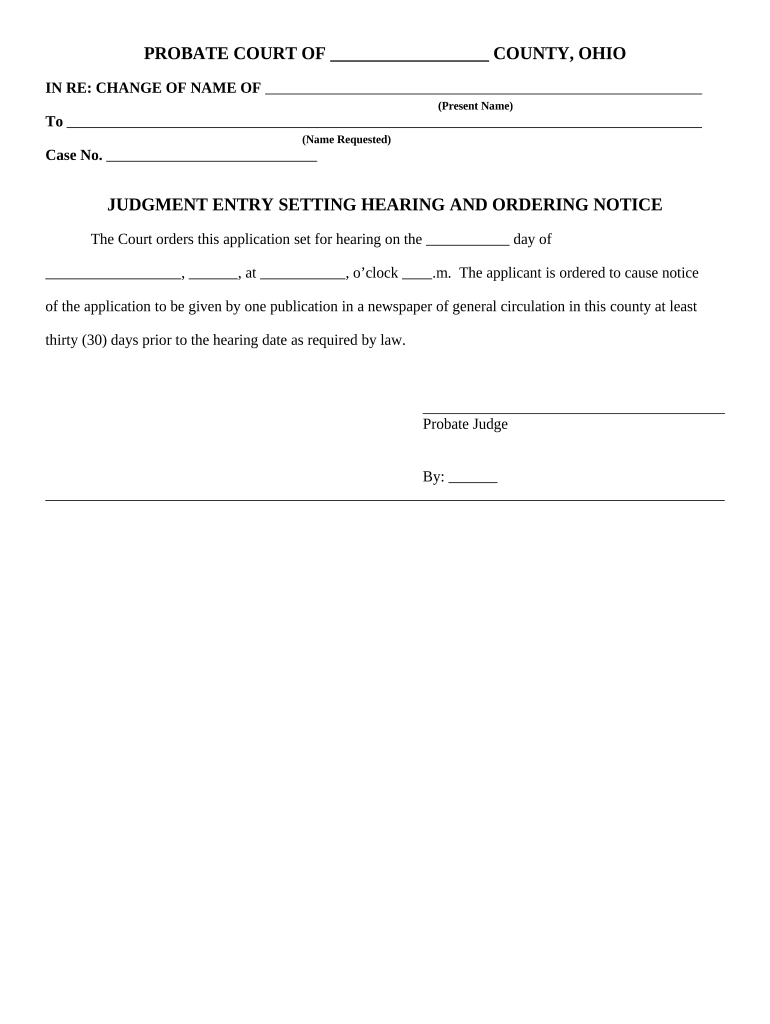
An Ohio Judgment Entry is the formal court document that records the court's decision in a civil case and creates an enforceable judgment under Ohio law. It sets out the parties, the adjudicated amounts or remedies, docket references, and the date the judgment is entered. The entry is the basis for collection actions such as writs of execution, garnishment, or liens, and must comply with local court rules and Ohio Revised Code requirements to be effective and enforceable.

Why a Clear Judgment Entry Matters

A precise Judgment Entry provides legal certainty about rights, remedies, and enforcement steps. It establishes the official record for appeals, collections, and public indexing while reducing ambiguity that can delay enforcement or invite post-judgment disputes.

Why a Clear Judgment Entry Matters

Who commonly prepares and relies on an Ohio Judgment Entry

The following user groups routinely prepare, file, or act on Ohio Judgment Entries in civil litigation and post-judgment enforcement contexts.

  • Plaintiff attorneys and collections teams who obtain monetary judgments and need an enforceable court record to collect.
  • Defendant parties and defense counsel who review entries for accuracy and post-judgment relief or appeal planning.
  • Court clerks and court staff responsible for accepting, recording, and indexing the Judgment Entry for public record.

Clear drafting, accurate dates, and correct party names reduce administrative returns, enforcement delays, and grounds for dispute post-entry.

Typical signers and authority

Presiding Judge

The judge signs or the court issues the Judgment Entry reflecting the court's decision; their signature and the entry date establish the effective judgment date for enforcement and appeal deadlines.

Court Clerk

The clerk files and stamps the Judgment Entry, creating the official docket entry and enabling downstream actions such as issuing writs of execution and notifying parties of entry in accordance with local rules.

Essential administrative data to include

Case caption: Plaintiff v. Defendant
Court identifier: Court name and division
Docket number: Unique case number
Judgment date: MM/DD/YYYY
Relief awarded: Money or injunctive terms
Signatory: Judge or clerk name

Consequences of errors or omissions

Enforcement delay: Missing data can delay writs
Appeal complications: Incorrect dates affect timelines
Collection risk: Ambiguous award harms recovery
Costs exposure: Refiling increases fees
Vacatur risk: Procedural defects may void entry
Public record error: Incorrect indexing misleads third parties

Common preparation pitfalls to avoid

  • Inaccurate party names or business entity forms that do not match corporate filings, which can render enforcement against the wrong legal entity ineffective.
  • Failure to include the judgment amount broken down by principal, interest, costs, and post-judgment fees, creating ambiguity during collection or lien recording.
  • Omitting the precise date of entry or clerk stamp, which can shift appeal deadlines and affect the start of post-judgment interest calculations.
  • Using vague remedy language (for example, 'defendant shall pay reasonable costs') without quantifying or reserving the mechanism to determine amounts.

Step-by-step: completing an Ohio Judgment Entry

Follow these core drafting and filing steps to produce an accurate, enforceable Judgment Entry that supports prompt collection and minimizes procedural risk.

  • 01
    Prepare caption: Use the court's official caption and docket number exactly.
  • 02
    State judgment: Specify relief: money, amounts, or injunctive terms clearly.
  • 03
    Add dates: Include the entry date and any applicable judgment interest start date.
  • 04
    File and index: Submit to the clerk for stamping and docketing per local rules.

Typical filing and enforcement flow

This outline shows the common routing from judgment entry to enforcement tools used in Ohio civil practice.

  • File entry: Clerk stamps and dockets the Judgment Entry.
  • Request writ: Plaintiff requests writ of execution or garnishment from court clerk.
  • Enforce: Sheriff or levying officer executes writ against assets.
  • Record liens: Where applicable, record judgment lien with county recorder.

Setting up a repeatable entry workflow

Configure these steps in your document workflow to reduce errors and accelerate post-judgment actions.

Field Configuration
Caption template Auto-fill party names from case intake
Amount calculation Use formula fields for interest/cost totals
Signature routing Route to judge/clerk in signed order
Audit trail Record timestamps and user IDs

eFiling and eSignature considerations

Ohio courts and clerks may accept electronically prepared entries but local eFiling and signature rules vary by county and court.

  • Document formats: PDF or PDF/A
  • Signature method: Electronic signature or scanned wet signature
  • Authentication: Email, SMS, or higher-level ID proofing

Confirm county clerk eFiling rules and whether the court requires original wet signatures, notarization, or certified eFiling for Judgment Entries before electronic submission.

Time-sensitive dates to watch

Certain dates tied to the Judgment Entry affect appeal windows, interest accrual, and the timing for enforcement steps; accurately recording them is essential.

Judgment entry date:

Date the clerk stamps the entry; begins appeal clock

Appeal deadline:

Generally 30 days from entry in Ohio civil cases

Interest start date:

State statutory or contractual start date for interest

Writ request window:

Request writs promptly after entry to avoid delays

Lien recording:

Record within county timeline for priority purposes

Key milestones from judgment to levy

Track these sequential stages to manage enforcement efficiently and meet procedural deadlines.

01

Entry recorded

Clerk stamps and files the Judgment Entry, creating the formal record.

02

Post-judgment interest accrues

Interest begins per stated start date, affecting total recovery calculations.

03

Writs and garnishments issued

Plaintiff requests enforcement writs from clerk to begin collection.

04

Levy or lien recorded

Sheriff levies assets or recorder files judgment lien for public notice.

What to include for a professional Judgment Entry

A well-drafted entry is concise but complete; include these six elements to reduce risk and speed enforcement.

Complete caption

Full party names, including business identifiers, and the correct docket number to ensure accurate docketing and third-party searches.
Precise award

Break out principal, accrued interest, court costs, fees, and any post-judgment interest rate with calculation dates for clarity.

Enforcement remedies

State the authority for writs, garnishment, or lien recording and any statutory references relevant to the relief awarded.

Reservation language

If further determination of costs or detailed accounting is needed, reserve clear authority and deadlines for supplemental proceedings.

Signatures and stamps

Judge signature (or judicial signature block) and clerk file stamp with date establish the official entry and appeal start date.

Service notice

Note how and when parties were served with the entry to document constructive notice for enforcement.

Practical drafting tips to prevent challenges

Follow these practical rules when drafting or reviewing an Ohio Judgment Entry to avoid common procedural objections and enforcement delays.

Match pleadings exactly
Ensure party names, entity forms, and counsel details exactly match the complaint and court filings to prevent misidentification during lien or levy attempts.
Use clear numeric formatting
Write monetary amounts numerically and in words where possible; include commas and cents to avoid ambiguity in calculations and enforcement.
Specify calculation rules
If interest or future fees will accrue, state the rate, compounding method if any, and the precise start date to reduce disputes over totals.
Confirm clerk requirements
Consult local clerk rules for formatting, required coversheets, and whether original signatures or certified copies are necessary for filing.

eSignature vendor comparison for completing and filing entries

Comparing common eSignature providers can help organizations choose a platform for preparing, signing, and storing Judgment Entries; signNow is listed first per vendor-comparison convention.

signNow DocuSign Adobe Sign PandaDoc HelloSign
Starting Price $8/user/mo $15/user/mo $14/user/mo $19/user/mo $15/user/mo
Free Trial 7-day free trial Varies by plan Varies by plan Varies by plan Varies by plan
Bulk Send Yes Yes Yes Yes No
Audit Trail Yes Yes Yes Yes Yes
Envelope Cap No cap 100 envelopes/user/year Varies Varies Varies

Frequently asked questions about Ohio Judgment Entries

Answers to common practical and procedural questions about preparing, filing, and enforcing an Ohio Judgment Entry.


Need help? Contact support

be ready to get more
Join over 28 million airSlate SignNow users