Establishing secure connection… Loading editor… Preparing document…
Navigation

Fill and Sign the Property Management Form Application
Fill and Sign the Property Management Form Application

How it works

Open the document and fill out all its fields.
Apply your legally-binding eSignature.
Save and invite other recipients to sign it.

Rate template

4.8
41 votes
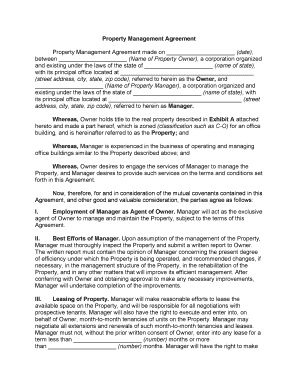
Property Management Agreement Property Management Agreement made on _____________________ (date), between _____________________ (Name of Property Owner), a corporation organized and existing under the laws of the state of _____________________ (name of state), with its principal office located at _________________________________________ (street address, city, state, zip code) , referred to herein as the Owner, and _____________________ ( Name of Property Manager) , a corporation organized and existing under the laws of the state of _____________________ (name of state), with its principal office located at _________________________________________ (street address, city, state, zip code) , referred to herein as Manager. Whereas, Owner holds title to the real property described in Exhibit A attached hereto and made a part hereof, which is zoned (classification such as C-O) for an office building, and is hereinafter referred to as the Property; and Whereas, Manager is experienced in the business of operating and managing office buildings similar to the Property described above; and Whereas, Owner desires to engage the services of Manager to manage the Property, and Manager desires to provide such services on the terms and conditions set forth in this Agreement. Now, therefore, for and in consideration of the mutual covenants contained in this Agreement, and other good and valuable consideration, the parties agree as follows: I. Employment of Manager as Agent of Owner. Manager will act as the exclusive agent of Owner to manage and maintain the Property, subject to the terms of this Agreement. II. Best Efforts of Manager. Upon assumption of the management of the Property, Manager must thoroughly inspect the Property and submit a written report to Owner. The written report must contain the opinion of Manager concerning the present degree of efficiency under which the Property is being operated, and recommended changes, if necessary, in the management structure of the Property, in the rehabilitation of the Property, and in any other matters that will improve its efficient management. After conferring with Owner and obtaining approval to make any necessary improvements, Manager will undertake completion of the improvements. III. Leasing of Property. Manager will make reasonable efforts to lease the available space on the Property, and will be responsible for all negotiations with prospective tenants. Manager will also have the right to execute and enter into, on behalf of Owner, month-to-month tenancies of units on the Property. Manager may negotiate all extensions and renewals of such month-to-month tenancies and leases. Manager must not, without the prior written consent of Owner, enter into any lease for a term less than _____________________ (number) months or more than _____________________ (number) months. Manager will have the right to make concessions, including rental concessions, as inducements to prospective tenants to occupy the Property. IV. Advertizing and Promotion of Building. Manager will advertise vacancies by all reasonable and proper means. However, Manager may not incur expenses for advertising in excess of $_____________________ during any calendar quarter without the prior written consent of Owner. V. Maintenance, Repairs, and Operations. Manager will use its best efforts to insure that the Property is maintained in an attractive condition and in a good state of repair. In this regard, Manager will use its best skills and efforts to serve the tenants of the Property. Manager must purchase necessary supplies and make contracts for, or otherwise furnish, electricity, gas, fuel, water, telephone, waste disposal, pest control, and any other utilities or services required for the operation of the Property. Manager will make, or cause to be made, and supervise, necessary repairs and alterations, and will decorate and furnish the Property. Expenditures for repairs, alterations, decorations, or furnishings in excess of $_____________________ may not be made without prior written consent of Owner, except in the case of emergency, or if Manager in good faith determines that the expenditures are necessary to protect the Property from damage, to prevent injury to persons or loss of life, or to maintain services to tenants. VI. Contractors and Employees. Manager will supervise all contractors or personnel required for the efficient operation and maintenance of the Property. Manager will pay all charges for services rendered by personnel and independent contractors and the employees of independent contractors. VII. Insurance . A. Manager shall obtain, at Owner's expense, policies of insurance with respect to the subject property, providing the following coverage: 1.Fire and extended coverage insurance of the Property, including vandalism and malicious mischief endorsement, in the amount of $_____________________. 2. Comprehensive general liability insurance insuring against all damages related to the Property, in the amount of $_____________________ for injuries to any one person arising out of a single occurrence, $_____________________ for injuries to all persons arising out of a single occurrence, and $_____________________ for property damages arising out of a single occurrence. 3. Workers' Compensation Insurance for employees of the Manager employed for work on the Property as required by the State of _____________________ (name of state). B. When either party obtains policies of insurance as provided in this Section or otherwise under this Agreement, the party obtaining such policies shall cause certificates of insurance to be furnished by the insurer to the other party, such certificates to provide that the policies described in the certificate may not be cancelled except on _____________________ (number) days written notice to the party to whom such certificate is furnished. Policies of insurance to be obtained by the Manager under this Agreement may be provided through the master package policies maintained by Manager. C. All of the policies must name Manager and Owner as coinsured as their respective interests may appear. Owner will cooperate with Manager and any insurer in the making and delivery of all reports, notices, and other items required in connection with any of the insurance policies. VIII. Collection of Income; Institution of Legal Action A. Manager will use its best efforts to promptly collect all rents and other income issuing from the Property when such amounts become due. It is understood that Manager does not guarantee the collection of rents. B. Manager will, in the name of Owner, execute and serve such notices and demands on delinquent tenants as Manager may deem necessary or proper. Manager, in the name of Owner, will institute, settle, or compromise any legal action and make use of any methods of legal process against a delinquent tenant or the Property of a delinquent tenant that may be necessary to enforce the collection of rent or other sums due from the tenant, to enforce any covenants or conditions of any lease or month-to-month rental Agreement, and to recover possession of any part of the Property. No other form of legal action will be instituted and no settlement, compromise, or adjustment of any matters involved in such actions will be made without the prior written consent of Owner, except when Manager determines that immediate action is necessary. IX. Bank Accounts. Manager will deposit (either directly or in a depositary bank for transmittal) all revenues from the Property into the general Property Management Trust Fund of Manager, subsequently referred to as the Trust Account. The Trust Account must be maintained at all times in a national or state bank that is a member of the Federal Deposit Insurance Corporation. Manager must not commingle any of the revenues described above with any funds or other Property of Manager. From the revenues deposited in the Trust Account, Manager must pay all items with respect to the Property for which payment is provided in this Agreement, including the compensation of Manager and deposits to the reserve accounts as provided for in Section X. After such payments, Manager will remit any balance of any monthly revenues to Owner concurrently with the delivery of the monthly report referred to in Section XI. X. Reserve Account. A. Manager must establish a Reserve Account for the following items: taxes, assessments, debt service, insurance premiums, repairs (other than normal maintenance), replacement of personal property, and refundable deposits. Manager will use its best judgment in transferring adequate funds from the Trust Account to the Reserve Account in order to pay the above items without incurring late payment interest fees, cancellations, or forfeitures. If the Reserve Account contains inadequate funds to pay any of the above items, Manager must obtain approval from Owner before paying the items directly from the Trust Account. If Owner determines that the funds in the Reserve Account are excessive, Owner will direct that Manager return the excess funds to the Trust Account. The Reserve Account must be maintained in an interest-bearing savings account in a national or state bank that is a member of the Federal Deposit Insurance Corporation. B.Notwithstanding anything in this Agreement to the contrary, Manager will not be liable for any loss caused by the failure or bankruptcy of any bank used as a depository of any funds maintained in the Reserve Account. XI. Records and Reports A.Manager will keep books, accounts, and records that reflect all revenues and all expenditures incurred in connection with the management and operation of the Property. The books, accounts, and records are to be maintained at the principal place of business of Manager. Manager will, during regular business hours, make the books, accounts, and records required to be maintained under the terms of this Agreement available to Owner, or the representatives of Owner, for examination and audit by appointment on no less than _____________________ (number) days' notice. All audits will be at the expense of Owner. B. Manager must furnish Owner, no later than the end of the next succeeding month, a detailed statement of all revenues and expenditures for each preceding month, a summary of all current and prospective rental concessions given to induce tenants to occupy the Property, the original copy of all invoices, statements, purchase orders, and billings received and paid during the preceding month, as well as other information relating to the operation or management of the Property that, in the opinion of Manager, requires the attention of Owner. Owner must retain for safekeeping and storage all original invoices, statements, purchase orders, billings, and other documents delivered by Manager with respect to the Property. Owner, on payment of reasonable costs incurred, must make available to Manager copies of all or any portion of any invoice, statement, purchase order, billing report, or other document received from Manager with respect to the Property. C. Within _____________________ (number) days after the end of each calendar year, Manager must prepare and deliver to Owner a detailed statement of revenues received and expenditures incurred and paid during the calendar year that result from operation of the Property. Within _____________________ (number) days following expiration or termination of this Agreement, Manager must deliver to Owner all books, accounts, and records pertaining to the Property. XII. Compensation of Manager. Manager is to receive a management fee equal to _____________________ percent of the gross receipts collected from the operation of the Property. Gross receipts are defined as all revenues collected plus refundable deposits. Any management fee due Manager under the terms of this Agreement will be paid to Manager within _____________________ (number) days after the end of each month. XIII. Commissions for Negotiating Leases or Month-to-Month Rental Agreements. Manager will receive no commissions or additional compensation for negotiating leases or month-to-month rental Agreements with tenants. XIV. Additional Duties and Rights of Manager. In addition to the foregoing, Manager must perform all services that are necessary and proper for the operation and management of the Property. Manager is to report to Owner promptly any conditions concerning the Property that, in the opinion of Manager, require Owner's attention. In order to properly perform the services required by this Agreement, Manager is authorized to engage, on behalf of Owner, any entity that is an affiliate of Manager, provided that the compensation paid for the services will be competitive with non- affiliate entities providing the same or similar services. XV. Termination and Renewal. This Agreement is to be for a term commencing on _____________________ (date), and ending on _____________________ (date). At the termination of such term, this Agreement, if not renewed in writing for an additional fixed period, will be renewed automatically on a month-to-month basis. If the Agreement is automatically renewed, either party may terminate the renewal Agreement by giving not less than _____________________ (number) days' written notice to the other party. In any event, the cancellation will be effective at the end of the calendar month during which the _____________________ (number) day notice period runs. XVI. Termination for Cause. If Manager breaches any of the terms of this Agreement, Owner must give Manager written notice of the breach. If Manager fails to remedy the breach within _____________________ (number) days after receiving such notice, Owner may terminate this Agreement. XVII. Sale of Property. Upon the voluntary sale of the Property by Owner and the delivery of the deed of conveyance for it, this Agreement will automatically terminate. Owner must notify Manager of the sale of the Property as soon as the sale is negotiated. XVIII. Condemnation. This Agreement will terminate in the event of a total condemnation of the Property. If there is a partial condemnation of the Property, this Agreement may be terminated at the option of Owner. If a partial condemnation of the Property reduces the compensation of Manager by more than _____________________ percent, Manager may terminate this Agreement. Owner is entitled to all consequential damages awarded as a result of any eminent domain proceeding. XIX. Bankruptcy. If bankruptcy proceedings, whether voluntary or involuntary, are commenced against either Owner or Manager, or if either party enters into a composition Agreement with its creditors, either party may terminate this Agreement by giving _____________________ (number) days' written notice to the other party. XX. No Property Interest Created. Nothing contained in this Agreement is to be deemed to create or is to be construed as creating in Manager any property interest in or to the Property. XXI. Licensing of Manager. Manager must at all times during the term of this Agreement maintain such licenses and permits as are required for any of the various services to be performed by Manager on behalf of Owner. XXII. Severability. The invalidity of any portion of this Agreement will not and shall not be deemed to affect the validity of any other provision. If any provision of this Agreement is held to be invalid, the parties agree that the remaining provisions shall be deemed to be in full force and effect as if they had been executed by both parties subsequent to the expungement of the invalid provision. XXIII. No Waiver. The failure of either party to this Agreement to insist upon the performance of any of the terms and conditions of this Agreement, or the waiver of any breach of any of the terms and conditions of this Agreement, shall not be construed as subsequently waiving any such terms and conditions, but the same shall continue and remain in full force and effect as if no such forbearance or waiver had occurred. XXIV. Governing Law. This Agreement shall be governed by, construed, and enforced in accordance with the laws of the State of _____________________ (name of state). XXV. Notices. Unless provided herein to the contrary, any notice provided for or concerning this Agreement shall be in writing and shall be deemed sufficiently given when sent by certified or registered mail if sent to the respective address of each party as set forth at the beginning of this Agreement. XXVI. Attorney’s Fees. In the event that any lawsuit is filed in relation to this Agreement, the unsuccessful party in the action shall pay to the successful party, in addition to all the sums that either party may be called on to pay, a reasonable sum for the successful party's attorney fees. XXVII. Mandatory Arbitration. Notwithstanding the foregoing, and anything herein to the contrary, any dispute under this Agreement shall be required to be resolved by binding arbitration of the parties hereto. If the parties cannot agree on an arbitrator, each party shall select one arbitrator and both arbitrators shall then select a third. The third arbitrator so selected shall arbitrate said dispute. The arbitration shall be governed by the rules of the American Arbitration Association then in force and effect. XXVIII. Entire Agreement. This Agreement shall constitute the entire agreement between the parties and any prior understanding or representation of any kind preceding the date of this Agreement shall not be binding upon either party except to the extent incorporated in this Agreement. XXIX. Modification of Agreement. Any modification of this Agreement or additional obligation assumed by either party in connection with this Agreement shall be binding only if placed in writing and signed by each party or an authorized representative of each party. XXX. Assignment of Rights. The rights of each party under this Agreement are personal to that party and may not be assigned or transferred to any other person, firm, corporation, or other entity without the prior, express, and written consent of the other party. XXXI. Counterparts. This Agreement may be executed in any number of counterparts, each of which shall be deemed to be an original, but all of which together shall constitute but one and the same instrument. XXXII. Compliance with Laws. In performing under this Agreement, all applicable governmental laws, regulations, orders, and other rules of duly-constituted authority will be followed and complied with in all respects by both parties. WITNESS our signatures as of the day and date first above stated. _____________________ _____________________ (Name of Owner) (Name of Manager) By: _____________________ By: _____________________ (Printed Name & Office in Corporation) (Printed Name & Office in Corporation) _____________________ _____________________ (Signature of Officer) (Signature of Officer) Acknowledgements

Useful suggestions for preparing your ‘Property Management Form Application’ online

Are you fed up with the inconvenience of handling paperwork? Look no further than airSlate SignNow, the premier eSignature solution for individuals and businesses. Bid farewell to the lengthy process of printing and scanning documents. With airSlate SignNow, you can effortlessly fill out and sign documents online. Utilize the extensive features included in this user-friendly and cost-effective platform and transform your method of managing documents. Whether you need to authorize forms or collect signatures, airSlate SignNow takes care of it all seamlessly, with just a few taps.

Follow these comprehensive steps:

  1. Log into your account or initiate a free trial with our service.
  2. Click +Create to upload a file from your machine, cloud storage, or our template library.
  3. Open your ‘Property Management Form Application’ in the editor.
  4. Click Me (Fill Out Now) to finalize the document on your end.
  5. Add and assign fillable fields for other participants (if necessary).
  6. Proceed with the Send Invite options to request eSignatures from others.
  7. Save, print your copy, or turn it into a multi-use template.

No need to worry if you need to collaborate with your teammates on your Property Management Form Application or send it for notarization—our platform provides everything you need to get such tasks done. Sign up with airSlate SignNow today and elevate your document management to new levels!

Here is a list of the most common customer questions. If you can’t find an answer to your question, please don’t hesitate to reach out to us.

Need help? Contact Support

The best way to complete and sign your property management form application

Save time on document management with airSlate SignNow and get your property management form application eSigned quickly from anywhere with our fully compliant eSignature tool.

How to Sign a PDF Online How to Sign a PDF Online

How to fill out and sign documents online

In the past, dealing with paperwork took lots of time and effort. But with airSlate SignNow, document management is quick and simple. Our robust and user-friendly eSignature solution lets you effortlessly fill out and electronically sign your property management form application online from any internet-connected device.

Follow the step-by-step guide to eSign your property management form application template online:

  • 1.Sign up for a free trial with airSlate SignNow or log in to your account with password credentials or SSO authorization option.
  • 2.Click Upload or Create and add a file for eSigning from your device, the cloud, or our form collection.
  • 3.Click on the document name to open it in the editor and utilize the left-side toolbar to fill out all the empty fields properly.
  • 4.Drop the My Signature field where you need to eSign your sample. Type your name, draw, or upload a photo of your handwritten signature.
  • 5.Click Save and Close to accomplish editing your completed document.

Once your property management form application template is ready, download it to your device, export it to the cloud, or invite other people to electronically sign it. With airSlate SignNow, the eSigning process only requires several clicks. Use our powerful eSignature solution wherever you are to handle your paperwork effectively!


How to Sign a PDF Using Google Chrome How to Sign a PDF Using Google Chrome

How to complete and sign documents in Google Chrome

Completing and signing documents is easy with the airSlate SignNow extension for Google Chrome. Installing it to your browser is a fast and productive way to manage your forms online. Sign your property management form application template with a legally-binding electronic signature in a couple of clicks without switching between tools and tabs.

Follow the step-by-step guidelines to eSign your property management form application template in Google Chrome:

  • 1.Navigate to the Chrome Web Store, find the airSlate SignNow extension for Chrome, and install it to your browser.
  • 2.Right-click on the link to a form you need to eSign and choose Open in airSlate SignNow.
  • 3.Log in to your account using your password or Google/Facebook sign-in buttons. If you don’t have one, you can start a free trial.
  • 4.Utilize the Edit & Sign toolbar on the left to complete your sample, then drag and drop the My Signature option.
  • 5.Upload a picture of your handwritten signature, draw it, or simply type in your full name to eSign.
  • 6.Make sure all the details are correct and click Save and Close to finish modifying your paperwork.

Now, you can save your property management form application sample to your device or cloud storage, send the copy to other people, or invite them to electronically sign your form with an email request or a protected Signing Link. The airSlate SignNow extension for Google Chrome improves your document workflows with minimum time and effort. Start using airSlate SignNow today!


How to Sign a PDF in Gmail How to Sign a PDF in Gmail How to Sign a PDF in Gmail

How to complete and sign documents in Gmail

When you receive an email with the property management form application for signing, there’s no need to print and scan a file or download and re-upload it to a different program. There’s a better solution if you use Gmail. Try the airSlate SignNow add-on to promptly eSign any documents right from your inbox.

Follow the step-by-step guide to eSign your property management form application in Gmail:

  • 1.Go to the Google Workplace Marketplace and find a airSlate SignNow add-on for Gmail.
  • 2.Install the program with a corresponding button and grant the tool access to your Google account.
  • 3.Open an email containing an attachment that needs signing and utilize the S symbol on the right sidebar to launch the add-on.
  • 4.Log in to your airSlate SignNow account. Select Send to Sign to forward the file to other people for approval or click Upload to open it in the editor.
  • 5.Put the My Signature option where you need to eSign: type, draw, or upload your signature.

This eSigning process saves time and only takes a couple of clicks. Use the airSlate SignNow add-on for Gmail to adjust your property management form application with fillable fields, sign forms legally, and invite other parties to eSign them al without leaving your inbox. Enhance your signature workflows now!


How to Sign a PDF on a Mobile Device How to Sign a PDF on a Mobile Device How to Sign a PDF on a Mobile Device

How to complete and sign forms in a mobile browser

Need to rapidly fill out and sign your property management form application on a mobile phone while doing your work on the go? airSlate SignNow can help without the need to set up extra software applications. Open our airSlate SignNow solution from any browser on your mobile device and create legally-binding electronic signatures on the go, 24/7.

Follow the step-by-step guide to eSign your property management form application in a browser:

  • 1.Open any browser on your device and go to the www.signnow.com
  • 2.Register for an account with a free trial or log in with your password credentials or SSO authentication.
  • 3.Click Upload or Create and import a file that needs to be completed from a cloud, your device, or our form collection with ready-made templates.
  • 4.Open the form and complete the empty fields with tools from Edit & Sign menu on the left.
  • 5.Add the My Signature field to the form, then type in your name, draw, or upload your signature.

In a few easy clicks, your property management form application is completed from wherever you are. As soon as you're finished editing, you can save the document on your device, create a reusable template for it, email it to other people, or invite them electronically sign it. Make your paperwork on the go fast and efficient with airSlate SignNow!


How to Sign a PDF on iPhone How to Sign a PDF on iPhone

How to complete and sign documents on iOS

In today’s business community, tasks must be done quickly even when you’re away from your computer. Using the airSlate SignNow app, you can organize your paperwork and sign your property management form application with a legally-binding eSignature right on your iPhone or iPad. Set it up on your device to close deals and manage forms from just about anywhere 24/7.

Follow the step-by-step guidelines to eSign your property management form application on iOS devices:

  • 1.Go to the App Store, search for the airSlate SignNow app by airSlate, and install it on your device.
  • 2.Launch the application, tap Create to add a form, and select Myself.
  • 3.Choose Signature at the bottom toolbar and simply draw your signature with a finger or stylus to eSign the form.
  • 4.Tap Done -> Save after signing the sample.
  • 5.Tap Save or take advantage of the Make Template option to re-use this document in the future.

This method is so easy your property management form application is completed and signed in just a few taps. The airSlate SignNow application works in the cloud so all the forms on your mobile device are kept in your account and are available any time you need them. Use airSlate SignNow for iOS to improve your document management and eSignature workflows!


How to Sign a PDF on Android How to Sign a PDF on Android

How to complete and sign paperwork on Android

With airSlate SignNow, it’s easy to sign your property management form application on the go. Install its mobile app for Android OS on your device and start improving eSignature workflows right on your smartphone or tablet.

Follow the step-by-step guide to eSign your property management form application on Android:

  • 1.Open Google Play, search for the airSlate SignNow application from airSlate, and install it on your device.
  • 2.Sign in to your account or create it with a free trial, then add a file with a ➕ option on the bottom of you screen.
  • 3.Tap on the imported file and choose Open in Editor from the dropdown menu.
  • 4.Tap on Tools tab -> Signature, then draw or type your name to eSign the sample. Fill out empty fields with other tools on the bottom if necessary.
  • 5.Utilize the ✔ key, then tap on the Save option to finish editing.

With an intuitive interface and full compliance with major eSignature laws and regulations, the airSlate SignNow app is the perfect tool for signing your property management form application. It even works offline and updates all record changes when your internet connection is restored and the tool is synced. Fill out and eSign documents, send them for eSigning, and make multi-usable templates anytime and from anyplace with airSlate SignNow.

Sign up and try Property management form application
  • Close deals faster
  • Improve productivity
  • Delight customers
  • Increase revenue
  • Save time & money
  • Reduce payment cycles

