Establishing secure connection…Loading editor…Preparing document…

Rider Lease

This template is fully customizable. Edit the text, fill out the fields, and send it for signature. Give it a try!
Rider Lease

What a Rider Lease Is and how it functions

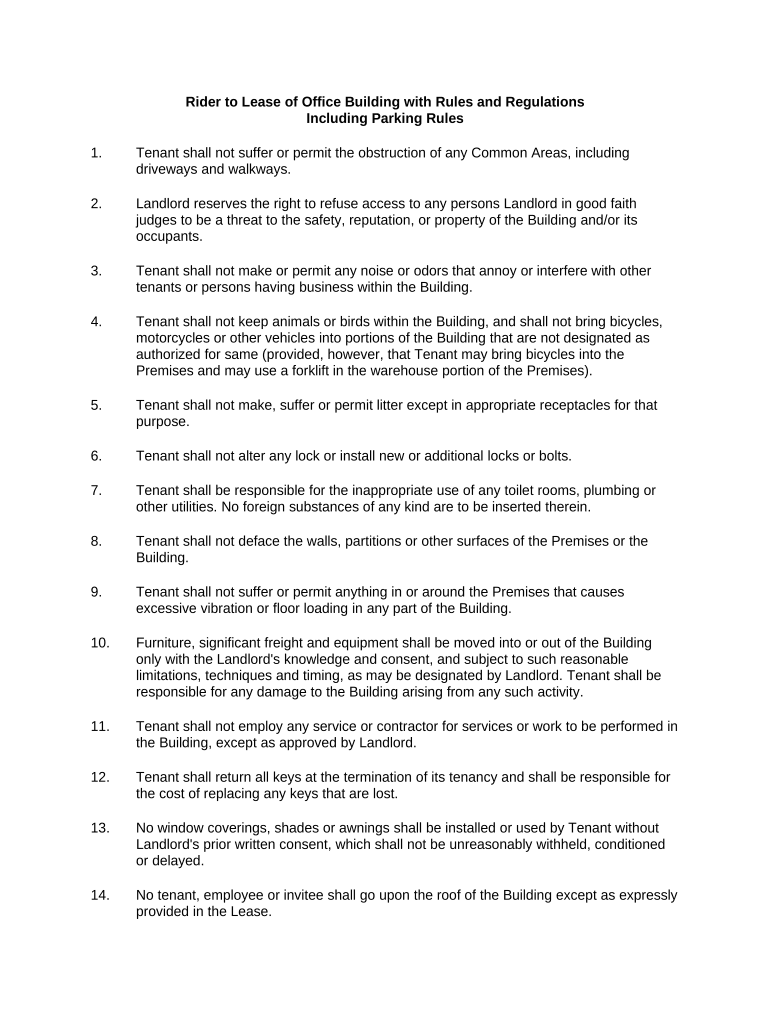
A Rider Lease is a written addendum attached to an existing lease that modifies, clarifies, or adds terms without replacing the original lease. Common rider uses include changing permitted uses, altering pet or parking rules, adjusting rent for a specific period, or adding property-specific requirements. Legally, a rider becomes enforceable when all parties sign it according to applicable contract and signature laws; electronic execution is generally accepted under the ESIGN Act (15 U.S.C. §7001) and UETA where adopted. Parties should reference the underlying lease, identify which clauses the rider modifies, and include an effective date and signatures.

Why a Rider Lease matters for lease management

A Rider Lease lets landlords and tenants make precise, limited changes without redrafting the full lease, reducing administrative friction and preserving previously negotiated terms.

Why a Rider Lease matters for lease management

Who commonly prepares and signs Rider Leases

Each signer should confirm authority to bind their organization and follow any state-specific notarization or witness rules when required.

  • Property managers and landlords who need to update lease terms for individual units without a full lease amendment.
  • Commercial tenants and their legal teams when adding specific operational conditions or space alterations.
  • Residential tenants and landlords agreeing to temporary concessions such as reduced rent or occupancy changes.

Core parts of a professional Rider Lease

A clear Rider Lease is concise, references the base lease, identifies modified sections precisely, includes effective dates, signatures, and any required acknowledgements or attachments.

Reference

Cite the original lease by date and parties so the rider unambiguously identifies the agreement it modifies; include file or lease ID when available.
Modification

Specify the exact clause language being added, replaced, or deleted; use strike-through/insert notation or attach replacement text as an exhibit.

Effective Date

State the date when the rider's terms begin; this controls timing for obligations, notices, and rent adjustments.

Consideration

If the rider changes rent or obligations, state the consideration clearly—amounts, credits, or services that justify modification.

Signatures

Include signature blocks for all parties and date lines; indicate title and authority for corporate signers and any required witness or notary sections.

Attachments

List exhibits (floor plans, schedules, revised policies) that are incorporated by reference and ensure each exhibit is labeled and attached.

Step-by-step: preparing and executing a Rider Lease

Follow these ordered actions to draft, review, and finalize a rider that becomes part of the lease record.

  • 01
    Draft the rider: Reference the base lease and draft the precise changes.
  • 02
    Review internally: Have property management and legal counsel review language for consistency.
  • 03
    Obtain signatures: Collect signatures from all named parties, include witness/notary if required.
  • 04
    Attach to lease: File rider with the original lease and distribute executed copies to parties.

Configuring a digital workflow for Rider Lease completion

A simple digital workflow reduces manual steps and preserves an audit trail for each executed rider.

Step | Configuration Action | Setting
Upload base documents Attach lease PDF and rider draft
Place fields Add signature, date, and initial fields where needed
Set signer order Define sequence to collect approvals
Enable audit trail Record timestamps, IPs, and completion receipts

Where to send or file an executed Rider Lease

After execution, route copies to all stakeholders and retain an executed original with the lease file.

  • Tenant copy: Provide signed PDF or printed copy to tenant for their records
  • Landlord file: Place the executed rider with the original lease and indexed lease file
  • Property manager: Update property management system and tenant ledger with rider details
  • Legal counsel: Send a final copy when requested for compliance or dispute purposes

Digital delivery and e-signature considerations

Ensure the chosen provider supports your industry compliance needs (for example, HIPAA BAA for healthcare) and allows export of the signed record.

  • File formats: PDF and DOCX accepted
  • Authentication: Email, SMS, or stronger ID verification
  • Audit trail: Timestamp, IP, and action log

Common timing considerations for Rider Leases

Plan for internal review and tenant notice periods; different obligations may trigger statutory notice windows depending on the subject matter.

Lease renewal windows:

Issue rider before renewal notice periods end

Rent adjustment notices:

Comply with state notice timing for rent increases

Operational changes:

Allow time for tenant to review changes affecting use or access

Counteroffer period:

Provide clear deadlines for signatures to avoid ambiguity

Record retention start:

Effective date begins retention obligations

Key milestones in the Rider Lease lifecycle

Track the rider as a short lifecycle project with defined milestones from draft to archival.

01

Draft prepared

Create and label rider; attach required exhibits

02

Internal approvals

Legal and management sign-off before sending

03

Execution complete

All parties sign and date the rider

04

Archive and distribute

Store executed rider with lease and send copies

Common preparation errors to avoid

  • Referencing the wrong lease date or file ID leads to ambiguity about which lease the rider modifies and may render enforcement difficult.
  • Vague language such as 'reasonable time' or 'as needed' leaves open interpretation and increases litigation risk if parties disagree.
  • Failing to obtain signatures from authorized signatories can produce a void or voidable amendment and may require re-execution.
  • Neglecting to attach or label exhibits (floor plans, schedules) can create disputes about whether those items were intended to be incorporated.

Consequences of an incorrect or incomplete Rider Lease

Enforceability risk: Rider may be void or unenforceable if execution requirements are not met
Financial exposure: Incorrect rent or consideration language can trigger losses or refund obligations
Operational disputes: Ambiguous terms may lead to tenant/landlord disagreements
Regulatory noncompliance: Failing to follow accommodation or notice laws may incur fines
Recordkeeping gaps: Missing executed copies impede audits or dispute resolution
Tax complications: Unclear rent changes can affect reporting and withholding duties

Required security and compliance elements for electronic Riders

Encryption: TLS 1.2/1.3; AES-256 at rest
Audit Trail: Timestamps, IP addresses, and action logs
Authentication: Email, SMS code, or stronger ID verification
HIPAA: BAA required for protected health information
Regulatory Standards: ESIGN and UETA legal compliance
Certifications: SOC 2 Type II and ISO 27001 available

Representative eSignature vendor comparison for Rider Lease execution

Compare basic plan price, trial availability, bulk-send capability, audit trails, and HIPAA compliance when selecting an eSignature provider.

signNow DocuSign Adobe Sign PandaDoc HelloSign
Starting Price $8/user/mo $15/user/mo $14/user/mo $19/user/mo $15/user/mo
Free Trial 7-day trial Varies Varies Varies Varies
Bulk Send Yes Yes Yes Yes No
Audit Trail Yes Yes Yes Yes Yes
HIPAA Compliant Yes Yes Yes No No

Real-world examples of Rider Leases in practice

Two practical examples show how organizations use riders to solve specific lease issues without redoing entire agreements.

Martin Properties

Property manager needed a temporary rent concession for one unit after flood damage.

  • Rider specified reduced rent and repair schedule.
  • Executed electronically and attached to the tenant's lease file, the rider clarified obligations and avoided a full lease amendment while preserving original lease terms.

Optica Ventures LLC

Commercial tenant required altered signage rights for a new storefront.

  • Rider amended use clause and added sign placement exhibit.
  • The signed rider, incorporated into the lease, permitted the new signage and provided a binding record for enforcement if disputes arose.

Frequently asked questions about Rider Leases

Practical answers to common execution, enforceability, and recordkeeping questions for Rider Leases.


Need help? Contact support

be ready to get more
Join over 28 million airSlate SignNow users