Establishing secure connection…Loading editor…Preparing document…

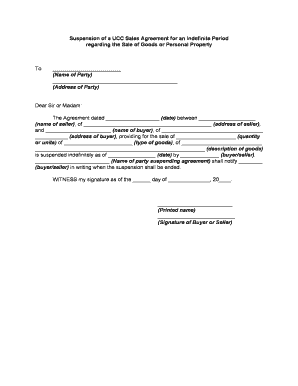
UCC Agreement Form

This template is fully customizable. Edit the text, fill out the fields, and send it for signature. Give it a try!
UCC Agreement Form

What the UCC Agreement Form Is and when it matters

UCC Agreement Form documents record a secured party's interest in a debtor's collateral under Article 9 of the Uniform Commercial Code. Commonly prepared by lenders, lessors, and secured creditors, the form documents terms and collateral descriptions used to perfect a security interest and establish public notice. A correctly completed form supports priority among competing creditors and guides filing with the appropriate Secretary of State office. This guidance explains the form's purpose, typical fields, filing destinations, state variations, signature and notarization considerations, and practical steps to prepare, submit, and retain the record.

Why a complete UCC Agreement Form matters

A properly drafted UCC Agreement Form secures creditor rights by providing public notice, improving priority in insolvency or sale, and reducing disputes over collateral. It clarifies collateral description, payment obligations, and duration, supporting enforceability and predictable remedies under Article 9.

Why a complete UCC Agreement Form matters

Who typically prepares or signs UCC Agreement Forms

Primary users include secured lenders, leasing companies, secured creditors, and their attorneys preparing filings or reviewing collateral descriptions.

  • Commercial lenders and banks that extend secured credit or revolving facilities.
  • Equipment lessors and leasing firms perfect security interests in leased assets.
  • Corporate counsel and title agents reviewing priority searches and lien searches.

Roles that interact with the UCC Agreement Form

Bank Loan Officer

Analyzes collateral descriptions and maturity dates, requests UCC Agreement Forms for new credit facilities, and coordinates filings with state Secretary of State offices. Ensures debtor legal name matches public records to avoid misfiling and backup withholding or priority disputes during insolvency.

Secured Creditor

Files the UCC Agreement Form to perfect security interests in inventory, equipment, accounts, or other collateral, tracks discharge or amendment events, and monitors debtor filings. Works with counsel to draft precise collateral descriptions to preserve priority against subsequent creditors.

Essential parts of a professional UCC Agreement Form

Core parts of a professional UCC Agreement Form include accurate party names, clear collateral descriptions, term and amendment provisions, and filing metadata required for state records.

Debtor Information

Provide the debtor's exact legal name and organizational type. For businesses use the registered entity name; for individuals use the full personal name as shown on government ID to ensure searchable filings.
Secured Party

List the secured party's legal name and contact details, including mailing address and email for notices. Accurate contact info supports enforcement and administrative communication during default or sale.

Collateral Description

Describe collateral with sufficient detail to reasonably identify it: categories, serial numbers, inventory classes, accounts receivable pools, or general description per state requirements to avoid overbroad or ambiguous language.

Duration & Term

Specify effective date, duration, and events that terminate the security interest. Clarify whether automatic continuation, renewal, or termination filings are required under state law. Include post-default remedies.

Amendments & Releases

Identify procedures for amending collateral, filing continuation statements, and releasing liens. State who may execute amendments and how release notices are delivered and recorded electronically.

Filing Data

Include filing office name, jurisdiction, file number if amending, and any cross-references. Accurate metadata ensures the Secretary of State accepts and indexes the record correctly.

Step-by-step: complete and file a UCC Agreement Form

Follow these steps to complete and file a UCC Agreement Form accurately and promptly.

  • 01
    Identify Parties: Confirm debtor and secured party legal names
  • 02
    Describe Collateral: List categories, serials, and exceptions
  • 03
    Set Dates: Enter effective date and termination provisions
  • 04
    File & Confirm: Submit to Secretary of State and retain receipt

How to set up an online UCC filing workflow

Configure online workflows to place fields, set signer order, and automate notifications for UCC Agreement Form filings.

Field Configuration
Signer Order Sequenced signing by secured party then debtor
Authentication Email link with optional SMS code for added verification
Notarization Enable RON or in-person notary steps per state
Document Retention Auto-save signed PDF and audit trail for records

Typical online filing flow for a UCC Agreement Form

Typical electronic filing workflow moves from form completion to signature collection, notarization if required, and filing with the state.

  • Upload Document: Attach completed UCC Agreement Form
  • Place Fields: Add signature, date, and initial fields
  • Authenticate Signers: Use email, SMS, or KBA verification
  • File Copy: Submit PDF to Secretary of State per jurisdiction

Technical considerations for digital UCC workflows

Digital UCC workflows require PDF support, secure storage, and integrations with title, ERP, or CRM systems for metadata synchronization.

  • File Formats: PDF and Word DOCX accepted
  • Integrations: Integrates with NetSuite, Salesforce, Microsoft 365, Google Workspace
  • Security: AES-256 storage; TLS transport

Security and compliance controls relevant to UCC eFiling

Encryption: TLS 1.2/1.3; AES-256 at rest
Certifications: SOC 2 Type II; ISO 27001; PCI DSS
HIPAA: BAA available for covered entities
ESIGN/UETA: Compliant with federal and state laws
Audit Trail: Timestamps, IP, signer actions recorded
Access Controls: SSO, role-based permissions, 2FA options

Key penalties and risks from incorrect UCC filings

Priority Loss: Senior lienholders prevail
Filing Rejection: Incorrect debtor name causes rejection
Tax Consequences: Backup withholding risk
Late Fees: State filing penalties possible
Enforcement Delay: Remedies delayed until perfection
Fraud Risk: Invalid signatures may void filing

Common mistakes to avoid when preparing a UCC Agreement Form

  • Using a trade name instead of the debtor's exact legal name leads to misindexing and possible rejection during a Secretary of State search, delaying perfection.
  • Overbroad collateral descriptions like 'all assets' may be challenged; use specific categories, serial numbers, or account pools to establish a clear attachment.
  • Failing to file continuation statements before expiration can cause a perfected lien to lapse, harming recovery prospects in bankruptcy or resale.
  • Typos in filing office or jurisdiction selection submit to the wrong state database; cross-check the Secretary of State portal for correct filing location.

Comparing baseline eSignature pricing and features for UCC workflows

Compare baseline eSignature pricing and core features relevant when managing UCC Agreement Form workflows at scale.

signNow DocuSign Adobe Sign PandaDoc HelloSign
Starting Price $8/user/mo $15/user/mo $14/user/mo $19/user/mo $15/user/mo
Free Trial 7-day trial Varies by vendor Varies by vendor Varies by vendor Varies by vendor
Bulk Send Yes Yes Yes Yes No
Audit Trail Yes Yes Yes Yes Yes
HIPAA Compliant Yes Yes Yes No No

Frequently asked questions about the UCC Agreement Form

Answers to frequent questions about completing, signing, filing, and correcting UCC Agreement Forms and retention obligations.


Need help? Contact support

be ready to get more
Join over 28 million airSlate SignNow users