Free Printable HVAC Invoice Template for Marketing

Watch your invoicing process turn fast and smooth. With just a few clicks, you can complete all the required actions on your free printable hvac invoice template for Marketing and other important files from any gadget with internet access.

Award-winning eSignature solution

What the free printable hvac invoice template for marketing is and how it fits your operations

A free printable HVAC invoice template for marketing is a customizable, print-ready invoice designed for HVAC service providers that doubles as a marketing touchpoint. It combines standard invoicing fields—client details, service descriptions, parts and labor, totals, and payment terms—with optional promotional elements such as coupons, referral incentives, and branded messaging. Used at point of service or mailed with follow-up materials, the template supports physical receipt delivery while helping to reinforce brand identity, capture leads for future service, and provide consistent billing information for recordkeeping and tax purposes.

Why using a printable HVAC invoice template for marketing matters

A well-designed printable HVAC invoice template for marketing improves billing consistency and provides an opportunity to drive repeat business through embedded promotions and clear service records.

Why using a printable HVAC invoice template for marketing matters

Common operational challenges when deploying printable invoice templates

  • Inconsistent template versions across technicians can cause billing errors and client confusion.
  • Poorly formatted print layouts may truncate information or misalign promotional elements.
  • Manual entry increases the risk of pricing mistakes and slows invoice turnaround.
  • Failure to include clear payment terms and follow-up steps can delay collections.

Representative user roles for the template

Field Technician

Technicians use the printable invoice template at job sites to record work completed, parts used, and payments received. They rely on a clean layout that prints clearly on commonly available paper sizes and includes space for signatures and technician notes, enabling accurate handovers to office staff for reconciliation.

Office Manager

Office managers integrate completed invoices into billing systems, match payments to accounts, and analyze promotional uptake. They need consistent template fields, clear totals, and a designated area for marketing codes to streamline bookkeeping and support targeted follow-up communications.

Who typically uses printable HVAC invoice templates and how they benefit teams

Small contractors, local service franchises, and field technicians commonly use printable HVAC invoice templates to standardize billing and support marketing efforts in the field.

  • Field technicians who need a reliable, printable bill at job completion.
  • Office managers reconciling payments and tracking promotional responses.
  • Marketing coordinators embedding coupons to increase repeat service bookings.

Advanced features to enhance template utility

Consider these additional elements to increase utility for accounting, marketing measurement, and field usability while keeping the printed layout simple and actionable.

QR Code

Embed a QR code linking to feedback forms, online scheduling, or payment portals to convert a printed invoice into an interactive marketing touchpoint.


Service Codes

Use standardized service and part codes to speed data entry and streamline integration with inventory or billing software.

Conditional Sections

Include optional lines that appear only for specific service types to keep invoices relevant and uncluttered.

Tax Calculation

Automate or clearly present tax rates and subtotal calculations to avoid disputes and simplify accounting.

Customer Notes

Provide a brief area for personalized technician notes that add value and document the service call specifics.

Return Policy

Summarize warranty or return conditions to set expectations and reduce misunderstandings post-service.

be ready to get more

Choose a better solution

Essential features for an effective marketing invoice template

Design the template to balance clear billing information with marketing components, and ensure it prints reliably from common devices used by technicians and office staff.

Clear Itemization

Provide distinct lines for labor, parts, taxes, and discounts so customers can easily verify charges and so office staff can reconcile entries against inventory and service logs.

Branded Header

Include company logo, contact details, and service license numbers prominently to reinforce trust and make it straightforward for clients to request follow-up or emergency service.

Promotional Zone

Reserve a consistent area for coupons, referral codes, or seasonal offers that can be tracked when redeemed and tied back to specific campaigns for measurement.

Signature Area

Provide space for technician and client signatures and date fields to confirm acceptance of work and to support warranty or service agreements.
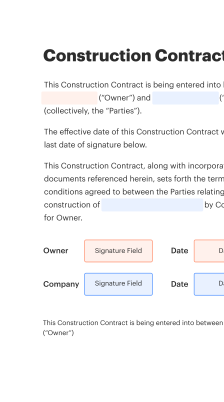
How to create and distribute the printable template

This sequence describes creating the invoice, populating fields, and delivering a printed copy while preserving data for digital records.

  • Design: Use a template editor to set layout.
  • Populate: Enter client, work, and pricing details.
  • Print: Print on standard A4 or letter paper.
  • Record: Scan or store a PDF for records.
Collect signatures
24x
faster
Reduce costs by
$30
per document
Save up to
40h
per employee / month

Quick setup steps to get a printable HVAC invoice template for marketing ready

Follow these concise steps to prepare, customize, and deploy a print-ready invoice that also serves marketing goals.

  • 01
    Select Template: Choose a clean, single-page layout.
  • 02
    Branding: Add logo, contact, and color accents.
  • 03
    Marketing Fields: Insert coupon and referral code areas.
  • 04
    Print Test: Verify alignment on standard paper.

Step-by-step guide to filling out the printable template correctly

A practical sequence for technicians and office staff to ensure completeness and accuracy when issuing a printed invoice.

01

Client Info:

Confirm name, address, and contact details.
02

Service Description:

Record work performed in plain terms.
03

Parts Used:

List part numbers and quantities.
04

Labor Hours:

Enter time and rate details.
05

Totals and Taxes:

Calculate subtotal, tax, and total due.
06

Signatures:

Collect technician and client signatures.
be ready to get more

Why choose airSlate SignNow

  • Free 7-day trial. Choose the plan you need and try it risk-free.
  • Honest pricing for full-featured plans. airSlate SignNow offers subscription plans with no overages or hidden fees at renewal.
  • Enterprise-grade security. airSlate SignNow helps you comply with global security standards.
illustrations signature

Recommended workflow settings for invoice creation and retention

These workflow settings support consistent creation, review, and storage of marketing-enabled printable invoices across field and office teams.

Setting Name Configuration
Approval Required No
Reminder Frequency 48 hours
Retention Period 7 years
Scan Deadline 7 days
Access Level Role-based

Device and software requirements for printing and archiving invoices

Ensure technicians and office staff have access to compatible devices and software to print templates and store digital copies reliably.

  • Printer Type: Laser or inkjet
  • File Format: PDF recommended
  • Storage Location: Centralized cloud

Document protection features to consider

Watermark Options: Add non-removable brand marks
Password Print Lock: Restrict printing access
Access Controls: Role-based document access
Signature Audit: Track signer identity
Encrypted Storage: AES-256 encryption
Version History: Retain prior revisions

Realistic use cases for marketing-focused HVAC invoices

Two practical scenarios illustrate how a printable HVAC invoice template for marketing can support billing and customer acquisition in field operations.

Local Service Follow-up

A technician hands a printed invoice with a two-week 10 percent discount coupon for seasonal maintenance

  • coupon code printed on bottom
  • encourages repeat booking within promotional window

Resulting in measurable increase in booked follow-up maintenance appointments and higher seasonal revenue.

Referral Incentive

Invoices include referral language and a unique referral code printed near the total

  • customers present code for a $25 credit on future services
  • tracks source of new leads through redemption

Leading to improved tracking of referral ROI and steady new customer acquisition from existing clients.

Best practices for secure and accurate printable marketing invoices

Adopt procedures that reduce errors, protect customer data, and make printed invoices useful for marketing and compliance simultaneously.

Standardize Templates Across Teams
Use a single approved template file and enforce its use to avoid mismatched terms, inconsistent branding, or omitted required legal disclosures that complicate accounting and customer service.
Include Clear Payment Terms and Methods
Display due dates, accepted payment methods, and late-fee policies in plain language so customers understand obligations and collections are smoother.
Log Printed Copies Digitally
Scan or export a PDF of each printed invoice into secure storage with metadata for client, job number, and date to support audits and customer inquiries.
Limit Sensitive Data on Printouts
Avoid printing full payment card numbers or unnecessary personal identifiers; instead, use partial references and secure digital channels for collecting payment details.

FAQs and troubleshooting for printable HVAC invoice templates

Common questions and fixes to help teams avoid errors, resolve printing issues, and ensure regulatory compliance with printed invoices.

Feature comparison: signNow (Recommended) versus major eSignature providers

A concise comparison of essential capabilities relevant to generating, signing, and archiving templates used as printable HVAC invoices for marketing.

Feature Security and Vendor Comparison Table signNow (Recommended) DocuSign Adobe Sign
ESIGN and UETA Support
Audit Trail Included
Bulk Send Capability
HIPAA-ready Options Configurable Business Associate Enterprise only
be ready to get more

Get legally-binding signatures now!

Key timing and retention milestones to track

Maintain schedules for printing, delivery, and record retention to meet business needs and regulatory obligations.

Invoice Issuance Window:

Issue within 48 hours of service completion.

Customer Payment Terms:

Net 30 days unless otherwise stated.

Promotional Expiry Date:

Set clear expiration for coupons on the document.

Document Scanning Deadline:

Scan into records within seven days.

Retention Period:

Retain invoices for at least seven years.

Legal and operational risks to be aware of

Incorrect Tax Calculation: Financial penalties
Missing Signatures: Payment disputes
Unauthorized Access: Data breach
Noncompliance: Regulatory fines
Retention Failures: Audit issues
Misleading Promotions: Consumer complaints

Pricing snapshot across eSignature platforms for small HVAC operations

Representative entry-level offerings and trial availability for comparison; actual prices and packaged features vary by region and plan and should be confirmed with each provider.

Plan and Cost Comparison signNow (Recommended) DocuSign Adobe Sign Dropbox Sign PandaDoc
Starting Plan and Price Business plan starting around $8/user/month Personal/Standard from about $10–$25/month Acrobat with Sign from about $14.99/month Essentials from $15/user/month Essentials from $19/month
Free Trial Availability Yes, trial offered Limited trial Trial via Adobe subscription Yes, short trial Yes, trial available
Per-user Billing Option Monthly and annual Monthly and annual Monthly and annual Monthly and annual Monthly and annual
Team Features Included Templates, bulk send, role management Templates, workflow tools Templates, integration with Acrobat Simple templates, API access Template library and CRM integrations
Best for Cost-conscious teams needing core signing and templates Broad enterprise feature set Users requiring PDF editing and signing Simpler signing workflows Sales teams combining proposals and signatures
walmart logo
exonMobil logo
apple logo
comcast logo
facebook logo
FedEx logo
be ready to get more

Get legally-binding signatures now!