Establishing secure connection… Loading editor… Preparing document…
Navigation

Fill and Sign the Comes Now Plaintiff Formerly Doing Business as and
Fill and Sign the Comes Now Plaintiff Formerly Doing Business as and

How it works

Open the document and fill out all its fields.
Apply your legally-binding eSignature.
Save and invite other recipients to sign it.

Rate template

4.5
55 votes
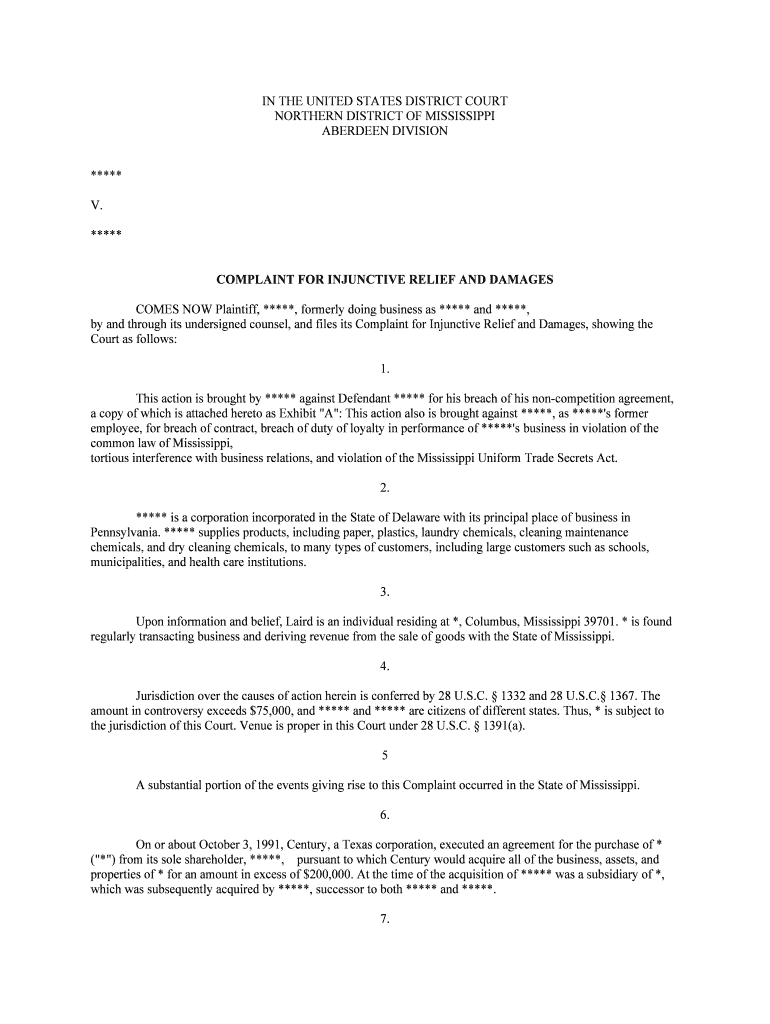
IN THE UNITED STATES DISTRICT COURTNORTHERN DISTRICT OF MISSISSIPPI ABERDEEN DIVISION *****V.***** COMPLAINT FOR INJUNCTIVE RELIEF AND DAMAGES COMES NOW Plaintiff, *****, formerly doing business as ***** and *****, by and through its undersigned counsel, and files its Complaint for Injunctive Relief and Damages, showing the Court as follows: 1. This action is brought by ***** against Defendant ***** for his breach of his non-competition agreement, a copy of which is attached hereto as Exhibit "A": This action also is brought against *****, as *****'s former employee, for breach of contract, breach of duty of loyalty in performance of *****'s business in violation of the common law of Mississippi, tortious interference with business relations, and violation of the Mississippi Uniform Trade Secrets Act. 2. ***** is a corporation incorporated in the State of Delaware with its principal place of business in Pennsylvania. ***** supplies products, including paper, plastics, laundry chemicals, cleaning maintenance chemicals, and dry cleaning chemicals, to many types of customers, including large customers such as schools, municipalities, and health care institutions. 3. Upon information and belief, Laird is an individual residing at *, Columbus, Mississippi 39701. * is found regularly transacting business and deriving revenue from the sale of goods with the State of Mississippi. 4. Jurisdiction over the causes of action herein is conferred by 28 U.S.C. § 1332 and 28 U.S.C.§ 1367. The amount in controversy exceeds $75,000, and ***** and ***** are citizens of different states. Thus, * is subject to the jurisdiction of this Court. Venue is proper in this Court under 28 U.S.C. § 1391(a). 5 A substantial portion of the events giving rise to this Complaint occurred in the State of Mississippi. 6. On or about October 3, 1991, Century, a Texas corporation, executed an agreement for the purchase of * ("*") from its sole shareholder, *****, pursuant to which Century would acquire all of the business, assets, and properties of * for an amount in excess of $200,000. At the time of the acquisition of ***** was a subsidiary of *, which was subsequently acquired by *****, successor to both ***** and *****. 7. In the Assets Sale and Purchase Agreement executed by Jantek and Century, $30,000 of the purchase price was allocated for the purchase of *'s customer lists and goodwill. 8. The purchase of * by * was contingent upon *****'s agreement to become an employee of * after the sale and upon *****'s execution of the Employment and Non-compete Agreement (the "Agreement") attached hereto as Exhibit "A". 9. On or about November 4, 1991, ***** executed the Agreement and thereafter, until his termination on or about June 2, 1998, *****d worked for * and its successor ***** in a sales and supervisory capacity. 10. In the Agreement executed by Laird on or about November 4, 1991, ***** agreed to the following restrictions during the term of his employment and following the termination of his employment:For a period of three years from the date of this Agreement and for an additional period of two years after the Employee has ceased to be an employee of *, or of any subsidiary or affiliate of Century, whether or not pursuant to this agreement, the Employee shall not without the prior written consent of *; (a)directly or indirectly engage in, or(b)assist or have an active interest in (whether as proprietor, partner, investor, shareholder, officer, director or any type of principal whatever, provided that ownership of not more than 2 percent of the outstanding stock of a corporation traded on a National securities exchange or quoted on NASDAQ shall not of itself be viewed as assisting or having an active interest), or(c)enter the employment of or act as an agent for or advisor or consultant to any person, firm, partnership, association, corporation or business organization, entity or enterprise that is, or is about to become, directly or indirectly engaged in, any business in any area within a 125 mile radius of Columbus, Mississippi whether in operation or in the planning or development stage, that competes with or is substantially similar to any business that *, or any subsidiary or affiliate of * has operated, or had in the planning or development stage, during the 120-day period immediately prior to the Employee's ceasing to be an employee of * or any subsidiary or affiliate of *. 11. In addition to his specific agreement not to compete with * pursuant to the terms of the Agreement, ***** also specifically agreed that he would not solicit customers of *. Employee will not at any time, without prior written consent of *: (a)directly or indirectly solicit, request or advise any customer or client of; or other person, firm, partnership, association, corporation or business organization, entity or enterprise having business dealings with * or its business as continued by * to withdraw, curtail or cancel such business; or.... 12. ***** also agreed that he would not, without consent of *, use trade secrets and confidential information for his personal benefit or for the benefit of any other person or entity. The Agreement states in relevant part:Without the prior written consent of *, the Employee shall not at any time use for his own benefit or purposes or for the benefit or purposes of any other person, firm, partnership, association, corporation or business organization, entity or enterprise, or disclose . . . any trade secrets, information, data, know-how or knowledge (including, but not limited to, that relating to costs, products, equipment, marketing methods, suppliers, customers, personnel training programs, business expansion plans or financing) belonging to, or relating to the affairs of *, * or any subsidiary or affiliate of *. 13. In exchange for *****'s agreement to refrain from engaging in competitive and solicitation activities as defined and limited by Paragraphs 7 and 8 of the Agreement, * agreed to pay ***** a total of $40,000. The Agreement provided as follows:In consideration for all of the foregoing non-competition covenants contained in Section 7 and 8 hereof; * shall pay Employee $20,000 on January 2, 1992, $10,000 on January 2, 1993, and $10,000 on January 2, 1994.... 14. Pursuant to the terms of the Agreement, * paid ***** $40,000 for his agreement to refrain from competitive activities. 15. At the time the Agreement was entered, the parties contemplated and agreed that the terms and provisions of the Agreement, including the non-competition restrictions, would "inure to the benefit of * and its subsidiaries and affiliates, and their respective successors and assigns." The Agreement provided in relevant part:The Employee expressly agrees that * may assign this agreement and all of *'s rights and obligations hereunder without the consent of Employee (i) to *, or any parent or subsidiary of *, or (ii) to any successor in interest to the business and assets of *, or (iii) to any successor in interest to the business of * as continued by *.*****, through its acquisition of *, * and the business of * as continued by *, is the successor and assign of *. 16. * also agreed that in the event that he breached the non-competition and non-solicitation provisions of the Agreement, injunctive relief would be appropriate.The Employee acknowledges and agrees that *'s remedy at law for any breach of any of the Employee's obligations under Sections 4, 5, 6, 7 and 8 hereof would be inadequate, and agrees and consents that temporary and permanent injunctive relief may be granted in any proceeding that may be brought to enforce any provision of any of such Sections, without the necessity of actual damages. 17. The Agreement provides that its terms will be construed and enforced under the laws of the State of Mississippi. 18. During his employment with *, ***** solicited and serviced many ***** customers in the Columbus, Mississippi area and was charged with developing, maintaining, and strengthening the good will and customer relationships in his care. ***** also had contact with and supervisory, sales, and service responsibility for numerous customers, including industrial accounts, schools, municipalities, and health care institutions. 19. ***** was given access to and regularly utilized ***** confidential and trade secret business information including, but not limited to, long- and short-range business plans (including supply and marketing plans), methods of distribution, sales, sources of supplies; special supply pricing and arrangements for existing and target accounts, suppliers' pricing and cost information, customer information, including buying habits, needs, and requirements, buying preferences, customer pricing sensitivity, customer lists, confidential price policies, confidential price characteristics, profitability for all accounts, gross profits, regional sales results, policy and sales manuals, and customer financial and credit histories. 20. On or about October 1, 1997, ***** acquired the assets of * and its parent, *. As such, ***** acquired the rights and responsibilities set forth in the Agreement, and all obligations and promises previously owed to * by ***** are now owed to *****. 21. In or around May 1998, ***** learned that ***** engaged in activities in violation of the Agreement. Upon information and belief; ***** had reason to believe that ***** had entered into a personal business relationship with * ("*") to distribute products on behalf of * in competition with ***** within the 125-mile radius of Columbus, Mississippi. 22. ***** admitted to engaging in the aforementioned activities when confronted by ***** management. *****'s employment with ***** was terminated on or about June 2, 1998. 23. In a letter to ***** from ***** dated May 19, 1998, ***** was reminded of his obligations under the Agreement and under Mississippi law. ***** was asked to refrain from further non-compliant activities and to notify ***** within 10 days as to the steps ***** would take to remedy his conduct. Nonetheless, * has failed and refused to return to compliance with his obligations under the Agreement. COUNT I: BREACH OF CONTRACT 24. ***** realleges and reasserts all allegations and statements contained in Paragraphs I through 23 above as if set forth in full herein in Count I. 25. Despite receiving $40,000 from * for his specific, written agreement to not engage in direct or indirect competition with * and/or its successors and assigns, ***** has breached that agreement by engaging in prohibited competitive activity. 26. As a result of *****'s breach of contract, ***** is entitled to contract damages as may be proven, including, but not limited to, the $40,000 paid to ***** as consideration for his agreement not to compete. COUNT II: *****'S BREACH OF NON-COMPETITION AGREEMENT 27. ***** realleges and reasserts all allegations and statements contained in Paragraphs 1 through 27 above as if set forth in full herein in Count II. 28. *****'s employment with ***** terminated on or about June 2, 1998, such that the non-competition obligation of * runs through June 2, 2002. 29. Prior to the termination of his employment with ***** and subsequent thereto, ***** has engaged and is currently engaged in activities substantially identical to those he performed for * and ***** in direct competition with *****. 30. Prior and subsequent to the termination of *'s employment with *****, ***** has breached the terms of his noncompetition agreement by directly and indirectly, for his benefit and the benefit of *, engaging in the sale of; soliciting orders for, and providing services for products or goods in direct and/or indirect competition with ***** within the 125-mile radius of Columbus, Mississippi set forth in the Agreement. Upon information and belief; ***** avers that ***** has called upon other current and former ***** source customers within the 125-mile radius of Columbus, Mississippi. 31. The harm suffered by ***** as a result of *****'s aforesaid conduct is irreparable in nature and incapable of being measured solely in terms of monetary damages, thereby leaving no adequate remedy at law for said harm to *****. Such harm includes losses suffered by ***** as a result of *****'s breach of the Agreement and *****' s resultant loss of current and prospective business, customer goodwill and loyalty, and competitive advantage. New and further irreparable injury and damage will result to ***** during the pendency of this action. 32. The aforesaid violations of the non-competition agreement are causing and will continue to cause ***** to suffer irreparable harm unless ***** is immediately restrained and enjoined from further violations of his Agreement. COUNT III: INTERFERENCE WITH BUSINESS RELATIONS 33. ***** realleges and reasserts all allegations and statements contained in Paragraphs 1 through 32 above as if set forth in full herein in Count III. 34. ***** has violated the common law of the State of Mississippi by interfering with *****'s business relationship with *****'s customers. 35. *****, with knowledge of the business relationships of Unisource and its customers within the 125-mile radius of Columbus, Mississippi, has intentionally, wrongfully, and maliciously interfered with same. 36. The harm suffered by ***** as a result of the aforesaid conduct of ***** as set out in Counts III of this Complaint is irreparable in nature and incapable of being measured solely in terms of monetary damages, thereby leaving no adequate remedy at law for said same harm to *****. Such harm includes losses suffered by ***** as a result of *****'s inducement of ***** customers to discontinue their business relationship with ***** at the same level and prospective business, customer goodwill, customer loyalty, and competitive advantage. New and further irreparable injury and damage will result to ***** during the pendency of this suit. COUNT IV: BREACH OF DUTY OF LOYALTY 37. ***** realleges and reasserts all allegations and statements contained in Paragraphs 1 through 36 above as if set forth in full herein in Count IV. 38. As *****'s agent, ***** violated the common law of the State of Mississippi by breaching his duty to be loyal in the performance of *****'s business. 39. Upon information and belief; while employed by *****, ***** entered into a business relationship with * and began competing directly and/or indirectly with *****. COUNT V: VIOLATION OF TRADE SECRETS ACT 40. ***** realleges and reasserts all allegations and statements contained in Paragraphs 1 through 39 above as if set forth in full herein in Count V. 41. By virtue of his employment with *****, ***** had regular access and use of trade secrets and confidential proprietary information such as customer lists, credit information, product lists, cost data, price schedules, vendor lists, sales strategies, methodologies of operations, price characteristics, pricing strategies, long- and short-range pricing and marketing plans, customer purchase histories, customer financial and credit histories, and customer purchase tendencies.

Valuable suggestions for preparing your ‘Comes Now Plaintiff Formerly Doing Business As And ’ online

Are you fed up with the inconvenience of managing paperwork? Look no further than airSlate SignNow, the premier electronic signature solution for individuals and organizations. Bid farewell to the lengthy process of printing and scanning documents. With airSlate SignNow, you can effortlessly complete and sign documents online. Utilize the powerful capabilities embedded in this user-friendly and cost-effective platform to transform your approach to document management. Whether you need to approve forms or collect electronic signatures, airSlate SignNow manages it all effortlessly, with just a few clicks.

Follow these step-by-step instructions:

  1. Log into your account or sign up for a free trial with our service.
  2. Click +Create to upload a file from your device, cloud storage, or our form library.
  3. Open your ‘Comes Now Plaintiff Formerly Doing Business As And ’ in the editor.
  4. Click Me (Fill Out Now) to prepare the form on your end.
  5. Add and assign fillable fields for others (if necessary).
  6. Continue with the Send Invite settings to request eSignatures from others.
  7. Save, print your copy, or convert it into a reusable template.

No need to worry if you need to work with your colleagues on your Comes Now Plaintiff Formerly Doing Business As And or send it for notarization—our solution provides everything required to accomplish these tasks. Sign up with airSlate SignNow today and elevate your document management to a new level!

Here is a list of the most common customer questions. If you can’t find an answer to your question, please don’t hesitate to reach out to us.

Need help? Contact Support
Doing business as name
Define DBA in business
what is your dba (doing business as) name payoneer
How do you check if a name for a business is available
When do I need a DBA for my LLC
Register name of business
Do I need sole proprietorship
How to publish fictitious business name in newspaper
Doing business as example
Doing business as certificate
What does DBA mean legally
Doing business as form

The best way to complete and sign your comes now plaintiff formerly doing business as and

Save time on document management with airSlate SignNow and get your comes now plaintiff formerly doing business as and eSigned quickly from anywhere with our fully compliant eSignature tool.

How to Sign a PDF Online How to Sign a PDF Online

How to complete and sign documents online

In the past, coping with paperwork required pretty much time and effort. But with airSlate SignNow, document management is easy and fast. Our robust and user-friendly eSignature solution allows you to easily fill out and electronically sign your comes now plaintiff formerly doing business as and online from any internet-connected device.

Follow the step-by-step guidelines to eSign your comes now plaintiff formerly doing business as and template online:

  • 1.Register for a free trial with airSlate SignNow or log in to your account with password credentials or SSO authentication.
  • 2.Click Upload or Create and add a file for eSigning from your device, the cloud, or our form collection.
  • 3.Click on the file name to open it in the editor and use the left-side toolbar to fill out all the blank fields properly.
  • 4.Put the My Signature field where you need to eSign your sample. Type your name, draw, or upload a picture of your regular signature.
  • 5.Click Save and Close to accomplish modifying your completed form.

Once your comes now plaintiff formerly doing business as and template is ready, download it to your device, export it to the cloud, or invite other people to eSign it. With airSlate SignNow, the eSigning process only takes a couple of clicks. Use our powerful eSignature solution wherever you are to handle your paperwork effectively!


How to Sign a PDF Using Google Chrome How to Sign a PDF Using Google Chrome

How to fill out and sign paperwork in Google Chrome

Completing and signing documents is simple with the airSlate SignNow extension for Google Chrome. Installing it to your browser is a quick and effective way to deal with your paperwork online. Sign your comes now plaintiff formerly doing business as and template with a legally-binding electronic signature in just a couple of clicks without switching between programs and tabs.

Follow the step-by-step guide to eSign your comes now plaintiff formerly doing business as and template in Google Chrome:

  • 1.Navigate to the Chrome Web Store, find the airSlate SignNow extension for Chrome, and install it to your browser.
  • 2.Right-click on the link to a form you need to sign and select Open in airSlate SignNow.
  • 3.Log in to your account using your password or Google/Facebook sign-in option. If you don’t have one, sign up for a free trial.
  • 4.Use the Edit & Sign toolbar on the left to complete your sample, then drag and drop the My Signature field.
  • 5.Insert a photo of your handwritten signature, draw it, or simply type in your full name to eSign.
  • 6.Make sure all information is correct and click Save and Close to finish editing your form.

Now, you can save your comes now plaintiff formerly doing business as and template to your device or cloud storage, send the copy to other people, or invite them to electronically sign your form via an email request or a secure Signing Link. The airSlate SignNow extension for Google Chrome improves your document workflows with minimum time and effort. Try airSlate SignNow today!


How to Sign a PDF in Gmail How to Sign a PDF in Gmail How to Sign a PDF in Gmail

How to complete and sign paperwork in Gmail

When you get an email with the comes now plaintiff formerly doing business as and for signing, there’s no need to print and scan a file or download and re-upload it to a different program. There’s a better solution if you use Gmail. Try the airSlate SignNow add-on to quickly eSign any documents right from your inbox.

Follow the step-by-step guide to eSign your comes now plaintiff formerly doing business as and in Gmail:

  • 1.Navigate to the Google Workplace Marketplace and find a airSlate SignNow add-on for Gmail.
  • 2.Set up the tool with a related button and grant the tool access to your Google account.
  • 3.Open an email with an attached file that needs approval and utilize the S symbol on the right panel to launch the add-on.
  • 4.Log in to your airSlate SignNow account. Opt for Send to Sign to forward the document to other people for approval or click Upload to open it in the editor.
  • 5.Drop the My Signature option where you need to eSign: type, draw, or import your signature.

This eSigning process saves time and only requires a couple of clicks. Use the airSlate SignNow add-on for Gmail to adjust your comes now plaintiff formerly doing business as and with fillable fields, sign forms legally, and invite other individuals to eSign them al without leaving your mailbox. Boost your signature workflows now!


How to Sign a PDF on a Mobile Device How to Sign a PDF on a Mobile Device How to Sign a PDF on a Mobile Device

How to fill out and sign documents in a mobile browser

Need to rapidly fill out and sign your comes now plaintiff formerly doing business as and on a smartphone while working on the go? airSlate SignNow can help without the need to set up additional software programs. Open our airSlate SignNow solution from any browser on your mobile device and add legally-binding electronic signatures on the go, 24/7.

Follow the step-by-step guide to eSign your comes now plaintiff formerly doing business as and in a browser:

  • 1.Open any browser on your device and follow the link www.signnow.com
  • 2.Create an account with a free trial or log in with your password credentials or SSO authentication.
  • 3.Click Upload or Create and pick a file that needs to be completed from a cloud, your device, or our form library with ready-to go templates.
  • 4.Open the form and complete the empty fields with tools from Edit & Sign menu on the left.
  • 5.Place the My Signature area to the form, then enter your name, draw, or upload your signature.

In a few easy clicks, your comes now plaintiff formerly doing business as and is completed from wherever you are. When you're finished editing, you can save the file on your device, build a reusable template for it, email it to other individuals, or ask them to eSign it. Make your documents on the go speedy and productive with airSlate SignNow!


How to Sign a PDF on iPhone How to Sign a PDF on iPhone

How to complete and sign forms on iOS

In today’s business world, tasks must be accomplished rapidly even when you’re away from your computer. With the airSlate SignNow mobile app, you can organize your paperwork and approve your comes now plaintiff formerly doing business as and with a legally-binding eSignature right on your iPhone or iPad. Set it up on your device to conclude agreements and manage documents from anyplace 24/7.

Follow the step-by-step guide to eSign your comes now plaintiff formerly doing business as and on iOS devices:

  • 1.Open the App Store, find the airSlate SignNow app by airSlate, and set it up on your device.
  • 2.Open the application, tap Create to import a form, and select Myself.
  • 3.Choose Signature at the bottom toolbar and simply draw your signature with a finger or stylus to eSign the sample.
  • 4.Tap Done -> Save right after signing the sample.
  • 5.Tap Save or use the Make Template option to re-use this paperwork in the future.

This method is so simple your comes now plaintiff formerly doing business as and is completed and signed in a few taps. The airSlate SignNow application works in the cloud so all the forms on your mobile device remain in your account and are available whenever you need them. Use airSlate SignNow for iOS to boost your document management and eSignature workflows!


How to Sign a PDF on Android How to Sign a PDF on Android

How to fill out and sign paperwork on Android

With airSlate SignNow, it’s easy to sign your comes now plaintiff formerly doing business as and on the go. Install its mobile app for Android OS on your device and start boosting eSignature workflows right on your smartphone or tablet.

Follow the step-by-step guidelines to eSign your comes now plaintiff formerly doing business as and on Android:

  • 1.Navigate to Google Play, search for the airSlate SignNow application from airSlate, and install it on your device.
  • 2.Sign in to your account or register it with a free trial, then upload a file with a ➕ key on the bottom of you screen.
  • 3.Tap on the imported file and choose Open in Editor from the dropdown menu.
  • 4.Tap on Tools tab -> Signature, then draw or type your name to electronically sign the form. Fill out empty fields with other tools on the bottom if needed.
  • 5.Use the ✔ key, then tap on the Save option to finish editing.

With an easy-to-use interface and full compliance with major eSignature laws and regulations, the airSlate SignNow app is the perfect tool for signing your comes now plaintiff formerly doing business as and . It even operates without internet and updates all record changes when your internet connection is restored and the tool is synced. Fill out and eSign documents, send them for approval, and generate multi-usable templates anytime and from anywhere with airSlate SignNow.

Sign up and try Comes now plaintiff formerly doing business as and
  • Close deals faster
  • Improve productivity
  • Delight customers
  • Increase revenue
  • Save time & money
  • Reduce payment cycles

