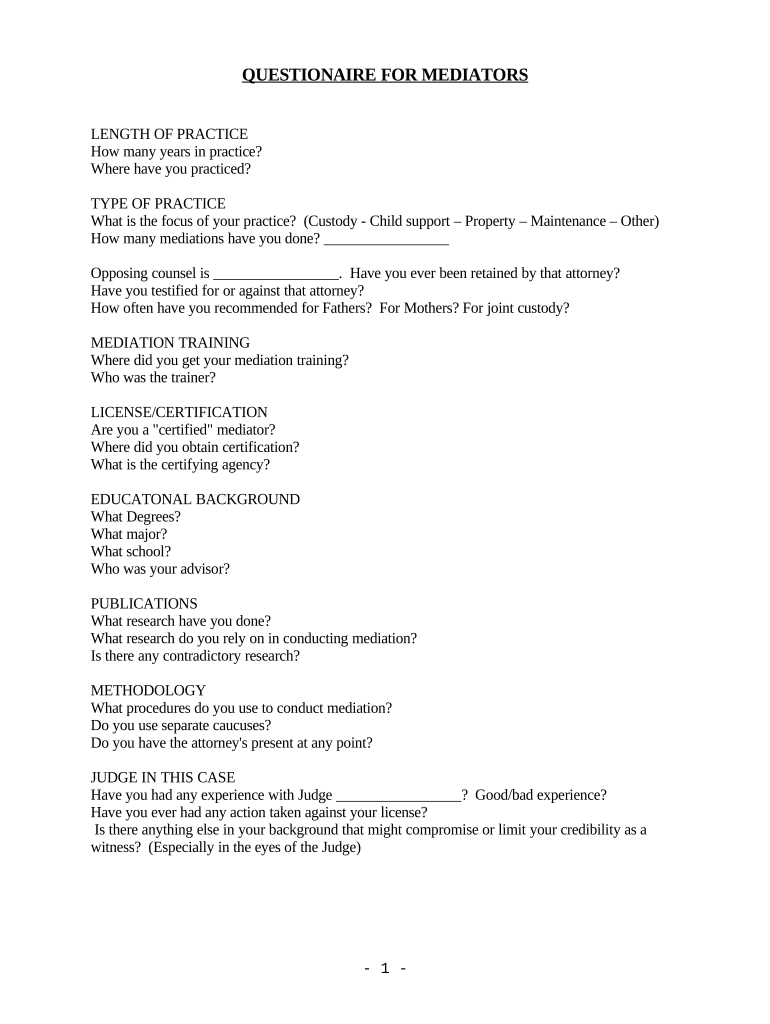
Mediator Questionnaire
What the Mediator Questionnaire Is and When It's Used
Why a Mediator Questionnaire Matters for Efficient Preparation
Completing a Mediator Questionnaire clarifies disputed issues, speeds case triage, preserves confidentiality preferences, and reduces administrative time on the mediation day. A consistent questionnaire improves fairness, lets mediators prepare targeted questions, and provides a documented record of disclosures and authority to settle.
Who Typically Completes and Reviews the Mediator Questionnaire
The questionnaire is used by mediators, parties, and counsel to prepare for sessions and document settlement authority.
- Mediators — review case facts, identify issues, and set session structure.
- Parties and clients — disclose positions, settlement authority, and sensitive issues.
- Counsel or advocates — provide legal context, evidentiary concerns, and authorization details.
Typical Signatories and Their Roles
Lead Mediator
A neutral facilitator who uses the questionnaire to assess readiness, set the agenda, and confirm process rules. The mediator documents pre-session disclosures and any confidentiality terms that will govern the proceeding and any subsequent settlement communications.
Party Counsel
An attorney who completes factual and legal sections on behalf of a client, confirms settlement authority and reserves the right to withhold privileged details. Counsel ensures the questionnaire reflects client instructions and notes any protective needs.
Risks and Consequences of an Incorrect Questionnaire
Common Preparation Mistakes to Avoid
- Using informal or inconsistent party names leads to misidentification and may impede enforceability or create confusion in settlement paperwork.
- Failing to state who has settlement authority causes delay or nullified agreements when parties discover the signatory lacked authority.
- Leaving dates or version fields blank makes it hard to determine which questionnaire applies to a specific mediation session.
- Sharing sensitive medical or financial details without a signed confidentiality agreement risks HIPAA or privacy compliance issues.
Stepwise Process to Complete the Mediator Questionnaire
-
01Gather Documents: Collect pleadings, prior offers, and exhibits.
-
02Complete Fields: Enter party names, counsel, issues, and authority.
-
03Review & Certify: Confirm accuracy and completeness before signing.
-
04Submit: Send to mediator and opposing counsel electronically.
How Electronic Submission and Routing Typically Operate
-
Upload Document: Attach the questionnaire PDF or DOCX.
-
Place Fields: Add signature, date, and text fields.
-
Send to Signers: Email or link with authentication.
-
Archive Record: Save signed copy and audit log.
Key Digital Workflow Settings for Mediator Questionnaires
| Field | Configuration |
|---|---|
| Authentication | Email or SMS code; stronger where required |
| Conditional Fields | Show or hide based on answers |
| Reminder Schedule | Automated reminders prior to session |
| Template Save | Reuse standard questionnaire templates |
Technical Considerations for eSubmission and Compatibility
Ensure chosen platforms support common file formats, secure authentication, and an audit trail to meet ESIGN/UETA requirements.
- File Formats: PDF, DOCX, or fillable PDF
- Integrations: Salesforce, Google Workspace, NetSuite
- Authentication: Email, SMS, or SSO
Choose a workflow that preserves a tamper-evident record and exportable audit logs for retention, discovery, or court reference. Confirm any industry-specific requirements such as HIPAA before collecting protected health information.
Typical Timelines and Suggested Deadlines
Questionnaire Submission Window:
Submit at least 7 days before the mediation session.
Mediator Review Period:
Mediator reviews submissions 48–72 hours before session.
Correction Turnaround:
Parties should respond to follow-ups within 48 hours.
Final Agenda Distribution:
Mediator issues agenda 24–48 hours before session.
Record Retention Start:
Retention begins on the execution date of the signed questionnaire.
Key Milestones from Intake Through Closure
Intake Submitted
Questionnaire is completed and sent to mediator.
Pre‑Mediation Review
Mediator assesses issues and confirms logistics.
Mediation Session
In-person or virtual session takes place.
Post‑Mediation Closure
Signed settlement documents archived and distributed.
Representative Use Cases Showing Practical Value
Commercial Lease Dispute
A landlord and tenant complete detailed issue lists and prior offer history before mediation
- Mediator narrows agenda to three points
- Clear settlement authority statements prevented post‑settlement disputes and sped document execution after the session.
Healthcare Services Claim
Parties avoid unnecessary PHI by using redaction fields and a HIPAA consent checkbox
- Mediator confirms redaction before session
- Confidentiality preferences and a signed BAA allowed safe document exchange and preserved privilege.
eSignature Pricing and Feature Comparison for Mediator Questionnaires
| signNow | DocuSign | Adobe Sign | PandaDoc | HelloSign | |
|---|---|---|---|---|---|
| Starting Price | $8/user/mo | $15/user/mo | $14/user/mo | $19/user/mo | $15/user/mo |
| Free Trial | Yes, 7-day free trial | No | No | Yes, limited | Yes, limited |
| Bulk Send | Yes | Yes | Yes | Yes | No |
| Audit Trail | Yes | Yes | Yes | Yes | Yes |
| HIPAA Compliant | Yes | Yes | Yes | No | No |
FAQs and Troubleshooting for Mediator Questionnaires
-
Is an electronic questionnaire legally binding?
Yes when it meets the ESIGN Act evidentiary test: intent, consent, attribution, and record retention (15 U.S.C. §7001). UETA governs intrastate transactions in most states.
-
When is notarization or witnesses required?
Notarization or witnesses are only required where state law or form type demands it (for example deeds or certain POAs); most mediator questionnaires do not require notary unless executing settlement documents.
-
Can I eSign documents containing health information?
Yes, but include a HIPAA authorization and BAA where a vendor handles PHI; follow 45 CFR §164.502 and §164.530(j) for privacy and retention obligations.
-
How do I correct an error after submission?
Issue a corrected questionnaire or an amendment signed by relevant parties and timestamped; retain both original and corrected versions for audit and discovery.
-
How should completed questionnaires be stored?
Store signed copies and audit trails in tamper-evident storage with AES-256 encryption and access controls; retain per applicable federal and state rules.
-
Who should sign the questionnaire?
The party with settlement authority or their counsel should sign. If authority is delegated, include an explicit authorization statement describing limits of authority.