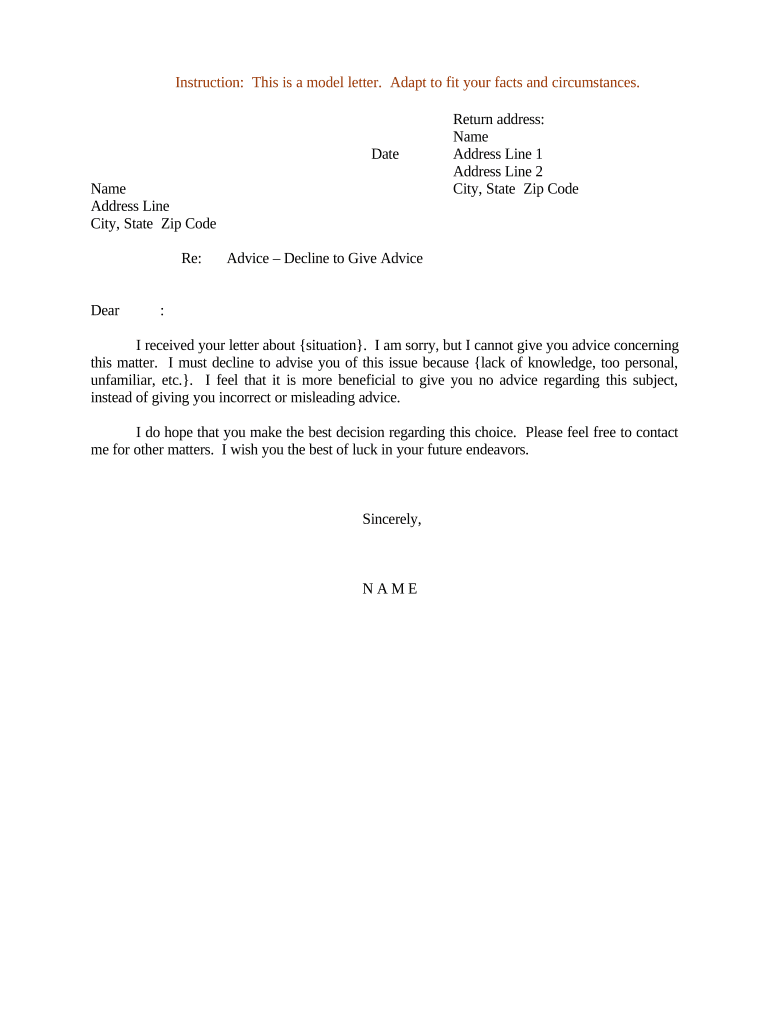
Letter Declining to Give Advice
What a Letter Declining to Give Advice Is and Why It Matters
Why Documenting a Refusal Protects You and the Requester
A clear, written declination preserves professional boundaries, reduces the risk of implied advice or malpractice claims, and provides a contemporaneous record that regulators or third parties can review if a dispute arises.
Who Typically Issues a Letter Declining to Give Advice
Professionals, firms, and administrators use this letter to formally decline requests while preserving documentation and boundaries.
- Solo practitioners and small firms who must manage client expectations without creating an advisory duty.
- In-house counsel or compliance officers handling external inquiries that could create regulatory risk if answered.
- Healthcare administrators or clinicians issuing non-medical referrals or triage without diagnosing or advising care.
Step-by-Step: How to Prepare and Send the Letter
-
01Draft: State request details, refusal reason, and lack of advisory relationship.
-
02Limitations: Avoid substantive guidance or recommendations in any phrasing.
-
03Referrals: Offer neutral referrals if appropriate; avoid implied endorsements.
-
04Sign: Include printed name, title, date, and signature block.
How to Configure an Online Workflow for This Letter
| Field | Configuration |
|---|---|
| Platform | Choose a PDF/DOCX-capable eSignature platform with audit trails |
| Authentication | Use email verification or stronger methods for sensitive cases |
| Template | Create a locked template to standardize language and required fields |
| Storage | Archive signed letters in secured document storage with access logging |
Where to Send or File the Letter
-
Internal Records: File the signed letter in the client or personnel file with access controls.
-
Requestor: Send by email with read receipt or by certified mail for stronger proof of delivery.
-
Regulatory Body: Submit only if a regulator requires formal notice or disclosure.
-
Third Parties: Share with counsel, compliance, or insurers if needed for risk management.
Digital Signing and Distribution: Platform Considerations
Use platforms that provide clear audit trails, signer attribution, and secure storage to preserve legal value of the letter.
- Supported Formats: PDF and DOCX with embedded metadata
- Signature Types: Email, SMS, or PKI-based signatures
- Integrations: Connect to CRM, document storage, or case management
Timing and Deadlines to Observe
Deliver Promptly:
Send the letter soon after the request to avoid implied acceptance of the request.
Document Retention:
Keep a copy per your document retention policy and applicable law.
Regulatory Filings:
File only if a regulator or court requires formal notice.
Tax-related Notices:
If tied to tax reporting, follow applicable IRS deadlines.
Statute of Limitations:
Timely documentation can affect limitation calculations in disputes.
Key Milestones from Request to Record
Request Received
Log date, channel, and summary of the request in internal records.
Decision Documented
Draft the declination letter and record the basis for refusal.
Letter Sent
Deliver via chosen channel and capture proof of delivery.
Record Retained
Store signed letter with retention metadata and access controls.
Common Preparation Pitfalls to Avoid
- Using vague language that could be interpreted as conditional advice, which undermines the declination and increases liability risk.
- Failing to record the original request or context, making it difficult to demonstrate why advice was declined later in a dispute.
- Mixing refusal language with partial recommendations or examples that could be read as actionable guidance.
- Sending the letter without preserving sender and recipient metadata, losing the audit trail needed to prove delivery or attribution.
Risks and Potential Consequences of Errors
eSignature Pricing and Feature Comparison (signNow First)
| signNow | DocuSign | Adobe Sign | PandaDoc | HelloSign | |
|---|---|---|---|---|---|
| Starting Price | $8/user/mo | $15/user/mo | $14/user/mo | $19/user/mo | $15/user/mo |
| Free Trial | 7-day free trial | Varies | Varies | Varies | Varies |
| Bulk Send | Yes | Yes | Yes | Yes | No |
| Audit Trail | Yes | Yes | Yes | Yes | Yes |
| HIPAA Compliant | Yes | Yes | Yes | No | No |
| Envelope Cap | No envelope cap | 100 envelopes/user/year | Varies | Varies | Varies |
Frequently Asked Questions About Declining to Give Advice
-
Is the letter legally binding?
A declination letter documents a refusal but is not a contract that creates obligations. Electronic execution is enforceable under the ESIGN Act (15 U.S.C. ch. 96) and UETA where adopted, provided intent and attribution are clear.
-
Can the letter be e-signed?
Yes. Electronic signatures meeting intent, consent, attribution, and retention requirements satisfy ESIGN/UETA elements. For consumer-facing matters, follow ESIGN disclosure requirements before obtaining consent to electronic records.
-
Do I need a notary or witnesses?
Not typically for a simple declination letter. Use a notary if local practice or the recipient requires notarized proof; certain jurisdictions impose notarization for related legal instruments.
-
How do I revoke or change a declination?
Issue a new written communication stating the change and the effective date. Preserve both documents and their timestamps to show sequence and intent in any later review.
-
Who should sign the letter?
An authorized representative with authority to speak for the organization should sign. For individuals, the person who received the request or the appropriate supervisor may sign to ensure attribution.
-
What stops the letter becoming advice?
Use narrow, declarative language that expressly declines advisory services; avoid conditional phrasing or examples that could be read as recommendations. Where appropriate, offer neutral referrals only.