Establishing secure connection…Loading editor…Preparing document…

Sample Letter of Recommendation

This template is fully customizable. Edit the text, fill out the fields, and send it for signature. Give it a try!
Sample Letter of Recommendation

What a Sample Letter of Recommendation Is and When It’s Used

A Sample Letter of Recommendation is a template or model letter that outlines the sender’s relationship to a candidate, summarizes qualifications, and offers evaluative commentary for admissions, scholarships, jobs, or professional references. It provides a structured format to present specific examples, measurable achievements, and an overall endorsement while remaining adaptable to different recipients and purposes. The sample helps writers include essential elements—identity, context, performance evidence, and a clear closing—so the final signed letter is complete, verifiable, and suitable for submission to academic committees, employers, or credentialing bodies.

Why Use a Sample Letter of Recommendation

A clear sample saves time, ensures consistent content, and prompts specific examples that strengthen an applicant’s case while reducing avoidable omissions.

Why Use a Sample Letter of Recommendation

Who Typically Writes or Receives These Letters

Common participants include academic faculty, supervisors, mentors, admissions officers, and hiring managers involved in assessing a candidate.

  • Academic recommenders for undergraduate and graduate admissions, focusing on coursework, research potential, and academic integrity.
  • Employment supervisors or managers providing performance examples, role fit, and professional achievements for job or promotion decisions.
  • Professional mentors and licensure referees offering character assessment, technical competence, and ethical behavior in regulated professions.

The sample letter format accommodates different sender roles while guiding content that recipients expect for reliable evaluation.

Core Elements to Include in Every Letter

A professional Sample Letter of Recommendation should consistently include identification, relationship context, qualifications, specific examples, comparative assessments, and a closing that states availability for follow-up.

Header and Date

Include author name, title, organization, contact details, and the letter date so recipients can verify the source and timeliness of the reference.
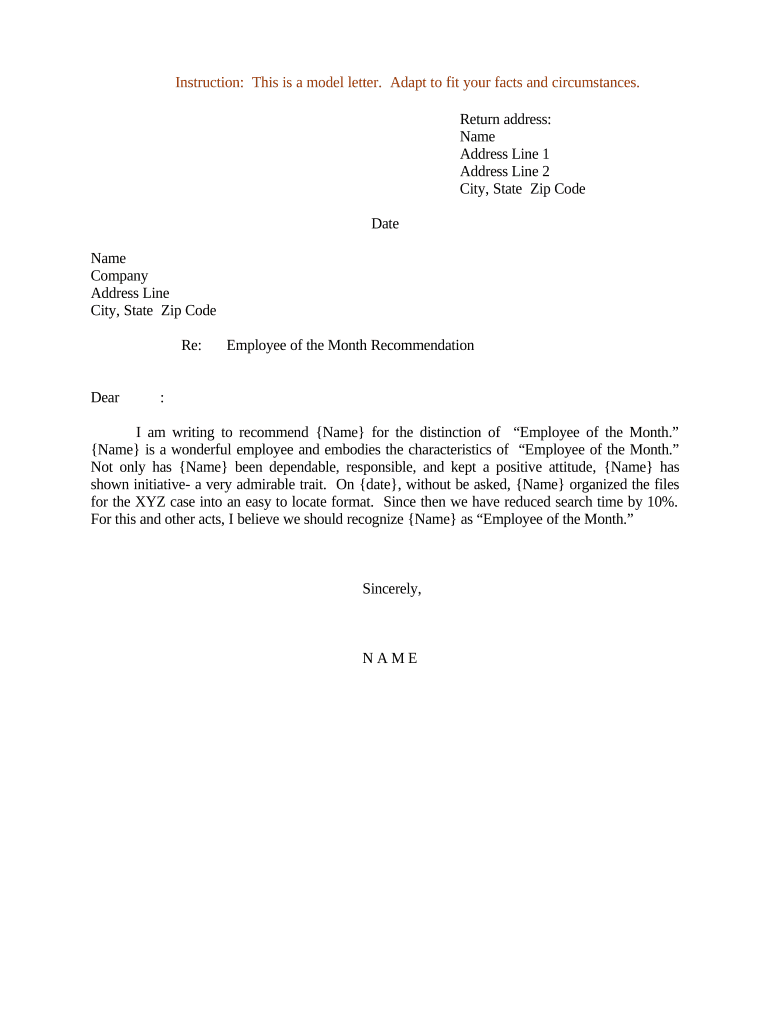
Intro and Relationship

State how long and in what capacity you have known the candidate; this establishes context and the basis for your judgment.

Qualifications Summary

Provide a concise statement of key strengths, competencies, and relevant outcomes tied to the role or program being sought.

Specific Examples

Cite concrete instances, projects, or metrics that demonstrate the candidate’s skills, leadership, or academic contributions.

Comparative Assessment

If appropriate, compare the applicant to peers (e.g., top 5% of students/employees) with factual basis for the comparison.

Closing and Signature

End with an explicit endorsement level, offer to answer questions, and include a handwritten or electronic signature with printed name and date.

Step-by-Step: Preparing a Complete Letter

Follow these steps to draft, verify, and deliver a Sample Letter of Recommendation suitable for academic or employment use.

  • 01
    Draft Content: Write the relationship, strengths, and specific examples in clear, factual language.
  • 02
    Check Details: Verify names, dates, titles, and recipient instructions before finalizing the letter.
  • 03
    Select Signature Method: Choose handwritten notarized signature or an eSignature consistent with recipient requirements.
  • 04
    Deliver to Recipient: Send via requested channel (email, portal upload, or sealed envelope) and confirm receipt if required.

Configuring an Online Completion Workflow

When using an e-sign or document platform, configure fields and routing to mirror the letter’s required elements and approvals.

Field Configuration
Author Name Field Required, single-line text
Date Field MM/DD/YYYY format enforced
Signature Field Signer-specific, allow eSign or drawn signature
Attachment Area Optional upload for supporting documents

Technical Requirements for eSubmission and Signing

Verify platform capabilities and recipient requirements before using digital workflows for letters.

  • Document Formats: PDF and DOCX supported
  • Authentication Options: Email, SMS, or stronger methods
  • Integrations: Works with major CRMs

Match platform features—file format, signer authentication, audit trail—to recipient acceptance policies to ensure legal validity.

Typical Online Completion Flow

A common eSubmission workflow reduces manual handoffs and preserves signing evidence in an audit trail.

  • Upload Document: Sender uploads the letter template to the signing platform.
  • Place Fields: Add signature, date, and text fields mapped to the author.
  • Send to Signer: Platform emails or generates a secure signing link for the author.
  • Complete and Record: Signer authenticates, signs, and signed copy plus audit trail are stored.

eSignature Pricing Snapshot for Letter Workflows

Compare common vendor pricing and features relevant to completing and delivering Recommendation Letters; signNow appears first per sourcing guidance.

signNow DocuSign Adobe Sign PandaDoc HelloSign
Starting Price $8/user/mo $15/user/mo $14/user/mo $19/user/mo $15/user/mo
Free Trial 7-day free trial Varies by plan Varies by plan Varies by plan Varies by plan
Bulk Send Yes Yes Yes Yes Varies
Audit Trail Yes Yes Yes Yes Yes
HIPAA Compliant Yes Yes Yes No No

Key Security and Compliance Points for Digital Letters

Encryption: TLS 1.2/1.3 in transit; AES-256 at rest
HIPAA: HIPAA compliant with BAA available
ESIGN / UETA: Compliant with ESIGN and UETA frameworks
Audit Trail: Comprehensive timestamps and signer metadata
Certifications: SOC 2 Type II and ISO 27001 certified
Accessibility: WCAG 2.0 Level AA accessibility support

Common Legal and Administrative Risks

Identity Mismatch: Can void acceptance
Missing Dates: May disqualify time‑sensitive applications
Improper Authentication: Recipient may reject eSignatures
Inaccurate Claims: Risk of defamation or professional complaints
Retention Failure: Lack of records impedes dispute defense
Wrong Recipient: Privacy breach risk

Frequent Preparation Errors to Avoid

  • Using vague praise without examples; weakens credibility.
  • Mismatching names or dates between letter and application materials.
  • Failing to follow recipient format or submission instructions.
  • Overstating achievements or unverifiable comparative claims.

Practical Tips to Produce Strong Letters

Adopt precise language, document verification steps, and preserve signed copies to support evaluation and future queries.

Be Specific and Measurable
Use quantifiable outcomes and concrete examples rather than generic praise to make endorsements verifiable and useful to reviewers.
Match Recipient Guidance
Follow application instructions for format, word count, and submission channel to avoid automatic rejection by program portals.
Preserve Evidence
Retain the signed letter, audit trail, and any correspondence for at least three years to document authenticity if questioned.
Confirm Consent
Obtain candidate permission to share private information and confirm which accomplishments they want emphasized.

Two Use-Case Examples

These concise examples illustrate how a sample letter can be adapted for common scenarios.

Academic Admission

Faculty member describes 18 months of research supervision and course performance, including a publishable project

  • Mentions candidate led data analysis improving lab efficiency by 30%
  • Concludes with a clear endorsement and contact details to support verification and follow-up by the admissions committee.

Job Application

Direct manager summarizes two years of supervisory experience and concrete deliverables, including revenue impact

  • Notes leadership of a cross-functional team that delivered a product on time
  • Ends with a ranking among peers and an offer to provide additional details by phone or email.

Timing and Delivery Expectations

Plan ahead to meet application deadlines and to give recommenders adequate time to prepare thoughtful letters.

Application Deadline:

Submit letter before the program or employer deadline; late letters may be excluded

Recommended Lead Time:

Request letters at least two to four weeks before the due date

Follow-Up Window:

Allow one week for the recommender to confirm completion after a polite reminder

Record Retention:

Keep copies and audit trails for at least three years following decision

Notarization Timing:

If notarization required, schedule signing early to accommodate notary availability

FAQs and Troubleshooting

Answers to common questions about preparing, signing, and submitting Sample Letters of Recommendation.


Need help? Contact support

be ready to get more
Join over 28 million airSlate SignNow users