Establishing secure connection…Loading editor…Preparing document…

Letter Regarding Claim and Delivery Hearing

This template is fully customizable. Edit the text, fill out the fields, and send it for signature. Give it a try!
Letter Regarding Claim and Delivery Hearing

What the Letter Regarding Claim and Delivery Hearing Is

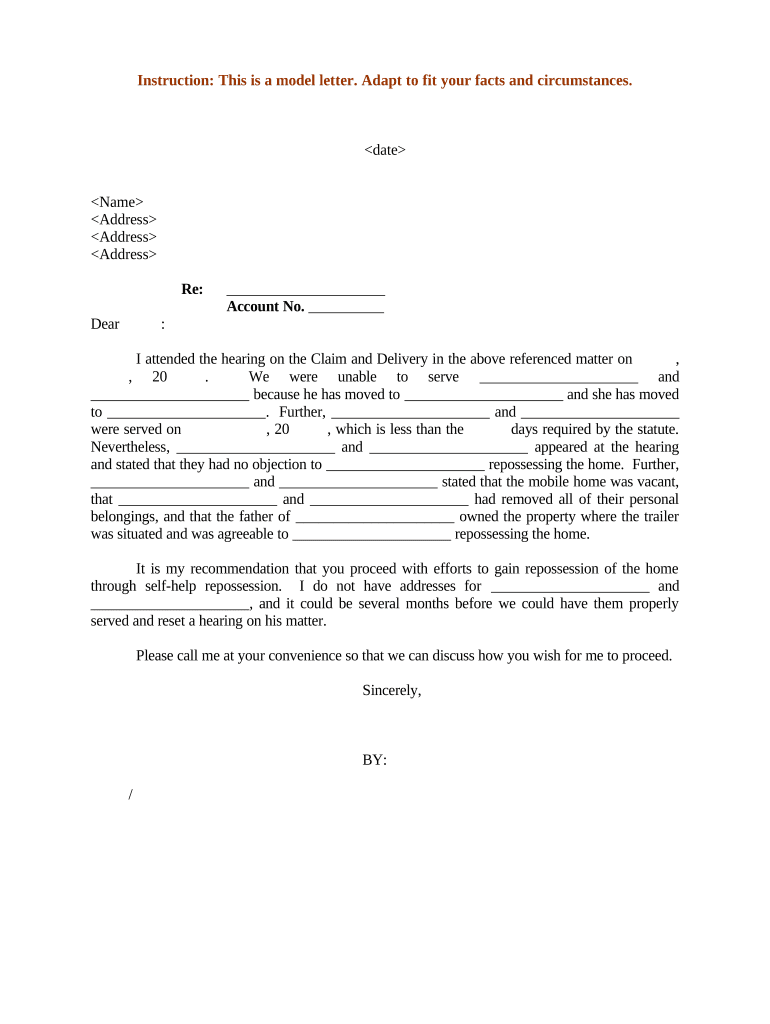
A Letter Regarding Claim and Delivery Hearing is a formal legal notice submitted to the court and opposing parties to set, confirm, or respond to a scheduled claim and delivery (replevin) hearing. It identifies the case, parties, property at issue, requested relief, hearing date and location, and service details. The letter may accompany a motion, affidavit, or proposed order and is used in civil courts to document procedural steps and ensure all parties and the trier of fact have notice of contested possession or return-of-property requests.

Why this Letter Matters and Its Legal Standing

The letter documents notice, frames the relief sought, and creates a clear procedural record for the hearing. When executed and retained properly it supports enforceability under the ESIGN Act (15 U.S.C. ch. 96) and state UETA rules where applicable.

Why this Letter Matters and Its Legal Standing

Who Typically Prepares and Receives This Letter

Proper routing and service help avoid default rulings, contested possession disputes, and procedural sanctions.

  • Plaintiff / Plaintiff’s Counsel — Prepares hearing details and relief description, ensures proper service and filing.
  • Sheriff / Process Server — Receives service instructions and verifies timing for physical recovery or seizure.
  • Defendant / Respondent — Receives notice and instructions for appearing, objecting, or returning disputed property.

Who Has Authority to Sign

Plaintiff Attorney

An attorney of record signs to certify the letter’s accuracy and proper service. Signature indicates counsel’s representation, intent to proceed at the hearing, and authorization to request the court’s relief on the plaintiff’s behalf.

Corporate Representative

An officer or authorized agent may sign for a corporate party when no counsel represents that entity. The signer should state job title and authority to bind the organization for procedural and enforcement purposes.

Essential Elements to Include in a Professional Letter

A complete letter is clear, court-ready, and organized so clerks and opposing counsel can act without follow-up.

Case Caption

Include court name, docket or case number, plaintiff and defendant names exactly as on file so court staff can immediately locate the matter and associate the letter with pending pleadings.
Hearing Details

State the date, time, courtroom or virtual conference link, and presiding judge if known, and note whether the hearing is in-person or remote to guide attendance and evidence procedures.

Property Description

Provide specific identifiers for the property (serial numbers, VIN, account numbers, photographs referenced, and location) so the court and officers can identify items without ambiguity.

Relief Requested

List the precise relief sought (possession, status quo, temporary restraining order, costs) and reference the controlling statutory or rule basis supporting the request.

Service and Contact

Document how the letter was or will be served, include the server’s name, contact details for counsel, and a designated person for coordinating physical recovery or turnover.

Signature Block

Provide printed name, firm or entity, title, signature line, and date. If notarization or witness signatures are required, include those lines and any notary acknowledgment language.

Required Information to Include

Case Number: Use exact docket number
Court Name: Full court title and division
Party Names: Plaintiff and defendant legal names
Property Details: Clear item identifiers
Hearing Location: Street address or virtual link
Contact Information: Phone and email for counsel

Step-by-Step: Preparing and Filing the Letter

Follow these sequential steps to prepare a compliant letter, serve it properly, and file it with the court in advance of the hearing.

  • 01
    Confirm Case Details: Verify caption, docket number, judge, and scheduled hearing information.
  • 02
    Draft Letter: Include required elements and reference supporting pleadings or exhibits.
  • 03
    Serve Parties: Complete service per local rules and record proof of service.
  • 04
    File with Court: File the letter and proof of service before local deadline; keep copies for the record.

Customizing and Submitting the Letter Online

Set up a repeatable online workflow to populate fields, collect signatures, and attach exhibits for e-filing or service.

Field Recommended Setting
Case Caption Field Auto-fill from case template
Hearing Date Field Date picker MM/DD/YYYY
Attachment Upload Allow PDF or JPG exhibits
Signature Field Audit-tracked e-signature enabled

Where to Send and How the Routing Works

Routing depends on court and local rule: clerk filing, opposing counsel, and any enforcement officers must each receive appropriate copies.

  • File to Clerk: Upload or deliver the original letter and proof of service to the court clerk.
  • Serve Opposing Party: Deliver per local civil procedure rules and record the method and date.
  • Notify Enforcement Officer: Provide sheriff or process server with the letter and property particulars for recovery.
  • Retain Copies: Keep signed, stamped, or electronically dated copies for the party file.

Digital Distribution and Platform Considerations

Ensure platform audit trails, redaction capability, and secure storage align with procedural and privacy obligations.

  • File Formats: PDF and DOCX accepted by most e-filing systems
  • Integrations: Supports CRM and document storage integrations for routing
  • Authentication: Use email or stronger signer authentication depending on local rules

Typical Deadlines and Timing Expectations

Timing varies by jurisdiction; confirm local civil rules and the court’s calendar for exact deadlines and service windows.

Filing Before Hearing:

File letter and related motion according to local rule, often several business days before hearing.

Service Deadline:

Personal or mailed service deadlines vary; many courts require service at least 5–14 days ahead.

Response Period:

Opposing party may have a set period to file oppositions or affidavits prior to the hearing.

Emergency Hearings:

Short-notice hearings may allow compressed service where permitted by statute or rule.

Evidence Exchange:

Submit exhibits and witness lists per court schedule to avoid exclusion at hearing.

Common Mistakes to Avoid

  • Failing to include the exact case caption or docket number, which can result in the clerk misfiling or delaying the submission.
  • Using vague property descriptions without serial numbers or photos, causing confusion for enforcement officers and contested identity at the hearing.
  • Improper proof of service or missing notarization lines where local rules require them, risking motions being denied or continued.
  • Not verifying whether the hearing is in person or remote and omitting the required virtual access details or equipment instructions.

Consequences of an Incorrect or Late Letter

Dismissal Risk: Case may be continued or dismissed
Sanctions: Court may impose monetary sanctions
Service Defect: Relief can be denied for improper notice
Evidence Exclusion: Untimely exhibits may be excluded
Enforcement Delay: Physical recovery can be postponed
Perjury Exposure: False statements risk criminal penalties

Real-World Examples of How the Letter Is Used

Practical examples show how concise letters support courtroom logistics and enforcement actions.

County Replevin Proceeding

A local plaintiff filed a letter to confirm a scheduled replevin hearing and attach serial-numbered exhibits

  • The sheriff used the details to locate items quickly
  • The court referenced the letter during the hearing and relied on attached exhibits to resolve possession without further continuances.

Commercial Lease Recovery

A landlord’s counsel sent a letter prior to a claim and delivery hearing to document unpaid storage liens and list inventory

  • The tenant received clear service instructions and returned select items
  • The hearing focused on disputed items identified by the letter, narrowing the issues and reducing hearing time.

eSignature Pricing Comparison for Preparing and Signing the Letter

Common eSignature options and representative starting prices to consider for signing, routing, and storing the letter electronically.

signNow DocuSign Adobe Sign PandaDoc HelloSign
Starting Price $8/user/mo $15/user/mo $14/user/mo $19/user/mo $15/user/mo
Free Trial Yes, 7-day trial Yes Yes Yes Yes
Bulk Send Yes Yes Yes Yes No
Audit Trail Yes Yes Yes Yes Yes
HIPAA Compliant Yes Yes Yes No No

Frequently Asked Questions About the Letter and Hearing Process

Answers to common procedural, service, and document-format questions that arise when preparing a letter for a claim and delivery hearing.


Need help? Contact support

be ready to get more
Join over 28 million airSlate SignNow users