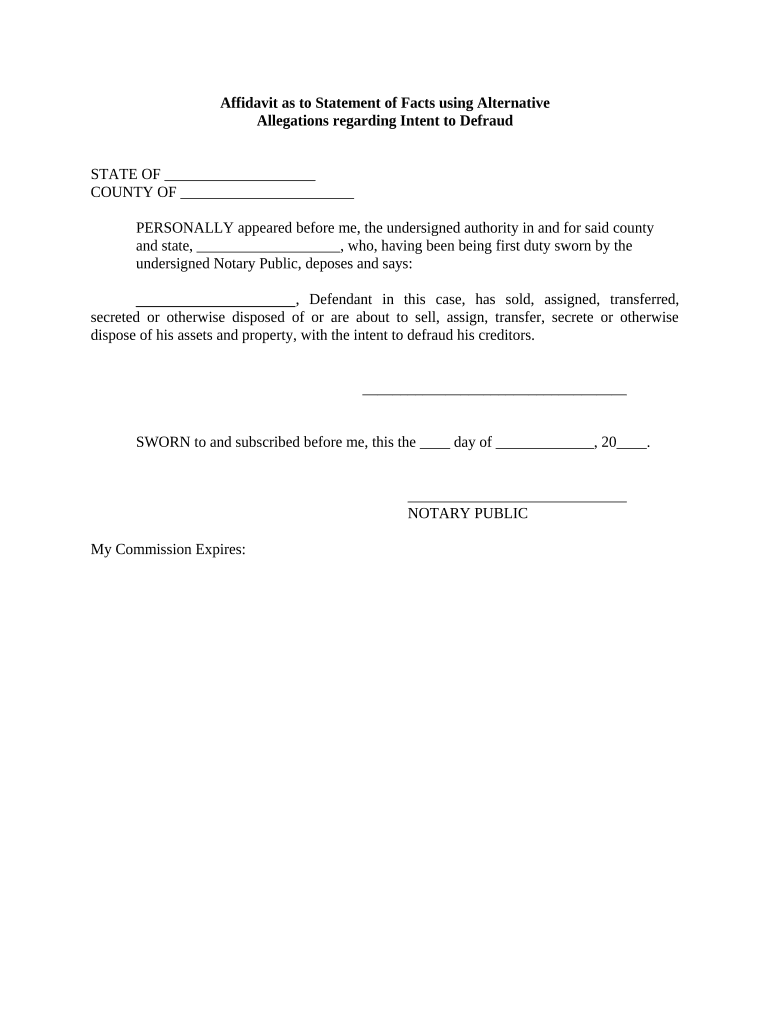
Affidavit as to Statement of Facts
What an Affidavit as to Statement of Facts Is
Why a Clear, Well-Prepared Affidavit Matters
A correctly drafted affidavit provides reliable, admissible evidence that supports court filings, real estate closings, immigration petitions, and administrative claims. Clear statements reduce disputes, speed processing, and limit follow-up verification requests while preserving the affiant’s legal position.
Who Typically Prepares or Signs This Affidavit
Common creators and signers vary by context; the following profiles show typical users and recipients.
- Individuals and witnesses providing sworn facts for court matters, immigration, or title disputes.
- Attorneys, paralegals, or notaries preparing supporting declarations for filings and closings.
- Title companies and lenders who require verified statements for property transactions.
Representative Signer Profiles
Individual Affiant
A person with direct knowledge of the facts who signs under oath; must provide full legal name, contact information, and truthful, chronological detail to support the affidavit.
Legal Representative
An attorney or authorized agent preparing the affidavit on behalf of a client; responsible for accuracy, ensuring proper jurat/notary language, and confirming procedural requirements for submission.
Legal Risks and Potential Penalties
Common Preparation Errors to Avoid
- Using incomplete or vague factual statements without dates, locations, or specific events, which weakens evidentiary value and prompts follow-up.
- Mismatched names or identifiers between the affidavit and supporting IDs, creating problems for notarization and identity verification.
- Failing to include a proper jurat, notary block, or required witness attestation, which can render the affidavit invalid for filing.
- Attaching unsigned exhibits or failing to reference exhibits precisely; each attachment should be listed and dated in the affidavit text.
Step-by-Step: Completing an Affidavit as to Statement of Facts
-
01Gather Facts: Collect dates, locations, documents, and witness names.
-
02Draft Statement: Write concise, chronological factual paragraphs without legal argument.
-
03Notarize: Sign in front of a notary or follow RON rules if applicable.
-
04Distribute: File or deliver to the requesting party and retain copies.
Where to File or Send an Affidavit
-
Court Submission: Attach to the relevant case filing per local rules.
-
Title Closing: Provide to title company or lender with supporting evidence.
-
Immigration/Agency: Include with petition or response to agency request.
-
Internal Records: Store with client or corporate records for future reference.
Customizing the Affidavit for Online Completion
| Authentication | Use email verification, SMS code, or stronger KBA where required |
|---|---|
| Signature Type | Choose e-signature or wet ink plus notarization fields |
| Notary Block | Include jurat with notary name, commission, and seal area |
| Template Fields | Mark required fields and use conditional logic for exhibits |
| Retention Policy | Set automatic archiving and access controls per retention rules |
Digital Signing and eSubmission Requirements
Electronic completion requires compatible file formats, secure signer authentication, and a tamper-evident audit trail.
- File Formats: PDF and DOCX supported
- Authentication: Email, SMS, or advanced KBA
- Audit Trail: Timestamps and signer metadata
Timing Considerations and Typical Deadlines
On Request:
Provide promptly when an agency or court requests supporting facts
Before Filing:
Attach affidavit to court pleadings by the filing deadline
At Closing:
Deliver required affidavits to title or escrow agents before funding
Discovery Deadlines:
Serve truthful affidavits within court-ordered timeframes
Agency Response:
Submit by the agency’s stated evidence deadline
eSignature Provider Comparison for Affidavit Workflows
| signNow | DocuSign | Adobe Sign | PandaDoc | HelloSign | |
|---|---|---|---|---|---|
| Starting Price | $8/user/mo | $15/user/mo | $14/user/mo | $19/user/mo | $15/user/mo |
| Free Trial | 7-day free trial | Varies | Varies | Varies | Varies |
| Bulk Send | Yes | Yes | Yes | Yes | No |
| Audit Trail | Yes | Yes | Yes | Yes | Yes |
| HIPAA Compliant | Yes | Yes | Yes | No | No |
Real-World Affidavit Scenarios
Real Estate Closing Example
An affiant verifies absence of prior liens and occupancy dates
- Used to resolve title discrepancies before funding
- The affidavit is notarized, attached to closing papers, and retained with the title company for the statutory retention period.
Immigration Support Example
A witness provides factual statements about relationship and residence
- Affidavit supports a family-based petition
- Signed in front of a notary, the affidavit supplies dated, specific facts and referenced exhibits to corroborate eligibility.
Practical Tips for Accurate and Efficient Affidavits
Frequently Asked Questions About Affidavits as to Statement of Facts
-
Can an affidavit be electronically signed?
Yes in most circumstances: electronic signatures satisfy the ESIGN Act (15 U.S.C. §7001) and UETA where adopted, provided the signature shows intent, consent, attribution, and the record can be retained. Confirm the receiving authority accepts e-signatures and whether notarization is also required.
-
Is notarization always required?
Not always. Many jurisdictions and use cases require a notarized jurat; some administrative uses accept unsworn declarations. For court or real estate filings, notarization is commonly required—check local court rules or the requesting party.
-
What if I find an error after signing?
Do not alter the original signed affidavit. Prepare a corrected affidavit or an addendum signed and notarized, and explain the correction in a short sworn statement referencing the original document.
-
Can a remote notarization be used?
Remote online notarization (RON) is permitted in many states with identity proofing and audio-video recordkeeping requirements; check your state’s notary regulations for allowed methods and retention obligations.
-
How long should I keep the affidavit?
Retention depends on purpose: keep until the matter concludes plus statutory periods. For tax-related matters keep at least 3 years (IRC §6501(a)); healthcare records require 6 years (45 CFR §164.530(j)).
-
Do affidavits need witnesses?
Witness requirements vary by state and document type. Some states require one or two witnesses for deeds or powers of attorney; many affidavits only need a notarial jurat rather than separate witnesses.