Scan Signature
- Quick to start
- Easy-to-use
- 24/7 support




Award-winning eSignature solution





Simplified document journeys for small teams and individuals

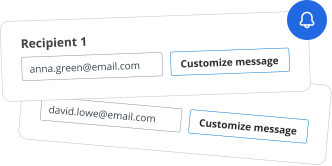
We spread the word about digital transformation







Why choose airSlate SignNow
-
Free 7-day trial. Choose the plan you need and try it risk-free.
-
Honest pricing for full-featured plans. airSlate SignNow offers subscription plans with no overages or hidden fees at renewal.
-
Enterprise-grade security. airSlate SignNow helps you comply with global security standards.







Speed up your document workflows with eSignature by airSlate SignNow
Take advantage of valid eSignatures
Set up signing orders
Use eSignatures outside airSlate SignNow
Enhance your teamwork
Scan signature professionally
Save your time with shareable links
Quick guide on how to scan signature
Every organization needs signatures, and every organization wants to optimize the process of collecting them. Get professional document management with airSlate SignNow. You can scan signature, create fillable templates, set up eSignature invites, send signing links, work together in teams, and more. Discover ways to improve the collection of signatures digitally.
Take the following steps listed below to scan signature in a matter of minutes:
- Open your web browser and access signnow.com.
- Subscribe for a free trial or log in with your electronic mail or Google/Facebook credentials.
- Select User Avatar -> My Account at the top-right corner of the webpage.
- Modify your User Profile by adding personal information and altering configurations.
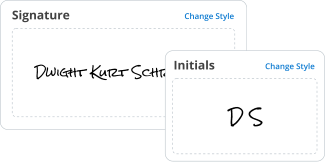
- Make and manage your Default Signature(s).
- Get back to the dashboard webpage.
- Hover over the Upload and Create button and select the appropriate option.
- Click on the Prepare and Send key next to the document's title.
- Input the email address and name of all signers in the pop-up screen that opens.
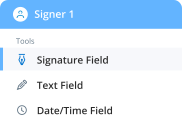
- Make use of the Start adding fields menu to begin to edit file and self sign them.
- Click on SAVE AND INVITE when accomplished.
- Continue to configure your eSignature workflow employing extra features.
It can't get any easier to scan signature than that. Also, you can install the free airSlate SignNow app to your mobile device and access your account wherever you happen to be without being tied to your computer or office. Go digital and begin signing forms online.
How it works
Rate your experience
What is the signature scanner
A signature scanner is a digital tool that allows users to capture and convert handwritten signatures into electronic formats. This technology is vital for businesses and individuals who require a quick and efficient way to obtain signatures on documents without the need for physical paperwork. By using a signature scanner, users can create a scanned signature that can be easily integrated into various documents, facilitating a seamless eSignature process.
How to use the signature scanner
Using a signature scanner is straightforward. First, users need to have a clear image of their handwritten signature. This can be done by scanning the signature using a traditional scanner or capturing it with a smartphone camera. Once the signature is digitized, it can be uploaded to airSlate SignNow, where it can be used to sign documents electronically. Users can easily drag and drop the scanned signature onto the document, ensuring it appears exactly where needed.
Steps to complete the signature scanner
To complete the signature scanning process, follow these steps:
- Write your signature on a blank piece of paper.
- Scan the signature using a scanner or take a clear photo with your smartphone.
- Upload the scanned image to airSlate SignNow.
- Adjust the size and placement of the signature as necessary.
- Save the signature for future use in electronic documents.
Legal use of the signature scanner
Electronic signatures created using a signature scanner are legally recognized in the United States under the Electronic Signatures in Global and National Commerce (ESIGN) Act and the Uniform Electronic Transactions Act (UETA). This means that scanned signatures can be used for most business and legal documents, provided that both parties consent to use electronic signatures. It is crucial to ensure that the scanned signature is securely stored and that the signing process complies with relevant regulations to maintain its legal validity.
Security & Compliance Guidelines
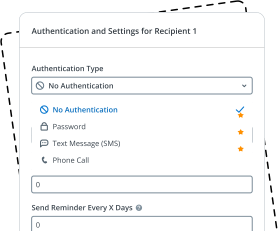
When using a signature scanner, it is essential to follow security and compliance guidelines to protect sensitive information. Users should ensure that their scanned signatures are stored securely and that access is limited to authorized personnel only. Additionally, using airSlate SignNow's encryption and authentication features can help safeguard documents during the signing process. Regularly reviewing compliance with legal standards will ensure that electronic signatures remain valid and secure.
Examples of using the signature scanner
There are numerous scenarios where a signature scanner can be beneficial:
- Signing contracts and agreements in real estate transactions.
- Completing tax forms and financial documents.
- Authorizing employee documents in HR processes.
- Finalizing legal documents and agreements.
Each of these examples demonstrates the versatility of a signature scanner in facilitating efficient and legally binding electronic signatures.
Documents You Can Sign
With a signature scanner, users can sign a variety of documents electronically, including:
- Contracts and agreements
- Forms and applications
- Invoices and billing statements
- Legal documents and disclosures
This flexibility makes it an essential tool for businesses and individuals looking to streamline their document signing processes.
-
Best ROI. Our customers achieve an average 7x ROI within the first six months.
-
Scales with your use cases. From SMBs to mid-market, airSlate SignNow delivers results for businesses of all sizes.
-
Intuitive UI and API. Sign and send documents from your apps in minutes.
FAQs
-
What is the process to scan my signature using airSlate SignNow?
To scan your signature with airSlate SignNow, simply use your smartphone or scanner to capture an image of your handwritten signature. Once scanned, upload the image to your account, and you can easily insert it into documents as needed. This simplifies the signing process and ensures your signature looks authentic.
-
Are there any costs associated with scanning a signature on airSlate SignNow?
Scanning a signature using airSlate SignNow is included in our subscription plans, which are designed to be cost-effective for businesses of all sizes. You can choose from various pricing tiers based on your needs. Each plan allows multiple users to scan signatures, making it a great value for teams.
-
Can I scan my signature on mobile devices with airSlate SignNow?
Yes, you can easily scan your signature on mobile devices with airSlate SignNow. The mobile app allows you to capture your signature using your device’s camera, making it convenient to sign documents on the go. This feature enhances flexibility and ensures you can sign whenever and wherever you need.
-
What are the benefits of using airSlate SignNow to scan my signature?
Using airSlate SignNow to scan your signature offers several benefits, including speed and convenience. You can quickly sign documents digitally, eliminating the need for printing and scanning. Additionally, your scanned signature remains secure and can be reused for future documents, saving you time.
-
Is it safe to store my scanned signature with airSlate SignNow?
Absolutely! airSlate SignNow prioritizes security and compliance, ensuring that your scanned signature is stored safely. We utilize advanced encryption methods to protect your data and maintain confidentiality, so you can trust that your signature is secure.
-
What file formats can I use to scan my signature for airSlate SignNow?
You can scan your signature and upload it in various file formats to airSlate SignNow, including JPEG, PNG, and GIF. This flexibility allows you to choose the best format that suits your scanning method, ensuring that your signature maintains its quality and clarity.
-
Does airSlate SignNow integrate with other applications for scanned signatures?
Yes, airSlate SignNow offers seamless integrations with various applications, enhancing the functionality of your scanned signatures. You can integrate with tools like Google Drive, Dropbox, and CRM systems, allowing you to streamline your document workflows and enhance productivity.


Scan signature
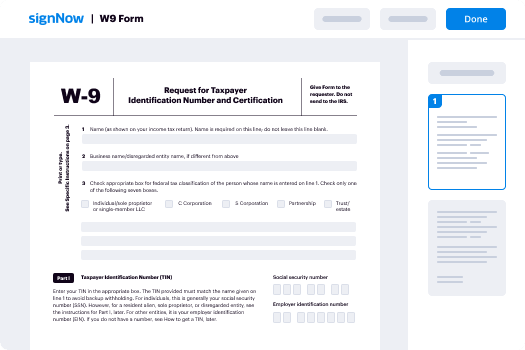
How to complete and sign a document on-line
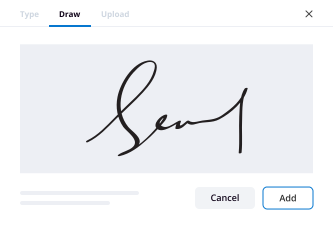
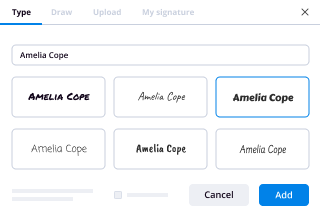
So, you need to eSign a document online? Drive your process with airSlate SignNow, a perfect solution to lost time, risky security and inefficient processes. Generate your signatures online in three possible ways: draw, type in or upload an image of a handwritten signature. scan signature at ease.
Follow the step-by-step guidelines to scan signature online:
- Upload a document.
- Once it’s uploaded, it’ll open in the online editor.
- Select My signature.
- Choose one of three options to generate a signature: draw, type or upload an image of a handwritten one.
- Once you create a signature click Ok.
- Finish the process by clicking Done.
airSlate SignNow supports almost every format: PDF, Word, etc. Apart from signing a document, you can fill it out by adding a variety of fields: text, date, dropdown. Send a doc for signing via email, SMS or with a public hyperlink. Set-up Bots that will remind a signer to verify the file and notify a sender once it's signed. scan signature successfully immediately.
How to generate an eSignature utilizing Google Chrome
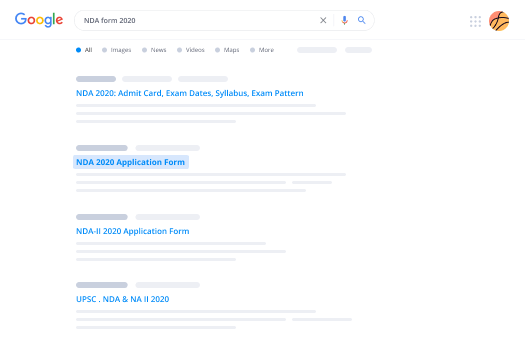
Google Chrome features multiple advantages that users can’t ignore, making it the top browser across the US. For instance, it’s the number one browser for its speed and library of extensions. With Chrome you can synchronize bookmarks, history and settings across all of your devices. To sign a document in Google Chrome, search for the airSlate SignNow add-on in the Web Store and download it. scan signature without buying software.
Close deals in Google Chrome:
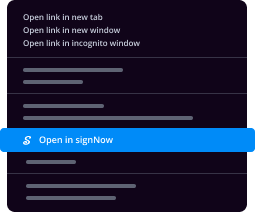
- Once you download the airSlate SignNow add-on, click on the icon in the upper menu.
- Upload a document you want to eSign.
- It’ll open in the online editor.
- Select My Signature.
- Generate a signature and click Done.
- After you scan signature save the executed doc to your device.
The add-on helps streamline the signing process without the need for additional software. It is compatible with major systems (Mac and Windows) and advantages users by offering a quick, secure and effective eSigning experience without having leaving your Google window. scan signature advantageously.

How to eSign in Gmail
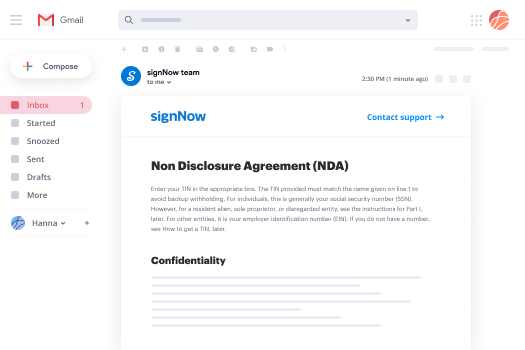
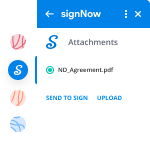
If you’re someone who already loves the experience airSlate SignNow delivers, you’re in for a treat. Raise your hand if you find it time-consuming and inconvenient to switch from your Gmail to your airSlate SignNow account to sign documents. Guess what. Now, get an impactful new way to eSign right from your inbox. scan signature for the first time right from the message you received with the attachments that need signing.
Scan signature in Gmail:
- From your Gmail account click Settings -> Get add-ons.
- Once you find the add-on, install it. It’ll appear in the right-hand sidebar.
- Open an email with an attachment that you need to share for signing and click airSlate SignNow.
- Click Send to sign, enter the recipient’s email address.
- Click Upload to add the doc to your airSlate SignNow account.
airSlate SignNow is one of the leading eSignature solutions on the market. It’s always developing and improving its functionality to meet your most sophisticated requirements. The integration with Gmail allows consumers to rapidly, efficiently and safely handle eSignatures. Save time and scan signature with a few minutes.
How to create a signature on mobile phone
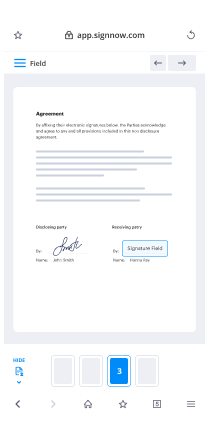
In the era of the digital revolution and instant messaging, users can manage and sign documents on the go via eSigning applications for smartphones and tablets. airSlate SignNow packs two powerful apps, one for iOS and another for Android for generating signatures and to scan signature forms.
Taking mobile signatures to the next level:
- Depending on the device you have, find the airSlate SignNow app from the Google Play Market or the AppStore.
- Sign in if you already have an account.
- Register if you don’t already have an account.
- Upload a doc you want to scan signature.
- Follow the instructions for adding a signature.
- After you’ve placed your signature, save your changes and click Done.
The airSlate SignNow application allows you to sign documents while offline. Once you regain internet access the files you executed will automatically send the recipients they are intended for. airSlate SignNow is a handy mobile app that can help customers to scan signature and keeps document workflows working efficiently.
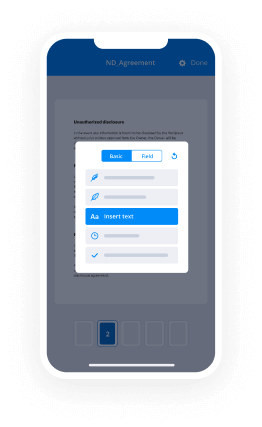
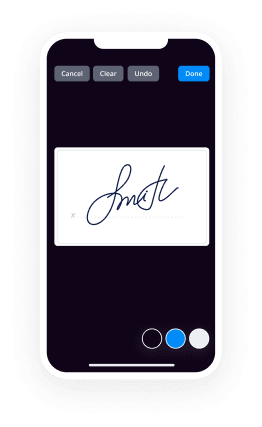
How to create a signature with an iPhone
If you’re reading this, you probably need to sign some documents. But you have to get it done on your phone, right? Normally, that’s a tough situation. However, the airSlate SignNow app for Apple, makes mobile signing a piece of cake. Get a powerful mobile-first solution for validating your docs with legally-binding eSignatures, negotiate contracts and automate your workflow. With airSlate SignNow you can scan signature from your iPhone while on the go.
Scan signature on an iPhone and show off to your colleagues:
- Install the airSlate SignNow app and register your account.
- Upload a document.
- Edit the file if you need to.
- Add signature fields and self-sign before sending it to partners or clients.
- Tap Done and generate signing links.
The app is well suited for work within an organization or for B2B and B2C collaboration. It can be used to send out contracts for signing even though users do not have airSlate SignNow accounts. Notification Bots keep consumers updated on document status changes. The airSlate SignNow application is a perfect solution to scan signature quickly, securely and effortlessly.
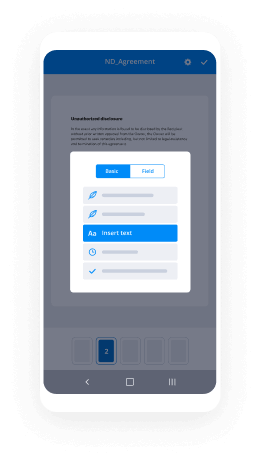
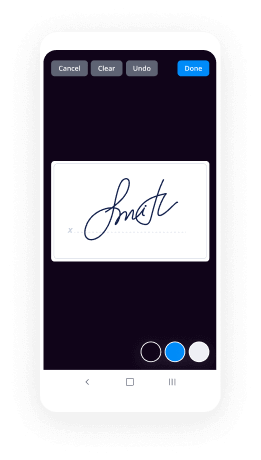
How to validate e-documents on an Android mobile phone
Not only can you eSign a contract, but you can also send a link to the document to your teammates and vendors with the help of airSlate SignNow for Android. Use the full-featured solution to generate an eSignature and reuse it in the future for document verification. scan signature fast and conveniently.
Here are the guidelines to scan signature on Android:
- Download the app and create an account.
- Import the doc that needs signing.
- Edit it and add fields, including a signature field.
- Set a signing order.
- Self sign it after you created a unique eSignature
- Generate a link and send the document to the other parties involved.
- Keep track of the process with automatic notifications.
airSlate SignNow is a holistic application that can work with documents stored in your account, the cloud and on your gadget. Apart from its eSignature functions, it can help manage company workflows from everywhere and at any time. The platform’s user-friendly interface makes it quick and easy to scan signature .
Trusted eSignature solution - scan signature


Join over 28 million airSlate SignNow users
Get more for scan signature
- Improve Your Google Experience: adding a signature in ...
- Explore Online Signature: adding a signature to Excel
- Improve Your Google Experience: adding a signature to ...
- Enjoy Flexible eSignature Workflows: adding a signature ...
- Find All You Need to Know: adding a signature to PDF ...
- Explore popular eSignature features: analyze signatures
- Explore Your Digital Signature – Questions Answered: ...
- Get Started with eSignature: app for signature
The ins and outs of eSignature


