Streamline Your Workflow with Our Invoice Payment Processing System
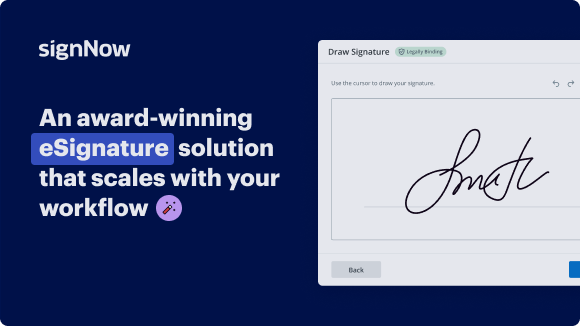
Award-winning eSignature solution




Move your business forward with the airSlate SignNow eSignature solution
Add your legally binding signature
Integrate via API
Send conditional documents
Share documents via an invite link
Save time with reusable templates
Improve team collaboration
See airSlate SignNow eSignatures in action


Understanding invoice payment processing systems
An invoice payment processing system streamlines the way businesses receive payments for goods and services. It automates the handling of invoices, allowing for faster and more accurate payment collection. By integrating this system into your workflow, you can reduce manual errors and improve cash flow.
The system typically includes features such as electronic invoicing, payment tracking, and reporting tools. These capabilities help businesses manage their finances more effectively and provide a clearer overview of outstanding payments.
Key features of an effective system
When selecting an invoice payment processing system, consider the following essential features:
- Electronic invoicing: Create and send invoices digitally, reducing paper usage and speeding up the payment process.
- Payment tracking: Monitor the status of invoices in real-time, allowing you to follow up on overdue payments promptly.
- Multiple payment options: Offer customers various ways to pay, such as credit cards, bank transfers, and online payment gateways.
- Automated reminders: Set up automatic notifications for customers to remind them of upcoming or overdue payments.
Integrating with existing workflows
To maximize the benefits of an invoice payment processing system, it is crucial to integrate it seamlessly with your existing workflows. This may involve connecting the system to your accounting software or customer relationship management (CRM) tools. Such integration ensures that all financial data is synchronized, reducing the need for manual data entry and minimizing errors.
Consider how your team currently handles invoicing and payments. Identify areas where automation can enhance efficiency and reduce administrative burdens.
Real-world applications
A practical example of using an invoice payment processing system is in a service-based business. When a service is completed, the business can generate an electronic invoice and send it to the client immediately. The client can then review the invoice and make a payment using their preferred method, all while tracking the transaction status online.
This process not only speeds up payment collection but also enhances customer satisfaction by providing a straightforward and efficient payment experience.
Ensuring security and compliance
Security is a critical aspect of any invoice payment processing system. Ensure that the system complies with industry standards and regulations, such as the Payment Card Industry Data Security Standard (PCI DSS). This compliance protects sensitive customer information and builds trust with your clients.
Look for systems that offer encryption, secure payment gateways, and fraud detection features to safeguard transactions.
Benefits of using a digital solution
Adopting an invoice payment processing system offers numerous advantages for businesses:
- Increased efficiency: Automating invoicing and payment processes saves time and reduces manual errors.
- Improved cash flow: Faster payment collection leads to better cash flow management and financial stability.
- Enhanced customer experience: Providing a seamless payment process improves customer satisfaction and encourages repeat business.
airSlate SignNow solutions for better efficiency
Our user reviews speak for themselves










Why choose airSlate SignNow
-
Free 7-day trial. Choose the plan you need and try it risk-free.
-
Honest pricing for full-featured plans. airSlate SignNow offers subscription plans with no overages or hidden fees at renewal.
-
Enterprise-grade security. airSlate SignNow helps you comply with global security standards.
How to utilize an invoice payment processing system with airSlate SignNow
In the current rapid business landscape, an effective invoice payment processing system is crucial for optimizing operations. airSlate SignNow provides an intuitive platform that facilitates document signing and management, making it a perfect option for enterprises aiming to improve their workflow.
Steps to employ the airSlate SignNow invoice payment processing system
- Launch your web browser and head to the airSlate SignNow homepage.
- Sign up for a free trial account or log in if you already possess one.
- Choose the document you want to sign or send out for signatures and upload it.
- If you intend to reuse this document, save it as a template for later use.
- Open your uploaded file to make necessary alterations, such as adding fillable fields or inserting specific details.
- Sign the document and assign signature fields for your recipients.
- Hit 'Continue' to set up and dispatch an eSignature invitation.
airSlate SignNow equips businesses with an effective solution for dispatching and signing documents effortlessly. With its signNow return on investment, user-centric interface, and clear pricing, it is designed to cater to the needs of small to medium-sized enterprises. Furthermore, clients enjoy exceptional 24/7 support on all paid plans.
Begin enhancing your document workflow today with airSlate SignNow and discover the benefits of a streamlined invoice payment processing system!
How it works
airSlate SignNow features that users love





Get legally-binding signatures now!
FAQs
-
What is an invoice processing system?
Invoice processing is an accounts payable function that handles the invoice life cycle consisting of invoice receipt, invoice approval or rejection, invoice payment, and the invoice archive processes. -
What is the IPP system?
IPP is a web-based system that provides one integrated, secure system to simplify the management of vendor invoices. It is offered at no charge to federal agencies and their vendors. -
What is the meaning of invoice processing?
Invoice processing by definition is a business function performed by the accounts payable department which consists of a series of steps for managing vendor or supplier invoices from receipt to payment, and recorded in the general ledger. -
What is an example of invoice processing?
Here's an example of how invoice processing works: A vendor sends an invoice to a business for goods they rendered. The company's accounts payable department receives the invoice. The team checks for the accuracy of the invoice and matches its contents with the goods received. -
What is vim used for in SAP?
VIM was created to fill a gap that has always existed in SAP: the receipt and automation of supplier invoices. As such, VIM allows us to signNow a scenario like the following: all invoices, regardless of how or where they arrive, will have a single point of entry into the ERP: omnichannel. -
How does an invoicing system work?
Invoicing systems help businesses create and manage invoices. These systems often include features such as customizable invoice templates, automatic reminders for overdue payments, integration with accounting software, and detailed reporting. -
What is an invoice payment system?
Invoice payments are payments that businesses make to vendors to pay for goods and services. Invoice payment methods include checks, online payments, mobile payments, and bank transfers.
What active users are saying — invoice payment processing system


Find out other invoice payment processing system
- Unlock eSignature Lawfulness for Government in ...
- Unlocking eSignature Legitimacy for Insurance Industry ...
- Boost Your Staffing Efficiency with eSignature ...
- ESignature Legality for Insurance Industry in United ...
- ESignature Lawfulness for Accounting and Tax in ...
- Ensuring eSignature Lawfulness for Healthcare in the ...
- Enhance eSignature Legitimacy for Government in United ...
- Boost your Manufacturing Business with eSignature ...
- Unlocking eSignature Legitimateness for Higher ...
- Digital Signature Legality for Retail Trade in United ...
- Ensuring Digital Signature Legality for Hospitality in ...
- Digital Signature Lawfulness for Insurance Industry in ...
- Understanding the Lawfulness of Digital Signatures for ...
- Ensuring Digital Signature Lawfulness for Hospitality ...
- Digital Signature Legitimacy for Government in United ...
- Unlock the Power of Digital Signature Legitimateness ...
- Boosting Digital Signature Legitimateness for Insurance ...
- Unlocking Digital Signature Legitimateness for Real ...
- Digital signature licitness for Financial Services in ...
- Unlock the Power of Digital Signature Licitness for ...