Establishing secure connection…Loading editor…Preparing document…

Court Registry Form

This template is fully customizable. Edit the text, fill out the fields, and send it for signature. Give it a try!
Court Registry Form

What the Court Registry Form Is and when it's used

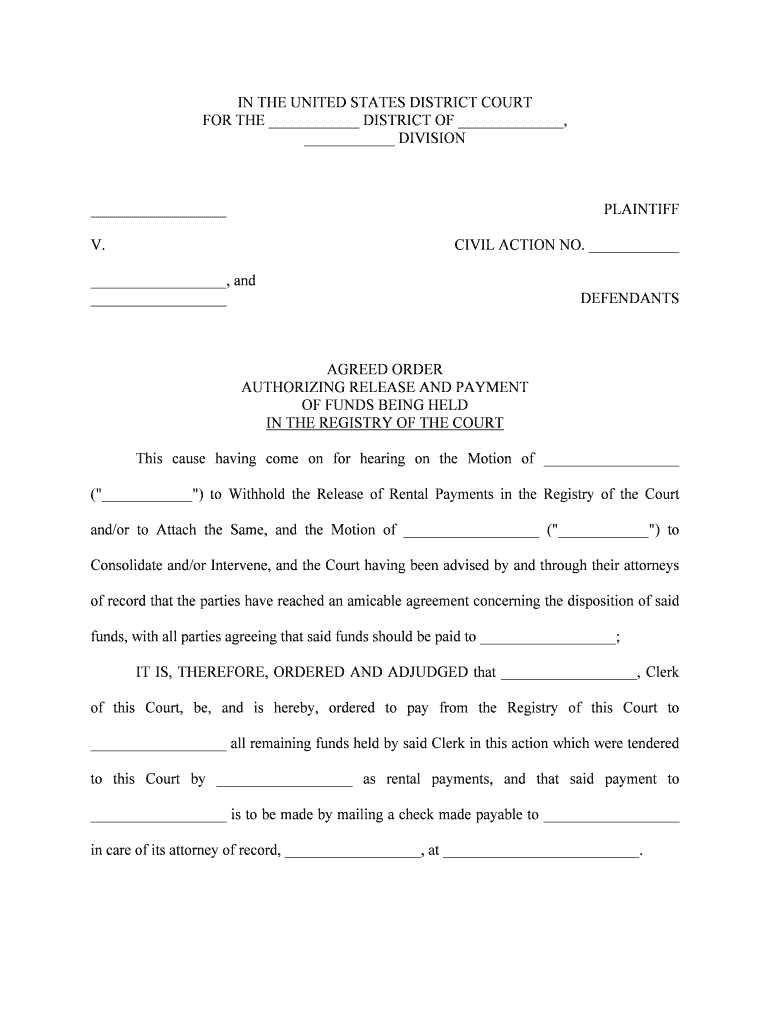
A Court Registry Form documents funds or items deposited with a court registry or clerk for safekeeping pending resolution of litigation, collection, or court order. It typically records the case number, parties, amount or property type, payer or depositor contact, and purpose for deposit. Courts use registry forms to create an official record before releasing funds, allocating interest, or resolving competing claims. Many jurisdictions require a specific registry form when delivering money or negotiable instruments to the court, and local filing rules determine the exact submission process.

Why accuracy and rule compliance matter

Accurate Court Registry Forms create a clear chain of custody for funds, reduce clerk rejections, and limit exposure to sanctions or unintended disbursements. Properly completed forms also speed judicial review and support auditability where statutory or procedural notice requirements apply.

Why accuracy and rule compliance matter

Primary users and stakeholders

Typical users include attorneys, court clerks, trustees, and obligated parties who must deposit funds or documents with the court registry.

  • Attorneys and law firms preparing registry deposits for client matters, often handling multiple jurisdictions and e-filing requirements.
  • Court clerks who receive, record, and safeguard registry deposits while applying local court procedures and release conditions.
  • Treasury officers, trustees, or third parties delivering funds under settlement, bond, or indemnity obligations to the registry.

Step-by-step: completing a Court Registry Form

Follow these practical steps to prepare a compliant registry submission.

  • 01
    Verify case: Confirm case number, court division, and party names exactly.
  • 02
    Enter deposit details: Record amount, currency, payment method, or property description clearly.
  • 03
    Attach support: Include settlement orders, stipulations, or proof of payment as required.
  • 04
    File with clerk: Submit via the court's accepted method and obtain a stamped receipt.

Configuring an online workflow for registry submissions

Set up an e-submission workflow that matches the court's technical and authentication requirements.

Field Configuration
Authentication Email link, SMS code, or stronger KBA required
File Format PDF/A preferred for archival compatibility
Attachments Supporting orders and payment receipts attached
Routing Order Sequential approvals then final clerk submission

Where and how to submit the completed form

Submission channels vary by court — choose the method that meets local rules and creates an official receipt.

  • Clerk's Office: Deliver in person and request a stamped receipt for the registry action.
  • Court e-filing: Use the court's CM/ECF or state e-filing portal when electronic registry filings are supported.
  • Mail or Overnight: Send with tracking and allow for processing time; include a self-addressed stamped envelope if needed.
  • Third-party Deposit: Bank or escrow agent may deposit funds per court instruction and provide transaction confirmation.

Technical and format requirements for digital submissions

Confirm the court's acceptable file formats, authentication strength, and retention expectations before e-submitting.

  • File Type: PDF, PDF/A, or court-specified format
  • Signer Auth: Email, SMS, or identity verification methods
  • Integrations: CM/ECF and court portals supported

Where courts permit electronic deposition, archive both the signed document and the platform audit trail; maintain accessibility for reproduction on request.

Timing considerations and common deadline triggers

Observe local court deadlines and transaction-specific timing rules to avoid missed opportunities for release or objection.

Immediate registry deposit:

When ordered by the court, deposit promptly per the order's deadline.

Filing windows:

Some e-filing portals impose business-hour processing and cutoffs.

Funds availability:

Bank processing may delay final crediting by 1–3 business days.

Objection period:

Parties typically have a limited time to object to registry releases.

Record retention:

Keep originals and receipts for the period mandated by law.

Key milestones from preparation to release

Track these sequential milestones to ensure the deposit follows court and banking processes without delay.

01

Prepare documents

Complete the form, supporting order, and payment instrument accurately.

02

Submit to clerk

Deliver via approved channel and confirm receipt with a timestamp.

03

Court review

Clerk or judge reviews deposit purpose and release conditions.

04

Release or disbursement

Funds are released per court order and accounting entries are made.

Common preparation errors to avoid

  • Entering an incorrect docket number that routes the deposit to the wrong file and delays resolution.
  • Using a payer name that does not match the payment instrument or corporate registration, causing identification disputes.
  • Failing to attach the court order or stipulation authorizing deposit, leading to clerk rejection or return.
  • Submitting in an unsupported file format or with illegible scanned pages, which can trigger processing errors.

Consequences of an incorrect or untimely registry submission

Filing rejection: Clerk returns or refuses the deposit
Funds misapplication: Money applied to wrong case or party
Court sanctions: Monetary or procedural penalties possible
Delay costs: Interest or storage fees accrue
Tax exposure: Unreported interest may have tax consequences
Record disputes: Chain-of-custody challenges in later proceedings

Key security and legal standards for electronic handling

Encryption: TLS 1.2/1.3 in transit; AES-256 at rest
Audit Trail: Comprehensive logs with timestamps and IP addresses
Legal Frameworks: ESIGN and UETA govern e-signature validity
HIPAA Support: BAA required for protected health information
21 CFR Part 11: Available for FDA-regulated records when required
Certifications: SOC 2 Type II and ISO 27001 available

Real-world examples and how organizations handled registry workflows

These brief examples show practical approaches used by organizations when managing court-related deposits and recordkeeping.

Optica Ventures

The interface is simple and easy-to-use for our team; more importantly, it is just as easy for our customers.

  • Practical point: centralized digital records speed clerk handoffs.
  • Outcome: The company reported fewer clerical errors and clearer audit trails during fund release processes in multiple matters.

Martin Properties

I can process and execute all of these documents online with 100% compliance and built-in security.

  • Practical point: consistent e-records support multi-jurisdictional filings.
  • Outcome: Property transactions involving registry holds closed with complete documentation and faster reconciliations across county clerks.

eSignature vendor pricing and capability snapshot for registry document workflows

Compare starter pricing and core capabilities relevant to legally sensitive registry filings; signNow is listed first per platform comparison conventions.

signNow DocuSign Adobe Sign PandaDoc HelloSign
Starting Price $8/user/mo $15/user/mo $14/user/mo $19/user/mo $15/user/mo
Free Trial 7-day free trial, no card Limited trial Limited trial Yes, limited Yes, limited
Bulk Send Yes Yes Yes Yes No
Audit Trail Yes Yes Yes Yes Yes
HIPAA Compliant Yes Yes Yes No No

Frequently asked questions about Court Registry Forms

Answers to common procedural and technical questions about completing, submitting, and retaining registry deposits.


Need help? Contact support

be ready to get more
Join over 28 million airSlate SignNow users