Establishing secure connection…Loading editor…Preparing document…

Minnesota Designated Caregiver Agreement

This template is fully customizable. Edit the text, fill out the fields, and send it for signature. Give it a try!
Minnesota Designated Caregiver Agreement

What the Minnesota Designated Caregiver Agreement Is

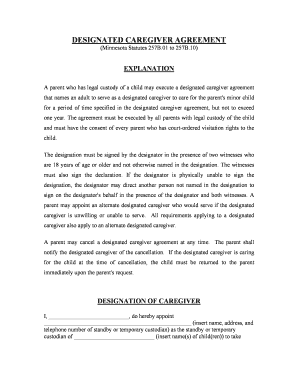
A Minnesota Designated Caregiver Agreement is a written document used in Minnesota to record a registrant's designation of another person to assist with personal or medical tasks, access care records, or pick up supplies on the registrant's behalf. It defines the caregiver's scope of authority, duration, and any limits the registrant imposes. When executed properly it creates clear expectations between parties and supports downstream interactions with healthcare providers, pharmacies, and institutions. Electronic execution is generally permissible under federal and state e-signature law when the four ESIGN/UETA criteria are met.

Why this Agreement Matters for Care and Compliance

The agreement clarifies who may make routine or delegated decisions, obtain records, and provide consent for daily care tasks. It reduces confusion among family, providers, and facilities while creating documented evidence of authority that can prevent disputes and compliance problems.

Why this Agreement Matters for Care and Compliance

Who usually prepares and signs this agreement

Common parties include the person receiving care, a family member or friend acting as caregiver, and sometimes a legal guardian or healthcare proxy.

  • Designating registrant: person who assigns authority to another individual to assist with care or access services.
  • Designated caregiver: family member, friend, or paid caregiver accepting responsibility and duties described in the agreement.
  • Healthcare or pharmacy staff: receive the agreement to confirm caregiver authority when releasing records or supplies.

Typical signer roles

Designating Party

The individual granting authority. Typically provides full legal name, contact information, and specifies the duties permitted under the agreement, and must demonstrate capacity to designate or have a statutory guardian do so.

Designated Caregiver

The person accepting authority. Should provide identification, contact details, and acknowledge responsibilities and limitations; their acceptance may be signed and dated to evidence consent to the role.

Key data elements included

Full legal names: As on ID
Contact details: Phone, address
Scope of authority: Access, tasks
Effective and end dates: MM/DD/YYYY
Notary or witness: If required
Signatures: Signed and dated

Consequences of errors or omissions

Invalid signature: Document unenforceable
Unauthorized actions: Civil liability risk
HIPAA exposure: Potential privacy breach
Provider denial: Access to services blocked
Fraud allegations: Criminal exposure possible
Probate complications: Disputes in estate matters

Common preparation pitfalls to avoid

  • Using a name that doesn't match government ID, which can result in refusal by providers or pharmacies.
  • Leaving the scope vague by saying 'assist as needed' without listing specific permissions or limits.
  • Failing to update or revoke the agreement after changes in caregiver status, leading to conflicting claims.
  • Skipping notarization or witness signatures when a receiving institution requires them for acceptance.

Step-by-step: Completing the agreement

Follow these sequential steps to create a usable, defensible agreement between the registrant and caregiver.

  • 01
    Gather details: Collect legal names, IDs, and contact information.
  • 02
    Define scope: Specify tasks, access rights, and limits in clear language.
  • 03
    Review terms: All parties read and initial key sections.
  • 04
    Sign and authenticate: Sign, date, and notarize or witness if required.

How the agreement is typically processed

A concise view of the procedural flow from preparation to storage so parties know what to expect at each stage.

  • Prepare: Draft or use a template with required fields completed.
  • Authenticate: Signers verify identity and sign (may require witness or notary).
  • Provide to providers: Give copies to healthcare, pharmacy, or facility as needed.
  • Retain copies: Store original and make certified copies for records.

Digital workflow settings to consider

When completing or automating this agreement online, configure authentication, notifications, and retention to match institutional requirements.

Field Configuration
Authentication Email link, SMS code, or stronger KBA
Conditional Fields Show caregiver section only for minor registrants
Notifications Email copies to registrant and caregiver
Retention Store signed PDF with audit trail

Technical and integration requirements

Confirm the document format, signer authentication, and integrations you need before choosing an online tool.

  • File formats: PDF and Word DOCX widely accepted
  • Integrations: Common connectors: Salesforce, NetSuite, Google Workspace
  • Security: TLS in transit and AES-256 at rest

Timing and recurrence to track

Important dates affect when the agreement takes effect, when it must be reviewed, and when revocation notices are effective.

Effective date:

Agreement begins on the signed MM/DD/YYYY effective date.

Renewal or review:

Review annually or upon change in health or caregiver status.

Revocation notice:

Revocation is effective when delivered in writing to providers.

Provider acceptance:

Allow time for providers to verify identity and accept document.

Record retention:

Keep executed agreement per recordkeeping policy.

Key milestones from draft to distribution

A sequential milestone view showing the core stages needed to complete and circulate the agreement.

01

Drafting

Complete all fields and specify caregiver powers.

02

Review and edits

All parties read, suggest, and initial changes.

03

Execution

Signatures obtained and dated by parties.

04

Distribution

Provide copies to providers and retain originals.

eSignature vendor comparison for signing and storing caregiver agreements

A concise comparison of common eSignature vendor features and starting prices to assist with platform selection for executing and managing agreements.

signNow DocuSign Adobe Sign PandaDoc HelloSign
Starting Price $8/user/mo $15/user/mo $14/user/mo $19/user/mo $15/user/mo
Free Trial 7-day free trial No No Yes, limited Yes, limited
Bulk Send Yes Yes Yes Yes No
Audit Trail Yes Yes Yes Yes Yes
HIPAA Compliant Yes Yes Yes No No
Envelope Cap No envelope cap 100 envelopes/user/year Varies Varies Varies

Practical tips for accurate, efficient completion

Follow these practical steps to reduce rework and ensure the agreement is accepted by providers and institutions.

Use full legal names
Always match names to government ID; avoid nicknames to prevent identity verification failures.
Be specific about duties
List permissions and limits clearly; specific tasks reduce interpretation disputes with providers.
Authenticate signers
Use photo ID, notarization, or electronic authentication to prevent unauthorized access or rejection.
Keep copies
Provide executed copies to caregiver, registrant, and relevant providers; store a secure electronic copy with audit trail.

How this agreement works in real situations

Short examples illustrate common uses for a Minnesota Designated Caregiver Agreement and the practical outcomes when properly executed.

Family caregiver for an adult

A parent appoints an adult child to pick up medications and attend appointments

  • Caregiver receives pharmacy access and appointment notices
  • When providers received the signed agreement, the caregiver avoided repeated denials and the family reduced missed medication refills.

School pickup for minor

A guardian names a designated caregiver for school pick-ups during treatment

  • School requires a signed authorization and ID match
  • With the signed agreement on file, school staff released the child to the designated caregiver without delay during an extended medical absence.

Frequently asked questions about validity and use

Answers to common questions about electronic signing, notarization, revocation, and provider acceptance for caregiver agreements.


Need help? Contact support

be ready to get more
Join over 28 million airSlate SignNow users