Establishing secure connection…Loading editor…Preparing document…

Letter Requesting Execution of Affidavit

This template is fully customizable. Edit the text, fill out the fields, and send it for signature. Give it a try!
Letter Requesting Execution of Affidavit

What a Letter Requesting Execution of Affidavit Is and When It’s Used

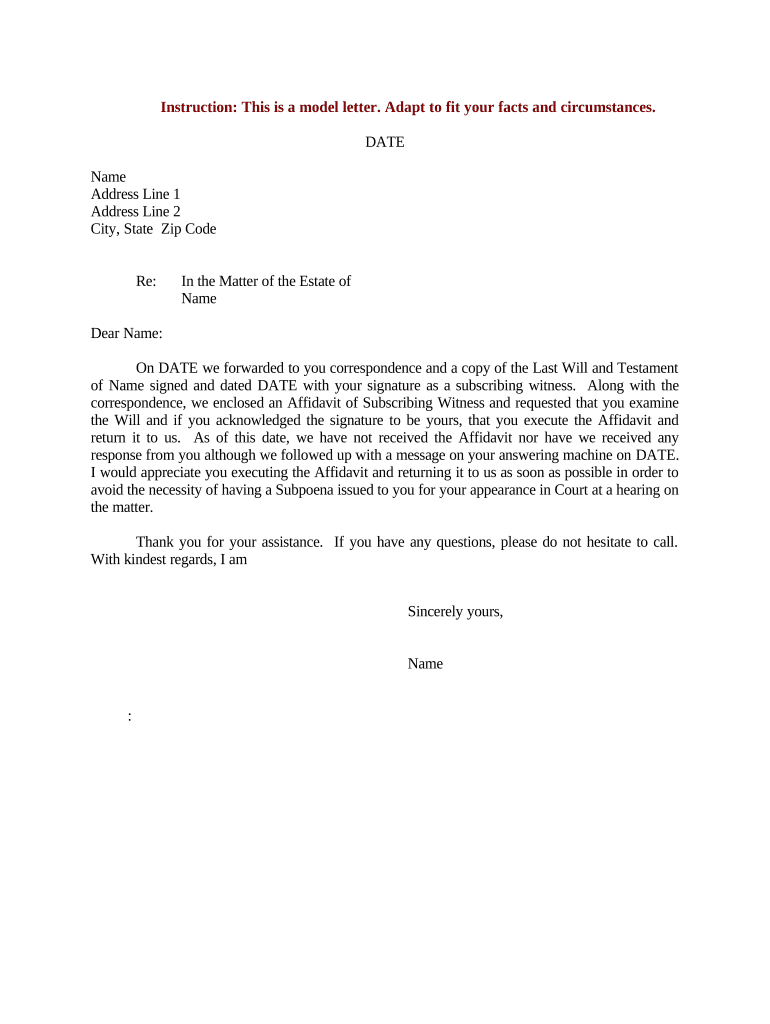
A Letter Requesting Execution of Affidavit is a formal cover letter sent to a person asked to sign and swear an affidavit. The letter explains which affidavit must be executed, where and when the signing should occur, any identification or notary requirements, and how the completed affidavit should be returned. The request may accompany a draft affidavit, supporting documents, and instructions for notarization or remote online notarization where permitted by state law. The letter clarifies expectations and creates a record of the request leading up to filing or other legal use.

Why Sending a Clear Execution Request Matters

A precise execution letter reduces delay, prevents incomplete returns, and documents the requester’s efforts to obtain a sworn statement. It helps ensure proper notarization or remote notarization, supports chain-of-custody for later filings, and reduces the risk of signature or identity disputes when the affidavit is used in litigation, title work, or administrative proceedings.

Why Sending a Clear Execution Request Matters

Who Typically Sends or Receives an Execution Request

Several roles commonly prepare or receive a Letter Requesting Execution of Affidavit depending on context and purpose.

  • Attorneys and paralegals preparing sworn statements for court or regulatory matters.
  • Title officers and real estate agents requesting affidavits for closing or title clearance.
  • Corporate records or HR staff seeking sworn statements for employment or benefits verification.

Tailor the letter’s tone, required attachments, and notarization guidance to the recipient’s likely familiarity with affidavits and local notarization rules.

Primary Roles and Their Responsibilities

Affiant

The individual asked to sign the affidavit. Provide accurate name, current address, acceptable ID, and availability for notarization; confirm they understand oath penalties for false statements.

Requesting Party

The attorney, title company, or organizational representative who drafts the affidavit and supplies instructions, attachments, and return instructions; responsible for verifying receipt and retention.

Essential Elements to Include in the Execution Request

A professional request letter is concise but complete: identify the affidavit, state the reason for the statement, list required attachments, include clear signing and notarization instructions, and give a firm return method and deadline.

Affidavit ID

Reference the affidavit title, case number or file number and attach the affidavit draft so the signer can review the exact language to be sworn.
Purpose Statement

Explain briefly why the affidavit is needed (e.g., court filing, title clearance, immigration support) so the signer understands material importance.

Identity Requirements

List acceptable identification (driver’s license, passport) and any identity proofing steps required for remote notarization.

Notary Instructions

State whether in-person notarization or Remote Online Notary (RON) is acceptable, and provide local notary contact options if available.

Return Directions

Specify return method (scanned email, secure portal, or original by mail), recipient name, address, and any filing deadline.

Deadline & Contact

Provide a clear execution deadline and a direct contact for questions about the affidavit or scheduling.

Required Information to Include in the Letter

Affiant Name: Full legal name
Affiant Address: Street, city, state, ZIP
Affidavit Title: Document title or case number
Identification: Acceptable ID types
Notary Preference: In-person or RON
Return Method: Email, portal, or mailed original

Step-by-Step: Preparing and Sending the Execution Request

Follow these four steps to prepare the letter, send it, and verify proper execution of the affidavit.

  • 01
    Prepare Letter: Attach affidavit draft and list ID and notary requirements.
  • 02
    Send to Affiant: Use email with attachments or a secure portal link.
  • 03
    Schedule Notary: Coordinate an in-person or RON session as allowed by state law.
  • 04
    Receive & Verify: Confirm notarization, check identity details, and store the final copy.

How to Configure an Online Execution Workflow

Set up a repeatable digital workflow so letters, affidavits, and notarization options are consistent across requests.

Field Configuration
Document Template Upload affidavit + letter as PDF with designated fields
Signature Type Allow e-signature and option for wet signature
Authentication Email link, SMS code, or KBA where required
Notary Option Enable RON sessions or include in-person instructions

Where to Send and What Happens Next

The letter’s routing depends on purpose; typical destinations and follow-up actions are shown below.

  • To the Affiant: Recipient reviews affidavit and arranges notarization
  • Notary or RON: Notary verifies ID and administers oath
  • Return to Requester: Affidavit returned via chosen method and verified
  • File or Record: Requester files affidavit with court or stores it securely

Technical Considerations for Digital Execution and eSubmission

Choose a platform that supports PDF and DOCX uploads, audit trails, and optional RON integrations to match your notarization preference.

  • File Formats: PDF, DOCX, and scanned images
  • Integrations: CRM, cloud storage, and case management
  • Authentication: Email link, SMS code, or KBA

Ensure the chosen service supports ESIGN/UETA compliance, offers secure audit trails, and—for healthcare matters—has a HIPAA BAA available when protected health information is involved.

Typical Timelines and Deadlines to Communicate

Communicate specific dates clearly; some deadlines are procedural while others affect filing rights or statutes of limitation.

Requested Execution Date:

State the MM/DD/YYYY date by which the affidavit should be signed

Notary Scheduling Window:

Recommend availability windows (e.g., 7–14 days) to secure a notary appointment

Return Deadline:

Specify when the signed affidavit must be returned to avoid filing delays

Original vs Copy:

Note whether an original must follow an emailed scanned copy

Filing Deadline:

Indicate any court or closing date tied to the affidavit’s use

Common Mistakes to Avoid

  • Sending a draft without a clear notary instruction, which delays execution and return.
  • Mismatched names between affidavit and ID, causing refusal by notary or later challenge.
  • Failing to attach referenced exhibits or case numbers leads to incomplete filings or improper association.
  • Not specifying whether an original is required after sending an electronic copy, which can cause noncompliance.

Key Risks and Legal Consequences

Perjury Exposure: False statements can trigger perjury charges
Rejection Risk: Improper notarization may invalidate the affidavit
Filing Delay: Late return can miss court or closing deadlines
Identity Disputes: Insufficient ID may lead to signature challenges
Privacy Concerns: Sensitive data must comply with HIPAA when applicable
Record Retention: Failure to retain original may impair evidentiary use

Practical Tips for Accurate and Efficient Execution

Implement controls and clear instructions to reduce friction and maintain admissibility of the executed affidavit.

Confirm Identity in Advance
Ask the affiant to provide acceptable ID types and a convenient notarization window; pre-verifying ID reduces appointment refusals and delays.
Provide Clear Attachments
Attach the exact affidavit draft and any exhibits; label pages and reference exhibits in the letter to avoid incomplete or mismatched returns.
Clarify Original Requirement
State whether a scanned copy suffices for preliminary review and whether an original mailed copy must follow for filing or recordkeeping.
Use Audit Trails
When using electronic signing, ensure the platform captures timestamps, IP addresses, and audit logs to document intent and attribution.

Typical eSignature Pricing and Feature Snapshot for Affidavit Workflows

Compare common eSignature price points and a few feature markers relevant to affidavit workflows; signNow is listed first per vendor comparison conventions.

signNow DocuSign Adobe Sign PandaDoc HelloSign
Starting Price $8/user/mo $15/user/mo $14/user/mo $19/user/mo $15/user/mo
Free Trial 7-day free trial Varies by plan Varies by plan Varies by plan Varies by plan
Bulk Send Yes (Business Premium) Available Available Available Available
Audit Trail Yes Yes Yes Yes Yes
HIPAA Compliant Yes Yes Yes No No
Envelope Cap No cap 100 envelopes/user/year Varies by plan Varies by plan Varies by plan

Key Processing Milestones from Request to Filing

A clear milestone sequence helps monitor progress and escalate if deadlines are at risk.

01

Request Sent

Letter delivered to affiant with affidavit attached and instructions

02

Affiant Review

Affiant reviews affidavit, confirms identity, and schedules notarization

03

Execution & Notarization

Affiant signs under oath and notary completes acknowledgement or jurat

04

Return & Verification

Requester verifies notarization, attaches affidavit to filing or records as needed

FAQs — Common Questions About Execution Requests and Affidavits

Answers to frequent practical and legal questions about sending, signing, notarizing, and storing affidavits requested by letter.


Need help? Contact support

be ready to get more
Join over 28 million airSlate SignNow users