Maryland Notary Block for Secure Signatures
Award-winning eSignature solution




Move your business forward with the SignNow eSignature solution
Add your legally binding signature
Integrate via API
Send conditional documents
Share documents via an invite link
Save time with reusable templates
Improve team collaboration
See SignNow eSignatures in action
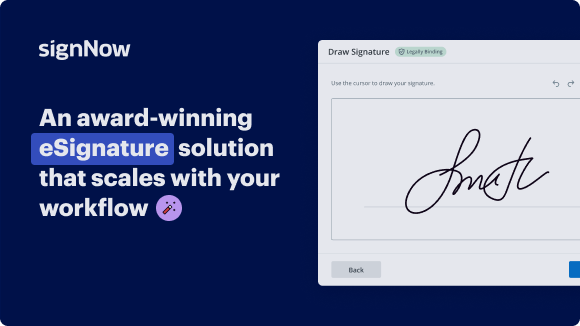


Understanding the Maryland Notary Block
The Maryland notary block is an essential component for documents requiring notarization in the state of Maryland. This block typically includes specific information that verifies the authenticity of the signature and the identity of the signer. It is crucial for ensuring that documents are legally binding and recognized by courts and other institutions.
When preparing a document for eSigning, incorporating the Maryland notary block correctly is vital. It generally contains the notary's name, signature, commission number, and the date of notarization. Ensuring this information is accurate helps prevent legal issues and enhances the credibility of the document.
Steps to Include a Maryland Notary Block in Your Document
To effectively include a Maryland notary block in your document, follow these steps:
- Open your document in SignNow.
- Navigate to the section where the notary block should appear.
- Use the text tool to insert the notary block, ensuring to include all necessary details such as the notary's name and commission information.
- Review the block for accuracy and completeness.
- Save your document and prepare it for eSigning.
This process ensures that the notary block is correctly formatted and positioned, making it easy for the notary to complete their part during the signing process.
Common Use Cases for the Maryland Notary Block
The Maryland notary block is commonly used in various documents that require notarization. These include:
- Real estate transactions, such as deeds and mortgages.
- Legal documents, including affidavits and powers of attorney.
- Financial agreements that necessitate verification of signatures.
By understanding these use cases, users can better prepare their documents for the necessary legal processes, ensuring compliance with Maryland regulations.
Best Practices for Using the Maryland Notary Block
To ensure the effectiveness of the Maryland notary block, consider the following best practices:
- Always verify the notary's commission status and ensure their information is current.
- Include the notary block at the end of the document, following the signatures of the parties involved.
- Double-check all entries in the notary block for accuracy before finalizing the document.
Implementing these best practices can help avoid delays in the notarization process and ensure that documents are processed smoothly.
Digital Solutions for Maryland Notary Blocks
Using digital tools like SignNow can simplify the process of adding a Maryland notary block to your documents. With features that allow users to:
- Quickly insert pre-defined notary blocks into any document.
- Ensure compliance with Maryland's notarization requirements.
- Share documents securely for eSigning, reducing the need for physical meetings.
These digital solutions enhance efficiency and streamline the notarization process, making it easier for users to manage their document workflows.
SignNow solutions for better efficiency
Our user reviews speak for themselves











Why choose SignNow
-
Free 7-day trial. Choose the plan you need and try it risk-free.
-
Honest pricing for full-featured plans. SignNow offers subscription plans with no overages or hidden fees at renewal.
-
Enterprise-grade security. SignNow helps you comply with global security standards.
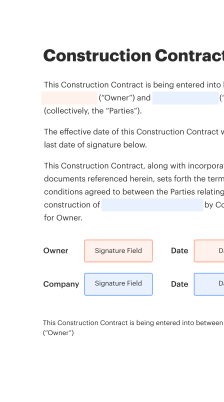
Comprehending the Maryland notary block
The Maryland notary block is a vital element for authenticating documents in the state. Employing SignNow can simplify the process of signing and overseeing documents, making it easier for organizations to guarantee compliance and productivity. This guide will lead you through the procedures to efficiently utilize SignNow for your document signing requirements.
Procedures to employ the Maryland notary block with SignNow
- Launch your web browser and head to the SignNow website.
- Register for a complimentary trial account or log into your current account.
- Choose the document you intend to sign or request signatures for and upload it.
- If you plan to reuse this document, save it as a template for subsequent use.
- Access your uploaded file and make necessary adjustments, such as adding fillable fields or inserting required details.
- Sign the document and incorporate signature fields for all recipients involved.
- Click 'Continue' to set up and dispatch an eSignature invitation to the recipients.
By using SignNow, organizations can benefit from a SignNow return on investment due to its comprehensive features relative to cost. The platform is designed to be user-friendly and scalable, making it suitable for small to medium-sized enterprises. Moreover, it provides straightforward pricing with no hidden charges, ensuring clarity.
With outstanding 24/7 assistance available for all paid plans, SignNow distinguishes itself as a dependable solution for document management. Start your complimentary trial today and discover the advantages of effective eSigning!
How it works
SignNow features that users love





Get legally-binding signatures now!
FAQs
-
How much money can a notary make in Maryland?
Notary Salary in Maryland. $60,200 is the 25th percentile. Salaries below this are outliers. $70,400 is the 75th percentile. -
What is required to be a notary in Maryland?
Must be 18 years old, of good character, of known good character, integrity and abilities. Must be living or working in the State of Maryland. A copy of Driver's License or MVA State Identification Card that has current address. -
How do I SignNow a document in Maryland?
The first step in either process is to take the document to the office of the Clerk of the Circuit Court where the notary was commissioned. The county where the notary was commissioned should be identified in the notary's seal. The cost is $1.00 per certification. -
What is the most common mistake made by a notary?
Failing to require signers to be present at the notarization is the number one claim of misconduct against Notaries. -
Can a notary SignNow for a family member in Maryland?
Can I SignNow for family? A notary may not perform a notarial act with respect to a record to which the notary or the spouse of the notary is a party, or in which either the notary or the spouse of the notary has a direct beneficial interest. -
What are the new notary rules in Maryland?
Changes Raises the application fee for a Notary commission from $9 to $25. Raises the maximum fee Notaries may charge for the performance of an original notarial act from $6 to $8. Raises the maximum fee Notaries may charge for the performance of a remote notarial act from $25 to $30. -
Does Maryland require a notary seal?
A Notary stamp or embosser is required in Maryland. Most Maryland Notaries use an inked stamp. Some Notaries use an embosser in addition to their stamps for extra fraud protection. Notaries are advised to keep their seal in a secure location when not in use.
What active users are saying — maryland notary block


Get more for maryland notary block
- Restaurant Invoice Template for Quality Assurance
- Catering Receipt Template for Marketing
- Catering Receipt Template for Logistics
- Maintenance Invoice Template for Facilities
- Maintenance Invoice Template for Product Management
- Maintenance Invoice Template for Accounting
- Maintenance Invoice Template for Shipping
- Maintenance Invoice Template for RD
Find out other maryland notary block
- Try Seamless eSignatures: draw your signature in Word
- Try Seamless eSignatures: drawing a signature in Word
- Explore popular eSignature features: e file signature
- Explore popular eSignature features: e sign
- Find All You Need to Know: e sign a PDF document
- Explore popular eSignature features: e sign an ...
- Get Started with eSignature: e sign app
- Streamline Your Contract Lifecycle: e sign a contract
- Explore popular eSignature features: e sign on a ...
- Get Started with eSignature: e sign document app
- Enjoy Flexible eSignature Workflows: e sign document ...
- Explore popular eSignature features: e sign a form
- Explore popular eSignature features: e sign for free
- Try Seamless eSignatures: e sign in Word
- Explore popular eSignature features: e sign online
- Try Seamless eSignatures: e sign a Word document
- Get Started with eSignature: e signature applications
- Streamline Your Contract Lifecycle: e signature for ...
- Unlock the Power of eSignature: e signature free ...
- Improve Your Google Experience: e signature in Google ...