Establishing secure connection…Loading editor…Preparing document…

Transmittal Letter to Secretary of State for Articles of Incorporation

This template is fully customizable. Edit the text, fill out the fields, and send it for signature. Give it a try!
Transmittal Letter to Secretary of State for Articles of Incorporation

What a Transmittal Letter Is and when it’s used

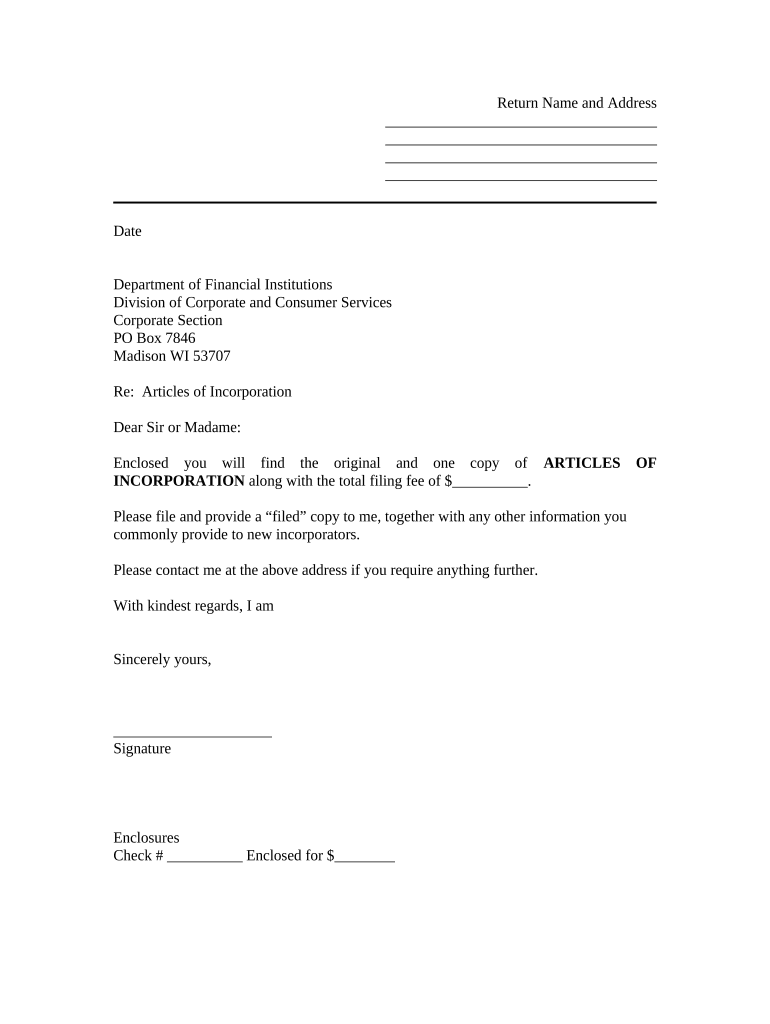
A Transmittal Letter to the Secretary of State for Articles of Incorporation is a brief cover letter that accompanies corporate formation filings submitted to a state filing office. It identifies the enclosed Articles of Incorporation, specifies the filer’s contact and billing information, indicates the requested filing service level, and lists any supporting documents or fees included. The letter helps clerks route the submission, request corrections, and return filed originals to the correct address. Although formats vary by state, a clear transmittal reduces processing delays and supports accurate recordkeeping for the newly formed entity.

Why include a clear transmittal letter

Use a Transmittal Letter to clarify what is filed, provide contact and payment details, and specify return instructions. A concise letter minimizes clerical errors, speeds processing, and creates a single reference for follow-up communication with the Secretary of State’s office.

Why include a clear transmittal letter

Who typically prepares and sends the transmittal letter

Typical filers include incorporators, corporate formation services, attorneys, and in-house legal teams preparing Articles of Incorporation submissions.

  • Incorporators and business owners filing initial Articles and requesting corporate status.
  • Registered agents and formation services submitting filings on behalf of clients.
  • Attorneys and paralegals preparing formal cover letters to accompany legal filings.

Step-by-step: prepare and submit the transmittal package

Follow these steps to prepare and submit a transmittal letter with Articles of Incorporation to the Secretary of State.

  • 01
    Prepare package: Include completed Articles, filing fee, and any required attachments
  • 02
    Write transmittal: State filer name, contact info, and preferred return method
  • 03
    Attach payment: Enclose check or include payment authorization per state instructions
  • 04
    Submit filing: Mail, hand-deliver, or e-file according to the Secretary of State's options

Core elements of a professional transmittal letter

Essential components of a professional transmittal letter ensure the Secretary of State has what is needed to accept and process Articles of Incorporation.

Header

Include date, state filing office name, and the subject line identifying the enclosed Articles of Incorporation and entity name. Keep header concise and use a bold subject line for quick clerk review.
Filer Details

Provide the filer’s legal name, mailing address, telephone number, and email. Indicate whether submitting on behalf of client and include bar or registration ID when required.

Fee Info

State the total fee enclosed or payment method and note any expedited fee preference. Reference check number or online transaction confirmation for tracking and billing reconciliation.

Enclosures

Enumerate the Articles pages, certificate forms, and supplemental documents. For e-filings include file names and preferred format (PDF/A recommended where accepted).

Return Method

Specify return options: mail to address, hold for pickup, or return digitally. Include attention line and any special delivery instructions to avoid misrouting.

Signature

Block for signature with printed name and title, organization name, and date. If signed under power of attorney, attach authorization documentation.

Security and compliance considerations for electronic transmittals

Encryption: TLS 1.2/1.3 and AES-256 at rest
Audit Trail: Timestamped action log for each signer
HIPAA: BAA available for covered workflows
ESIGN/UETA: Compliant with federal and UETA standards
Access Controls: Role-based access and MFA options
Retention: Secure storage with audit-ready records

Consequences of an incorrect or incomplete transmittal

Filing Delays: Missing info delays acceptance
Return Without Action: Clerk may return unfiled
Fee Forfeiture: Incorrect payment risks rejection
Administrative Penalties: Late corporate compliance fines
Record Inaccuracy: Entity records may be incorrect
Professional Liability: Attorney or agent exposure

Common preparation mistakes to avoid

  • Omitting a daytime phone or email prevents clerks from requesting missing information, which can turn a simple correction into a notice of noncompliance requiring resubmission.
  • Using a trade name, abbreviation, or incorrect suffix on the transmittal or Articles leads to mismatched filings and possible rejection by the Secretary of State.
  • Sending insufficient funds, omitting payment authorization, or using the wrong payment method is a frequent reason for returned submissions and processing delays.
  • Mailing to the wrong office, or failing to follow the state's e-file routing rules, can result in lost documents or extended processing times.

Typical intake and processing workflow

Routing and processing steps for submitted Articles packages differ across states but follow a common workflow from intake to return.

  • Intake: Clerk receives and logs submission
  • Review: Staff verify fees and required forms
  • Acceptance or Defect: Accepted or sent back with deficiency notice
  • Recording: Filed documents are recorded and originals returned

Configure an electronic submission workflow

Configure an electronic submission workflow when your state portal supports e-filing to streamline transmittal letter inclusion.

Field Name, Purpose, and Configuration Configuration and settings for e-filing
Document Upload Field and Format Accept PDF/A; name files clearly for clerk reference
Signer Email Field and Order Set signer order and require email authentication
Payment Method Field and Instructions Capture fee amount and payment token or check number
Return Instructions Field and Delivery Specify mail, hold, or electronic return address

Platform features to support secure e-submission

Ensure your chosen platform supports required formats and authentication for secure e-submission.

  • Formats: PDF, PDF/A, DOCX accepted
  • Integrations: Connectors for NetSuite, Salesforce, Google Workspace
  • Authentication: Email link, SMS code, or SAML SSO

Timing considerations and expected windows

Timing considerations for transmittal letters relate to filing deadlines, expedited options, and anticipated processing windows.

Standard Processing Time:

Varies by state; typically 7–21 business days

Expedited Filings Available:

Many states offer same-day or 1–3 business day options

Mail Submission Lag:

Allow additional mailing time and handling delays

Return of Originals:

Original documents typically mailed within processed package schedule

Follow-up Window:

Contact office after published processing time elapses

Milestones from preparation through receipt of filed documents

Key milestones from preparing the package to receiving filed documents help set expectations and track progress.

01

Prepare Documents

Complete Articles, transmittal letter, and attachments

02

Payment and Enclosures

Include correct fee and proof of payment

03

Submit to SoS

Mail, deliver, or e-file per state portal instructions

04

Receive Filed Package

Clerk returns originals or provides electronic certificates

eSignature vendor pricing and capability comparison

Compare common eSignature vendor pricing and core capabilities relevant to filing and returning corporate documents.

signNow DocuSign Adobe Sign PandaDoc HelloSign
Starting Price $8/user/mo $15/user/mo $14/user/mo $19/user/mo $15/user/mo
Free Trial 7-day free trial Varies by vendor Varies by vendor Varies by vendor Varies by vendor
Bulk Send Yes Yes Yes Yes No
Audit Trail Yes Yes Yes Yes Yes
HIPAA Compliant Yes Yes Yes No No

Examples: how organizations use a transmittal letter

Real examples show how transmittal letters reduce delays, clarify filings, and improve record handling across organizations of different sizes.

Optica Ventures — COO

Optica Ventures standardized a transmittal letter template to accompany formation filings, reducing back-and-forth with the Secretary of State office.

  • Resulting in significantly fewer resubmissions
  • As a result, their administrative team saw faster processing, clearer fee reconciliation, and a reduced need for clerical follow-up, which improved entity setup timelines and reduced phone inquiries from state offices.

Fertility Centers of Illinois — Founder

Fertility Centers of Illinois integrated a consistent transmittal letter into their incorporation workflow to link Articles with internal billing and compliance records.

  • This ensured sign-off and fee tracking
  • The standardized approach preserved filing metadata, simplified retrieval during audits, and allowed the legal team to reuse a validated template across multiple clinic entities, reducing incidental legal review time and streamlining corporate administration.

Best practices to reduce errors and speed processing

Follow best practices to reduce filing errors and ensure the Secretary of State accepts your Articles without delay.

Use exact legal entity names
Enter the corporate name exactly as on the Articles, including punctuation and suffixes. Confirm with your formation documents and state records to avoid inconsistent filings and prevent administrative rejection or extra correction fees.
Include complete contact and billing details
Provide a daytime phone, email, and billing contact to enable rapid clerk outreach. Specify payment method and include the check number or transaction ID to speed reconciliation and reduce return cycles.
List all enclosed documents clearly
Number and name each attachment in the letter. For electronic submissions, match file names to the enclosure list. Clear labeling prevents missing attachments and supports clerk review efficiency.
Retain digital and physical proof copies
Keep scanned copies, payment receipts, and the transmittal letter in your corporate records. Maintain audit trails and a dated submission log to simplify future compliance checks and respond to any Secretary of State inquiries.

FAQs and troubleshooting for common filing issues

Common questions about preparing and submitting a transmittal letter to the Secretary of State are answered below.


Need help? Contact support

be ready to get more
Join over 28 million airSlate SignNow users