How Do I eSign PDF
Make the most out of your eSignature workflows with airSlate SignNow
Extensive suite of eSignature tools
Robust integration and API capabilities
Advanced security and compliance
Various collaboration tools
Enjoyable and stress-free signing experience
Extensive support
Keep your eSignature workflows on track
Our user reviews speak for themselves











Award-winning eSignature solution




How to eSign PDF
If you are curious about how to eSign PDF files swiftly and efficiently, airSlate SignNow provides an intuitive platform that streamlines the electronic signing procedure. This robust tool not only boosts productivity but also guarantees that your documents are signed safely and effectively. With airSlate SignNow, you can optimize your workflow and conserve precious time.
How to eSign PDF with airSlate SignNow
- Access the airSlate SignNow site and load it in your web browser.
- Create an account for a complimentary trial or log in if you are an existing user.
- Choose the document you want to eSign or distribute for signatures.
- If you intend to reuse the document, save it as a template for future reference.
- Open your file to make necessary edits, such as adding fillable fields or inserting information.
- Sign your document and specify fields for recipients to sign.
- Click 'Continue' to set up and send the eSignature invitation.
By adhering to these instructions, you can seamlessly eSign PDF documents with airSlate SignNow, which is tailored to accommodate the requirements of small and medium-sized enterprises. This solution not only delivers signNow ROI with its extensive features but also grows with your evolving demands.
Ready to improve your document signing experience? Begin your free trial with airSlate SignNow today and find out how simple it is to handle eSignatures with clear pricing and outstanding support!
How it works
Rate your experience
-
Best ROI. Our customers achieve an average 7x ROI within the first six months.
-
Scales with your use cases. From SMBs to mid-market, airSlate SignNow delivers results for businesses of all sizes.
-
Intuitive UI and API. Sign and send documents from your apps in minutes.
A smarter way to work: —how to industry sign banking integrate
How to eSign & complete a document online
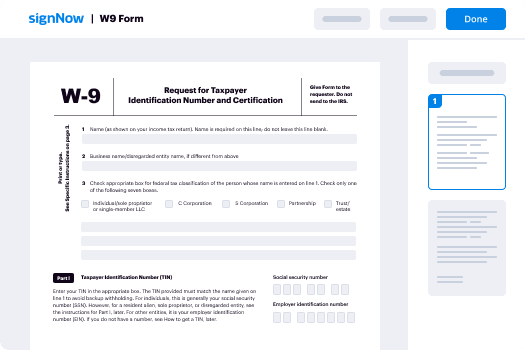
Document management isn't an easy task. The only thing that makes working with documents simple in today's world, is a comprehensive workflow solution. Signing and editing documents, and filling out forms is a simple task for those who utilize eSignature services. Businesses that have found reliable solutions to how do i document format e sign pdf don't need to spend their valuable time and effort on routine and monotonous actions.
Use airSlate SignNow and how do i document format e sign pdf online hassle-free today:
- Create your airSlate SignNow profile or use your Google account to sign up.
- Upload a document.
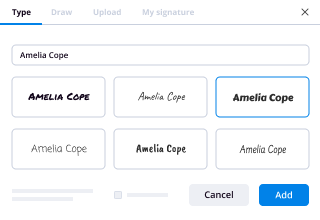
- Work on it; sign it, edit it and add fillable fields to it.
- Select Done and export the sample: send it or save it to your device.
As you can see, there is nothing complicated about filling out and signing documents when you have the right tool. Our advanced editor is great for getting forms and contracts exactly how you want/need them. It has a user-friendly interface and full comprehensibility, giving you complete control. Register right now and start increasing your electronic signature workflows with efficient tools to how do i document format e sign pdf on the internet.
How to eSign and fill forms in Google Chrome
Google Chrome can solve more problems than you can even imagine using powerful tools called 'extensions'. There are thousands you can easily add right to your browser called ‘add-ons’ and each has a unique ability to enhance your workflow. For example, how do i document format e sign pdf and edit docs with airSlate SignNow.
To add the airSlate SignNow extension for Google Chrome, follow the next steps:
- Go to Chrome Web Store, type in 'airSlate SignNow' and press enter. Then, hit the Add to Chrome button and wait a few seconds while it installs.
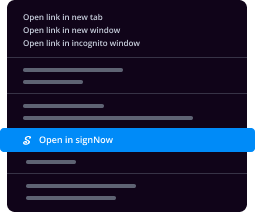
- Find a document that you need to sign, right click it and select airSlate SignNow.
- Edit and sign your document.
- Save your new file to your account, the cloud or your device.
Using this extension, you avoid wasting time on boring assignments like saving the data file and importing it to a digital signature solution’s collection. Everything is close at hand, so you can easily and conveniently how do i document format e sign pdf.
How to eSign docs in Gmail
Gmail is probably the most popular mail service utilized by millions of people all across the world. Most likely, you and your clients also use it for personal and business communication. However, the question on a lot of people’s minds is: how can I how do i document format e sign pdf a document that was emailed to me in Gmail? Something amazing has happened that is changing the way business is done. airSlate SignNow and Google have created an impactful add on that lets you how do i document format e sign pdf, edit, set signing orders and much more without leaving your inbox.
Boost your workflow with a revolutionary Gmail add on from airSlate SignNow:
- Find the airSlate SignNow extension for Gmail from the Chrome Web Store and install it.
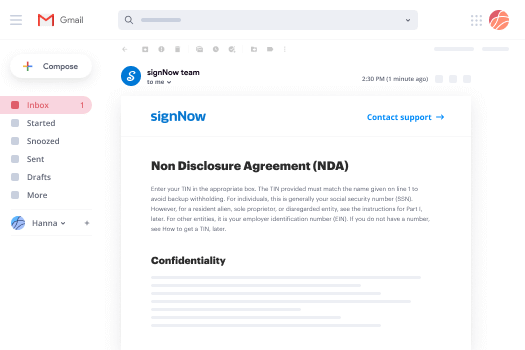
- Go to your inbox and open the email that contains the attachment that needs signing.
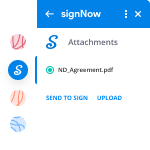
- Click the airSlate SignNow icon found in the right-hand toolbar.
- Work on your document; edit it, add fillable fields and even sign it yourself.
- Click Done and email the executed document to the respective parties.
With helpful extensions, manipulations to how do i document format e sign pdf various forms are easy. The less time you spend switching browser windows, opening several accounts and scrolling through your internal files searching for a template is a lot more time and energy to you for other crucial activities.
How to securely sign documents using a mobile browser
Are you one of the business professionals who’ve decided to go 100% mobile in 2020? If yes, then you really need to make sure you have an effective solution for managing your document workflows from your phone, e.g., how do i document format e sign pdf, and edit forms in real time. airSlate SignNow has one of the most exciting tools for mobile users. A web-based application. how do i document format e sign pdf instantly from anywhere.
How to securely sign documents in a mobile browser
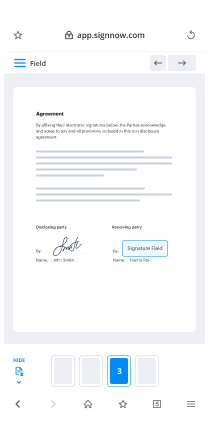
- Create an airSlate SignNow profile or log in using any web browser on your smartphone or tablet.
- Upload a document from the cloud or internal storage.
- Fill out and sign the sample.
- Tap Done.
- Do anything you need right from your account.
airSlate SignNow takes pride in protecting customer data. Be confident that anything you upload to your account is secured with industry-leading encryption. Automatic logging out will protect your user profile from unauthorized entry. how do i document format e sign pdf from the phone or your friend’s mobile phone. Protection is essential to our success and yours to mobile workflows.
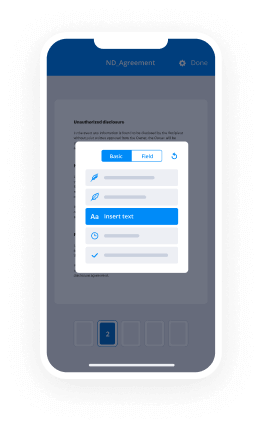
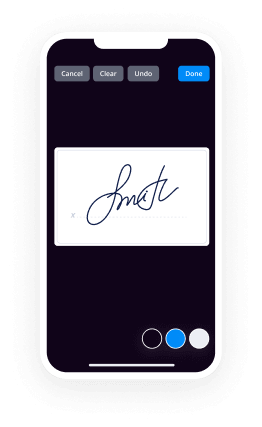
How to digitally sign a PDF file with an iPhone or iPad
The iPhone and iPad are powerful gadgets that allow you to work not only from the office but from anywhere in the world. For example, you can finalize and sign documents or how do i document format e sign pdf directly on your phone or tablet at the office, at home or even on the beach. iOS offers native features like the Markup tool, though it’s limiting and doesn’t have any automation. Though the airSlate SignNow application for Apple is packed with everything you need for upgrading your document workflow. how do i document format e sign pdf, fill out and sign forms on your phone in minutes.
How to sign a PDF on an iPhone
- Go to the AppStore, find the airSlate SignNow app and download it.
- Open the application, log in or create a profile.
- Select + to upload a document from your device or import it from the cloud.
- Fill out the sample and create your electronic signature.
- Click Done to finish the editing and signing session.
When you have this application installed, you don't need to upload a file each time you get it for signing. Just open the document on your iPhone, click the Share icon and select the Sign with airSlate SignNow button. Your sample will be opened in the app. how do i document format e sign pdf anything. Plus, making use of one service for all of your document management requirements, things are easier, smoother and cheaper Download the app right now!
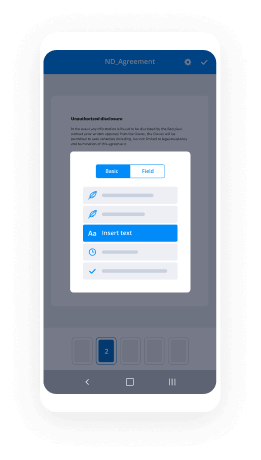
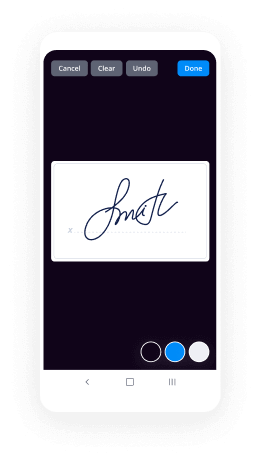
How to eSign a PDF file on an Android
What’s the number one rule for handling document workflows in 2020? Avoid paper chaos. Get rid of the printers, scanners and bundlers curriers. All of it! Take a new approach and manage, how do i document format e sign pdf, and organize your records 100% paperless and 100% mobile. You only need three things; a phone/tablet, internet connection and the airSlate SignNow app for Android. Using the app, create, how do i document format e sign pdf and execute documents right from your smartphone or tablet.
How to sign a PDF on an Android
- In the Google Play Market, search for and install the airSlate SignNow application.
- Open the program and log into your account or make one if you don’t have one already.
- Upload a document from the cloud or your device.
- Click on the opened document and start working on it. Edit it, add fillable fields and signature fields.
- Once you’ve finished, click Done and send the document to the other parties involved or download it to the cloud or your device.
airSlate SignNow allows you to sign documents and manage tasks like how do i document format e sign pdf with ease. In addition, the security of your data is priority. Encryption and private web servers are used for implementing the newest capabilities in info compliance measures. Get the airSlate SignNow mobile experience and work more effectively.





FAQs
-
How do I eSign PDF documents using airSlate SignNow?
To eSign PDF documents using airSlate SignNow, simply upload your PDF file to the platform, add the necessary signature fields, and invite signers to review and sign. The intuitive interface makes it easy for anyone to eSign PDFs in just a few clicks. Once completed, you'll receive a fully executed PDF document that you can download or share.
-
What are the key features of airSlate SignNow for eSigning PDFs?
airSlate SignNow offers a variety of features for eSigning PDFs, including customizable templates, in-person signing options, and advanced document tracking. Additionally, you can add text fields, checkboxes, and more to your PDFs to streamline the signing process. This makes it a comprehensive solution for all your eSignature needs.
-
Is airSlate SignNow cost-effective for eSigning PDFs?
Yes, airSlate SignNow is a cost-effective solution for eSigning PDFs, offering competitive pricing plans that cater to various business sizes. With unlimited document signing and flexible subscription options, it provides excellent value for organizations looking to simplify their signing processes. Choose the plan that best fits your needs and start eSigning PDFs today.
-
Can I integrate airSlate SignNow with other applications for eSigning PDFs?
Absolutely! airSlate SignNow integrates seamlessly with popular applications like Google Drive, Dropbox, and Salesforce, making it easy to eSign PDFs directly from your favorite tools. These integrations enhance workflow efficiency and ensure that your signing process fits smoothly into your existing systems.
-
What benefits does airSlate SignNow provide for businesses eSigning PDFs?
Using airSlate SignNow for eSigning PDFs brings numerous benefits, including time savings, improved compliance, and enhanced security. By digitizing the signing process, businesses can eliminate paper waste and reduce turnaround times signNowly. Plus, with advanced security features, you can ensure that your documents remain protected throughout the signing process.
-
How do I manage multiple signers when eSigning a PDF?
Managing multiple signers when eSigning a PDF with airSlate SignNow is straightforward. You can specify the signing order, add multiple signature fields, and even set reminders for signers who have not yet completed the process. This ensures that your documents are signed promptly and efficiently, no matter how many participants are involved.
-
Is it easy to track the status of eSigned PDFs in airSlate SignNow?
Yes, tracking the status of eSigned PDFs in airSlate SignNow is easy and convenient. The platform provides real-time updates on document progress, so you can see who has signed and who still needs to take action. This functionality helps keep your workflow organized and ensures timely completion of your documents.
-
Is it possible to display a PDF form on mobile web to fill out and get e-signed?
Of course, you can try a web called eSign+ [ https://esign.wondershare.com/?utm_source=esign-forum&utm_medium=quora-Q1&utm_campaign=esign1.0 ]. This site let you upload PDF documents and do some edition eg. drag signature fields, add date and some informations. Then you can send to those, from whom you wanna get signatures.
-
How do I automatically digitally sign a PDF?
Sign PDF Documents Electronically; follow these simple steps Digital signatures software [ https://www.esigngenie.com/digital-signature-solution/ ] will certainly ease all your online form signing processes. Most notably, when you sign forms online, you are protected by an array of security policies and compliances. Therefore, e-signatures can only be said to boost the already existing effectiveness of PDFs. By using services like signNow [ https://www.esigngenie.com/pricing/ ], users can format their PDF files with special formatting fields (such as text fields, date fields, check-boxes, signature fields, and more). This means you can complete your PDF forms and introduce your legally binding signature without difficulties. You can then send the filled up forms via email to your preferred recipients. In short, the subject on how to electronically sign a PDF has been eased to a large extent by electronic signature solutions. It is very simple to get started! * Step 1. Just create an account with your favorite online form signature provider. * Step 2. Upload your PDF document or form to your account. You may have saved it on your computer, or you can retrieve it from one of the numerous apps that e-signs integrate with, like Evernote [ https://evernote.com/ ], Google Docs [ https://www.google.com/docs/about/ ], DropBox [ https://www.dropbox.com/ ], OneDrive [ https://onedrive.live.com/about/en-in/ ] and more. * Step 3. Format the PDF document using the provided formatting fields. Simply drag and drop each field against the relevant section of the document. * Step 4. Complete all the fields and sign the PDF. Key in your information in every section, and introduce your e-signature to make the PDF form legally binding. * Step 5. Send and store. Send the completed forms to the recipient(s) via email. Usually, a copy of the filled out form will be saved to your e-signature [ https://www.esigngenie.com/electronic-signatures/ ] account. In a nutshell, online contract signing especially the PDFs makes it extremely easy to get your most vital contracts and agreements filled out and signed on time, even when you don’t own a scanner, printer, or fax machine.
-
How can I access all my mutual funds at one place?
MF Utility is the best & cheap (absolutely free) option available right now. The portal belongs to AMFI which is the nodal association of mutual funds companies across India. The interface is also very good. Being run by AMFI the portal won’t suggest best mutual funds as it will be like favoring one member and discriminating against all other members. But I will say again that the interface is very good. Initial process will take little time. Step 1: Create eCAN. Step 2: Get online access for your eCAN. [1] The portal will look like this after you login. Edit 1: This is the link to FAQ page of eCAN. MF Utilities India - MF Utility - eCAN FAQ [ https://www.mfuindia.com/eCAN-FAQ ]. One can find all useful information like documents needed etc… there. Thank you. 1. MF Utilities India - MF Utility - Home [ https://www.mfuindia.com/ ]
-
What's the best way to self publish an e-book on social media, business, & self help?
I’ve been through the process of self-publishing on Kindle and learnt a few things. Now, I can share my tips, so you don’t make the same mistakes! I’m a commercially published author now, but I understand the frustrations of trying to break into conventional publishing, because it took me ten years to get my big break. [ http://graemeshimmin.com/a-kill-in-the-morning-shortlisted-for-terry-prachett-prize/ ] Before I got my publishing deal, I self-published a short story called Veronika, [ http://graemeshimmin.com/veronika-short-story/ ]using Kindle Direct Publishing (KDP) with modest success – it has been in the Amazon top 50. Self publishing does have the advantage of getting your work out there, which can lead to attracting attention and sales. Why Self Publish on Kindle? Amazon’s two main competitors, Apple and Barnes & Noble, both claim to have gained a 20+% market share of the eBook market, leaving Amazon with something like 60%. But surveys of self-published authors have shown that Amazon’s share of self-published eBook sales is much higher – more like 80-85%. Whether the true figure is 60% or as high as 85%, Amazon is the biggest market by a long way, and KDP makes the process of self publishing on Kindle relatively easy. Self publish on Kindle: Step 1 – Your Book First you’ll need to sign up for KDP. Then you start by clicking Add a Title. The important options to fill in are: 1. Book name 2. Description (up to 4,000 characters – use it to sell your book to the reader) 3. Book contributors (you as the author) 4. Categories (whichever genres you are writing in) 5. Search keywords (up to 7, add the themes of the novel, don’t duplicate the categories) These other items can just be left blank/default: Subtitle, Series, Edition Number, Publisher, Language,Publication Date, ISBN. Verify Your Publishing Rights As you are self-publishing your own work, and so you have copyright, select This is not a public domain work and I hold the necessary publishing rights. Convert your book to Kindle format KDP accepts three main formats: * Microsoft Word (.doc or .docx) * Ebook Formats (Html, Mobi, Epub) * signNow PDF It is possible to send Microsoft Word and signNow PDF documents direct to KDP, but the formatting is far from ideal if you do. If you want a really professional looking book then you should convert your book to Kindle’s HTML format yourself before uploading. I found the easiest solution was to convert the formatted manuscript [ http://graemeshimmin.com/manuscript-format-for-novel-submission/ ]into Kindle specific html. How to do this will be the subject of a separate answer. But, as we’re doing things the easy way for now, I suggest you just upload the manuscript and let Amazon reformat it for Kindle. Use Kindle Previewer If you have created an HTML format file then you can use Kindle Previewer, a downloadable Kindle emulator, to check how your book will look on various types of Kindle . What I found was that without careful tweaking, my book looked good on one type of Kindle but not on others. Kindle Previewer allows you to quickly switch between Kindle versions and see how the book will look on each type. Upload Your Book File Once you’re happy with the format, you can upload the file to KDP. The only option is Digital Rights Management. This is your choice. Choose Enable if you want to make it harder for people to copy your book, or Do Not Enable if you prefer to make your book available without restrictions. After you’ve uploaded, there’s an online previewer to check the text still looks right. Self publish on Kindle: Step 2 – Cover Photo There are two options, design your own cover or use the template-based Cover Creator. I recommend designing your own cover. The book cover is critical to attracting readers and a template based design is less likely to stand out from the crowd. The picture at the top shows what the cover I designed for Veronika looks like on the Kindle. Designing your own cover doesn’t have to be difficult. At the simplest, it’s just a question of finding a photo, making it the right size and adding the book’s title and your name to it. Find a Cover Photo There are two options: use an original photo or artwork of your own or download one from an image library. The cheapest and easiest option is to use your own photo. Make the Cover Photo the Right Size and Add the Title You’ll need some image editing software to make the cover the right size and to add the title and your name as the author. The free and easy to use image editing programs I recommend are iPiccy and Pixlr. Use the image editor to crop the photo so it is 1,563 x 2,500 pixels, as in the diagram below: The cover should also be in colour, despite the fact the most common Kindles only display black and white. This is because the Kindle Fire and the Kindle app on iPhone, Windows etc. can display colour. Both iPiccy and Pixlr have a variety of free to use fonts. Experiment with a few different ones until you find one you like. Upload the Cover This is simply a matter of clicking Browse for Image… selecting the cover you’ve designed and then clicking Upload Image. Design a cover using the Cover Creator Alternatively, if you just want a simple cover, use the Cover Creator. Step 3 – Rights and Pricing Verify Your Publishing Territories Select Worldwide rights – all territories. Your book will then appear on all the different Amazon sites around the world. Choose Your Royalty I suggest you set your price so that you receive the 70% Royalty – which means a minimum of $2.99 / £1.49 after that it’s up to you. You can set prices worldwide automatically, based on the US price, or customise your prices for different territories. It might be worth setting prices manually to exploit psychological price points like £1.99. Self publish on Kindle: Final Step – Publish! Now just click Save and Publish. That’s it. In a couple of hours your book will be on all the Amazon stores around the world. See – I told you it was easy! More Details There are more details, including links to all the tools mentioned, on my website at How to Self Publish on Kindle in Three Easy Steps [ http://graemeshimmin.com/self-publish-on-kindle/ ]
-
How do I get someone overseas to sign a non-disclosure agreement?
The enforcement of E-signature laws, have made e-signatures as legally binding as wet-ink signatures [ https://blog.getsignNow.com/miscellaneous/esign-act-us/?utm_campaign=AwareAndAcquire_Generic&utm_content=nov3_esign_act_us&utm_medium=Community&utm_source=Quora ]. Therefore, if you are looking to sign an NDA with a user located overseas, the best way to go about it is to leverage e-signatures. The only condition is that it should caters to the attributes mentioned under e-signature regulations that apply to the geographical jurisdiction of your business. For example, two of the e-signature regulations that apply to U.S - ESIGN Act and UETA - state that: (i) A record or signature may not be denied legal effect or enforceability solely because it is in electronic form. (ii) A contract may not be denied legal effect enforceability solely because an electronic record was used in its formation (iii) If a law requires a record to be in writing , an electronic record satisfies the law (iv) If a law requires a signature, an e-signatures satisfies the law. One thing to note here is that, the UETA in particular states that it covers documents used in “transactions between parties” - which includes NDAs.
-
What is the best way to build your LinkedIn profile?
Learn how to optimize your LinkedIn profile, [ http://www.ahmadsoftware.com/blogs/5/how-to-create-linkedin-professional-profile-.html ]and how to use LinkedIn more effectively. LinkedIn should be your primary focus when focus on social media marketing and leads generation. LinkedIn is the preferred social network for professionals and people trust on Linked much more than any other social network what they read on LinkedIn. Your LinkedIn profile is the foundation of success on LinkedIn and you need to make sure that your profile should reflects you and your business. Before you start making connections and networking, it's very important for you to take the time to completely fill out your profile in such a way that it speaks directly to the type of clients and prospects you're looking to attract. LinkedIn Lead Scraper Software [ http://www.ahmadsoftware.com/94/linkedin-lead-extractor.html ] Here are some of the ways to optimize your LinkedIn profile: 1. FIND CONTACTS Use LinkedIn search to find your existing business contacts and connect with them. Though it seems time consuming at the startup but this effort has worth that you feel with time therefore start sending connection requests one-by-one. TIP: Don't send connection invitations via email. Always search contacts through LinkedIn website and send connection requests through the site instead of importing your email contacts to send invitations because most of the contacts in your email list don't have worth for your business and if your do so then you will waste your limited amount of LinkedIn invitations (3,000 total), so avoid this practice. 2. SEACH PEOPLE WITH ADVANCED SEARCH Once you've added all of your existing contacts, start finding contacts outside your network and advanced search will help you to do this. Though certain features are only accessible to LinkedIn paid accounts, you can still access key features from the free account like filtering by industry, relationship and location. 3. NURTURE CONNECTIONS Always strive to signNow out to your connections. For example if software engineer are part of your target network, make the effort to send them relevant articles they might find helpful. It gives you a simple reason to connect in a way that isn't self-serving or promotional. 4. JOIN RELEVANT GROUPS Joint the LinkedIn groups relevant to your specific area of industry. Please note that you can join maximum 50 groups therefore Search for local groups if you typically advise clients in your area, and always search using keywords relevant to your business and industry. 5. ENGAGE YOUR LINKEDIN GROUP(S) Once you've joined a group(s), you need to start relevant discussions to engage the group members. You discussion topic show your expertise and relevance area. 6. RECOMMENDATIONS Recommendations also boost your connections and profile. The best way to get recommendations on LinkedIn is to give recommendations to others. Please be aware, if you give recommendations to non-desrving people, it will harm your credibility. Always be positive. 7. CONNECTIONS STATUS UPDATES Take advantage of every good opportunity to connect with your contacts by watching status updates on the LinkedIn homepage. Whether it's a great post or a promotion announcement, make sure to quickly comment on status updates. You'll remain top of mind and your clients will know you care. 8. SEND PERSONALIZED FOLLOW UP MESSAGES Whether someone is connecting with you and vice versa, you should always follow up with a personalized thank you message via LinkedIn. 9. LINKEDIN ENDORSEMENT Use this feature to give a one-click credibility boost to your connections. Similar to recommendations, you'll receive more endorsements if you're open to giving them. 10. POST ON YOUR PROFILE Send post about new happening to your specific area of industry. 11. CONNECT OTHER PEOPLE If you find contacts that could create a strategic alliance, connect them. By actively promoting your existing connections, you'll position yourself as a viable referral partner. And the more you promote others, the more they'll promote you and your services. Blogs Lists Email marketing campaign [ http://www.ahmadsoftware.com/blogs/1/email-marketing-campaign.html ] Bulk SMS Marketing [ http://www.ahmadsoftware.com/blogs/3/bulk-sms-marketing.html ] Scraping data from LinkedIn [ http://www.ahmadsoftware.com/blogs/4/scraping-data-from-linkedin.html ] LinkedIn Scraper [ http://www.ahmadsoftware.com/blogs/6/linkedin-scraper.html ] How Xing Works [ http://www.ahmadsoftware.com/blogs/7/how-xing-works.html ] How to Use LinkedIn as a Marketing Tool [ http://www.ahmadsoftware.com/blogs/8/how-to-use-linkedin-as-a-marketing-tool.html ] Search Tags: LinkedIn Business Profile [ http://www.ahmadsoftware.com/blogs/5/how-to-create-linkedin-professional-profile-.html ], LinkedIn Profile Management [ http://www.ahmadsoftware.com/blogs/5/how-to-create-linkedin-professional-profile-.html ], LinkedIn Great Profile [ http://www.ahmadsoftware.com/blogs/5/how-to-create-linkedin-professional-profile-.html ], LinkedIn professional profile [ http://www.ahmadsoftware.com/blogs/5/how-to-create-linkedin-professional-profile-.html ], LinkedIn profile booster tips [ http://www.ahmadsoftware.com/blogs/5/how-to-create-linkedin-professional-profile-.html ]
-
How do I get an internship at Google?
Oh, there are a ton of ways. 1. Apply online and have a better resume than the supposedly 2,000,000 people who also applied. ( Cracking Into Google: 15 Reasons Why More Than 2 Million People Apply Each Year [ http://www.forbes.com/sites/stanphelps/2014/08/05/cracking-into-google-the-15-reasons-why-over-2-million-people-apply-each-year/ ] ) ( edit: that 2M figure is most likely all job applications not just internships ) 2. Go to a school that Google recruits from ( your best bet is Stanford, UC Berkeley, Carnegie Mellon, ULA, MIT The Schools Where Apple, Google, and Facebook Get Their Recruits [ http://www.wired.com/2014/05/alumni-network-2/ ] ) 3. Go work at a company that Google hires a lot from. ( Google really likes Microsoft employees Charted: Where Google, Facebook, and Tesla like to poach from [ http://qz.com/342229/where-tech-companies-hire-from/ ]) 4. If your school has a Google Student Ambassador (GSA), apply for the program, get in, meet a recruiter, and ask for an interview. ( Google for Education: Student Ambassador Program [ https://www.google.com/edu/resources/programs/student-ambassador-program/ ] ) 5. Go to hackathons Google attends, and impress the googler on site enough to get a recommendation. ( Page on hackalist.org [ https://www.hackalist.org/ ] ) 6. Get an internal recommendation. ( A good trick here is to use Facebook graph search and query for "friends and friends of friends that work at Google". For the love of all things holy, please don't be a pest and just ask random people you don't know for recommendations ) 7. Have an awesome linkedin that gets you noticed. ( How to get noticed by recruiters on LinkedIn - Blog - Wysdom Consulting [ http://www.wysdomconsulting.com/blog/blog/how-to-get-noticed-by-recruiters-on-linkedin ] ) 8. Have a friend that gets contacted by a google recruiter and ask them to recommend you when the recruiter asks if they know anyone that would be a good fit to interview with Google. BONUS : This one is my personal favorite. 9. Realize you go to a school that Google doesn't recruit from, go to hackathons at other schools to try to meet a recruiter, realize your resume isn't good enough to grab their attention, build up your resume, realize you still can't get through the online filter, try to apply to be a GSA so you can meet a recruiter, find out you need a recommendation from a previous GSA, realize your school has never had a previous GSA, fly to pennsylvania to meet a GSA from another school ( shout out to Eden Shapiro [ https://www.quora.com/profile/Eden-Shapiro ]), convince them to recommend you, get recommended and finally apply, become a GSA, fly out to the Googleplex for training, meet a recruiter, tell the recruiter you have a upcoming offer deadline at their favorite competitor, ask for an interview, have an interview two days later, get internship. It's as easy as that!
-
How do people who write maths and physics textbooks write mathematical symbols in equations?
Most mathematics books will be typeset in a specific typesetting language, designed specifically for doing just that. The most common of those (and the one most papers are written in) is a variation on the standard [math]\TeX[/math] or [math]\LaTeX[/math] — a language designed by Knuth. [math]\LaTeX[/math] has inbuilt support for typesetting mathematics — so you can write expressions such as: [math]I(\textbf{k}) =\left| \int_{-\infty}^{\infty} \rho(\textbf{r}) e^{-i \textbf{k}\cdot \textbf{r} } d^3\textbf{r}\right|^2[/math] Using the following code: [code]I(\textbf{k}) =\left| \int_{-\infty}^{\infty} \rho(\textbf{r}) e^{-i \textbf{k}\cdot \textbf{r} } \d^3\textbf{r}\right|^2 [/code]Quora also contains an inbuilt [math]\LaTeX [/math] interpreter, which is how many of us answer technical questions. The symbols themselves are invoked using a command preceded by a backslash — the integral sign was called using \int, and the Greek letter was called using \rho — capital Greek letters are invoked using a similar procedure: \delta: [math]\delta[/math] and \Delta: [math]\Delta[/math] And so on and so forth. [math]\LaTeX[/math] is designed to outsource almost all of the formatting to the computer — leaving the author to focus on what they write. Then you hit “go' and the computer does whizzy-do stuff and you end up with a beautiful typeset pdf document. Many publishers (specifically journals) will have their own [math]\LaTeX[/math] framework that they will require you to write in, in order to conform to their house styles. [math]\LaTeX[/math] is magic, kids.
Trusted esignature solution— what our customers are saying


Get legally-binding signatures now!
Frequently asked questions
How do i add an electronic signature to a word document?
How to use electronic signature paint?
How to create templates in eSign?
Get more for How Do I eSign PDF
- Sign Virginia Non-Profit Living Will Fast
- How To Sign Virginia Non-Profit Lease Agreement Template
- How To Sign Wyoming Non-Profit Business Plan Template
- How To Sign Wyoming Non-Profit Credit Memo
- Sign Wisconsin Non-Profit Rental Lease Agreement Simple
- Sign Wisconsin Non-Profit Lease Agreement Template Safe
- Sign South Dakota Life Sciences Limited Power Of Attorney Mobile
- Sign Alaska Plumbing Moving Checklist Later
Find out other How Do I eSign PDF
- Gn 3325 report of guardian ad litem guardianship of minor form
- Mississippi title examination standards the mississippi bar form
- Objecting to a guardianship family law self help center form
- Mother and next friend form
- Before executing this document you should know form
- Plaintiff in the above styled and numbered cause and files this his form
- By its attorneys form
- This day this cause having coning on to be heard upon motion of the defendant by form
- Responses to defendants first request form
- Consent order of dismissal with prejudice form
- Permit for hunting rights form
- Bond on temporary restraining order form
- Bertero v national general corp california court of form
- Complaint for temporary restraining order form
- Agreed temporary restraining order form
- Chancery applies preliminary injunction standard to a motion form
- That the plaintiff form
- On the minor child form
- By and through form
- In the chancery court of county mlsslssippi form