Auto Repair Invoice Template Free for Shipping

Watch your invoice workflow become fast and seamless. With just a few clicks, you can complete all the required steps on your auto repair invoice template free for Shipping and other important files from any gadget with web connection.

Award-winning eSignature solution

What an auto repair invoice template free for shipping includes

An auto repair invoice template free for shipping is a ready-made billing document formatted for workshops that need to invoice parts and services and prepare documents for third-party shipping. It typically lists labor, parts, shipping fees, tracking information, customer contact details, and payment terms. When combined with an eSignature-enabled workflow, the template streamlines customer approvals, captures signed consent for shipping charges, and creates an auditable record. Integrating this template with an eSignature platform like signNow supports secure signing, template reuse, and simplified delivery to shippers and customers.

Why use a free auto repair invoice template for shipping

A structured template reduces errors, speeds billing, and standardizes shipping entries for parts and returns.

Why use a free auto repair invoice template for shipping

Common challenges without a standardized template

  • Inconsistent line items cause delays and billing disputes between shops and customers.
  • Missing shipping details lead to lost packages and additional handling fees.
  • Manual signatures slow approvals and increase the chance of missing consent for shipping charges.
  • Poor version control results in mismatched invoices and unclear audit histories.

Typical users and roles

Shop Owner

Shop owners use the template to ensure billing accuracy and to authorize shipments of expensive parts, keeping financial and shipping records consolidated and audit-ready while delegating day-to-day entry to staff.

Parts Manager

Parts managers rely on the invoice template to record itemized part numbers, shipping carriers, and tracking details, and to obtain customer signatures for shipments, returns, and warranty claims.

Who benefits from using an auto repair invoice template free for shipping

Small and mid-size repair shops, parts departments, and service advisers use templates to standardize invoices and shipping documentation.

  • Independent mechanics who ship parts to customers or other shops.
  • Dealership service departments managing parts returns and deliveries.
  • Fleet maintenance teams coordinating off-site repairs and parts shipment.

Standard templates reduce administrative work and help teams maintain consistent records across customer interactions and shipping events.

Key tools for effective auto repair invoice template free for shipping

These features reduce manual work, improve accuracy, and maintain legal records for shipped parts and invoiced services.

Template library

Centralized templates for invoices and shipping forms that staff can select and pre-fill with vehicle and customer data.


Reusable fields

Standardized field types for part numbers, quantities, prices, and shipping carriers to ensure consistent data capture.

Bulk Send

Send multiple invoices for routine shipments or batch parts orders to different customers at once with individualized fields.

Mobile signing

Allow customers to review and sign invoices on their phones at pickup or before items are shipped.

Audit trail

Complete event logs, including timestamps and signer authentication, for dispute resolution and record retention.

Conditional fields

Show or hide shipping surcharges and warranty disclaimers based on selected parts or delivery options.

be ready to get more

Choose a better solution

Integrations that support shipping and invoicing

Linking templates to common tools removes manual entry and enables automatic delivery of signed invoices to records and carriers.

Google Docs

Create and store invoice templates in Google Drive and import them to the signing workflow for quick editing and collaboration across staff members.

CRM sync

Push signed invoices and shipping details back to CRM records so customer history, vehicle data, and billing are automatically updated without manual copy-paste.

Dropbox

Save signed invoices directly to a structured Dropbox folder for archive, access by parts teams, and integration with carriers that read shared folders.

Shipping platforms

Connect to carrier APIs or shipping management tools to automatically create labels and embed tracking numbers in invoices after signatures.
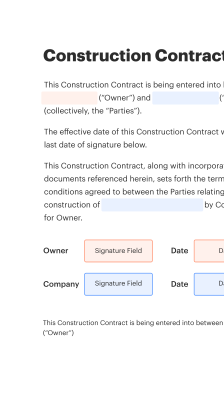
How the auto repair invoice template free for shipping works with eSignatures

The process connects template preparation, recipient assignment, signing, and shipping confirmation in a linear workflow.

  • Prepare document: Load template and verify order details.
  • Assign recipients: Add customer and internal approvers with emails.
  • Collect signatures: Recipients sign on web or mobile devices.
  • Record shipping: Add tracking and confirm dispatch after signing.
Collect signatures
24x
faster
Reduce costs by
$30
per document
Save up to
40h
per employee / month

Set up an auto repair invoice template free for shipping

Follow these initial steps to configure a template that captures billing, shipping, and signature consent.

  • 01
    Create template: Start from a free invoice layout and add shipping fields.
  • 02
    Add fields: Include parts, labor, shipping carrier, and tracking lines.
  • 03
    Configure signer: Designate customer and internal signers and order.
  • 04
    Save and reuse: Store as a template for future invoices and shipments.
be ready to get more

Why choose airSlate SignNow

  • Free 7-day trial. Choose the plan you need and try it risk-free.
  • Honest pricing for full-featured plans. airSlate SignNow offers subscription plans with no overages or hidden fees at renewal.
  • Enterprise-grade security. airSlate SignNow helps you comply with global security standards.
illustrations signature

Recommended workflow settings for shipping invoices

Recommended default configurations streamline approvals, reminders, and document retention for shipping-related invoices.

Setting Name Configuration
Signature Order Sequential
Reminder Frequency 72 hours
Default Expiration 30 days
Auto-save Destination Dropbox folder
Audit Logging Enabled

Using the template on mobile, tablet, or desktop

The template and signing workflows work across modern browsers and mobile apps to support in-shop and remote signing.

  • Desktop: Chrome, Edge supported
  • Mobile: iOS and Android apps
  • Tablet: Responsive signing interface

Ensure browsers and apps are updated and that staff use secure networks; enable app authentication and encryption settings for consistent performance and security across devices.

Security and document protections for shipping invoices

Data encryption: AES-256 at rest
Transport security: TLS 1.2+ in transit
Access controls: Role-based permissions
Document locking: Tamper-evident seals
Audit logging: Full event records
Backup retention: Redundant cloud copies

Practical examples of using the template and signing workflow

Two short case studies show how a free auto repair invoice template for shipping works in real shop scenarios.

Local Repair Shop

A busy neighborhood shop adopts a free invoice template to standardize parts orders and shipping addresses.

  • They attach carrier options and pre-fill shipping fees.
  • Customers approve shipments with an electronic signature, reducing phone confirmations.

Resulting in faster dispatch, fewer lost packages, and clearer charge authorization.

Dealership Parts Department

A dealership integrates the template with their CRM to auto-populate vehicle and owner details.

  • Shipping instructions and tracking fields are added for return parts.
  • Technicians and parts staff capture signatures remotely before release.

Leading to improved tracking, streamlined returns, and better warranty documentation.

Best practices when using an auto repair invoice template for shipping

Follow these best practices to reduce disputes and ensure secure, auditable shipping invoices.

Capture explicit shipping consent and fees
Display shipping charges clearly on the invoice and require an explicit electronic signature for any non-standard shipping fees to avoid disputes and ensure customer acceptance.
Use conditional fields for shipping options
Implement conditional logic to show carrier choices, expedited shipping fees, or insurance options only when relevant so invoices remain concise and accurate for each transaction.
Retain signed invoices with tracking metadata
Store signed invoices alongside carrier tracking numbers and shipment confirmations to create a single source of truth for billing, delivery verification, and returns processing.
Configure role-based access and audits
Limit template editing to administrators, restrict who can send invoices, and keep audit trails active to track changes and signer identities for compliance.

FAQs About auto repair invoice template free for shipping

Common questions and clear answers about using templates, signatures, and shipping with eSignature platforms.

Feature comparison for eSignature support on shipping invoices

A concise feature matrix comparing signNow and other major eSignature providers for shipping and invoice workflows.

Feature signNow DocuSign Adobe Sign
ESIGN / UETA compliance
Mobile app availability
Template library Extensive Extensive Extensive
API access and SDKs
Bulk Send capability
be ready to get more

Get legally-binding signatures now!

Key retention and deadline considerations for shipped invoices

Set clear timelines for expiry, retention, and follow-up actions to meet legal and operational needs.

Invoice expiration period:

30 days default

Customer signature reminders:

Send reminders at 72 hours

Document retention duration:

Retain signed copies for seven years

Carrier claim window:

Follow carrier-specific claim deadlines

Warranty claim documentation:

Keep records for warranty life span

Risks of improper invoice or shipping handling

Billing disputes: Lost revenue
Noncompliance: Regulatory fines
Data breaches: Customer exposure
Shipping errors: Replacement costs
Warranty claims: Service liability
Audit failures: Operational sanctions

Pricing-related comparisons for signing and shipping workflows

High-level pricing characteristics and plan availability across signNow and competing eSignature platforms, for budgeting and procurement considerations.

Pricing Metric signNow DocuSign Adobe Sign Dropbox Sign PandaDoc
Free plan availability Limited free plan available Free trial only No permanent free plan Limited free plan Free eSign plan available
Entry-level offering Paid plans start at lower monthly rates Entry plans generally higher priced Business plans at enterprise-level cost Competitive entry pricing Includes document tools with plans
API access in plans API available with paid plans API on higher tiers API included on business plans API available with integration plans API on growth plans
Bulk Send and templates Supports Bulk Send and templates Bulk Send supported on business tiers Bulk sending supported Bulk send available Template and bulk options available
HIPAA and BAAs Configurable for HIPAA; BAA available BAA available upon request BAA support for enterprise Contact for BAA BAA available for certain plans
walmart logo
exonMobil logo
apple logo
comcast logo
facebook logo
FedEx logo
be ready to get more

Get legally-binding signatures now!