Free Editable Social Security Card Template PDF
Award-winning eSignature solution



Move your business forward with the SignNow eSignature solution
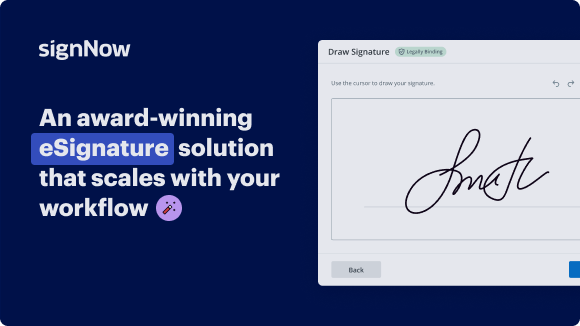
Add your legally binding signature
Integrate via API
Send conditional documents
Share documents via an invite link
Save time with reusable templates
Improve team collaboration
See SignNow eSignatures in action


Understanding the Free Editable Social Security Card Template PDF
The free editable social security card template PDF is a digital document designed to resemble an official social security card. It allows users to fill in their personal information, such as name, date of birth, and social security number. This template can be particularly useful for individuals who need to create a placeholder or practice document for various purposes, such as educational projects or identity verification processes.
How to Access and Download the Template
To access the free editable social security card template PDF, users can navigate to trusted document creation platforms that offer templates. Once located, the template can be downloaded directly to your device. Ensure that you have a PDF reader installed to view and edit the document effectively.
Editing the Template for Personal Use
After downloading the template, users can open it in a PDF editor. This allows for easy editing of text fields. Simply click on the areas designated for input and type in the required information. Users should ensure that the details entered are accurate and reflect the intended use of the document.
Securely Saving and Sharing Your Document
Once the template has been filled out, it is important to save the document securely. Users can utilize the “Merge PDF” feature to combine this document with other relevant files if needed. When sharing the completed document, consider using secure methods such as encrypted email or secure file-sharing services to protect personal information.
Common Uses for the Template
The editable social security card template can serve various purposes. Some common uses include:
- Educational projects that require a sample social security card.
- Identity verification for non-official purposes.
- Practice for filling out forms that require social security information.
Legal Considerations When Using the Template
It is essential to understand the legal implications of using a social security card template. This template should not be used for fraudulent activities or to misrepresent identity. Always ensure that the document is used in compliance with local laws and regulations to avoid potential legal issues.
SignNow solutions for better efficiency
Our user reviews speak for themselves











Why choose SignNow
-
Free 7-day trial. Choose the plan you need and try it risk-free.
-
Honest pricing for full-featured plans. SignNow offers subscription plans with no overages or hidden fees at renewal.
-
Enterprise-grade security. SignNow helps you comply with global security standards.
Complimentary customizable social security card template pdf
Making and organizing documents has never been simpler with SignNow. This service provides a smooth method to send and electronically sign documents, making it a perfect option for enterprises aiming to enhance their workflows. With an intuitive interface and powerful features, you can effectively manage your documentation requirements.
Steps to utilize the complimentary customizable social security card template pdf
- Open your internet browser and go to the SignNow site.
- Set up a complimentary trial account or log in if you already possess one.
- Choose the document you want to sign or send for signatures.
- If you intend to reuse this document, change it into a reusable template.
- Access your document and modify it by including fillable fields or required details.
- Sign the document and add signature fields for the recipients.
- Press 'Continue' to set up and send an eSignature invitation.
SignNow distinguishes itself as an effective tool for companies, providing a comprehensive array of features that yield excellent returns on investment. Its user-friendly layout makes it straightforward to use and scale, especially for small to medium-sized businesses. With transparent pricing and no concealed costs, you can benefit from top-notch support around the clock for all paid plans.
Begin enhancing your document management today with SignNow. Witness the advantages firsthand and revolutionize how you manage signatures!
How it works
SignNow features that users love





Get legally-binding signatures now!
What active users are saying — free editable social security card template pdf


Get more for free editable social security card template pdf
- House Rent Billing Format for Product Management
- Sample Bill Format in Word for Finance
- Sample Bill Format in Word for Support
- Tax Invoice Format PDF for Management
- Tax Invoice Format PDF for Public Relations
- Tax Invoice Format PDF for RD
- Mobile Invoice Format for Customer Support
- Mobile Invoice Format for Public Relations
Find out other free editable social security card template pdf
- Start Your eSignature Journey: extract signature from ...
- Start Your eSignature Journey: FMLS eSign
- Explore Your Digital Signature – Questions Answered: ...
- Explore Your Digital Signature – Questions Answered: ...
- Explore Your Digital Signature – Questions Answered: ...
- Enjoy Streamlined eSignature Workflows: how to change ...
- Find All You Need to Know: how to eSign a PDF on iPhone
- Start Your eSignature Journey: how to get online ...
- Explore Your Digital Signature – Questions Answered: ...
- Find All You Need to Know: how to sign online PDF forms
- Find All You Need to Know: how to sign PDF document ...
- Explore Your Digital Signature – Questions Answered: ...
- Unlock the Power of eSignature: online signature drawer
- Start Your eSignature Journey: scan signature online
- Enjoy Flexible eSignature Workflows: sign documents ...
- Find All You Need to Know: sign PDF forms online
- Explore Your Digital Signature – Questions Answered: ...
- Start Your eSignature Journey: write a signature online
- Enjoy Flexible eSignature Workflows: create an eSign ...
- Explore Your Digital Signature – Questions Answered: ...