Establishing secure connection…Loading editor…Preparing document…

Mississippi Parties' Joint Stipulation of Facts

This template is fully customizable. Edit the text, fill out the fields, and send it for signature. Give it a try!
Mississippi Parties' Joint Stipulation of Facts

What the Mississippi Parties' Joint Stipulation of Facts Is and when it is used

A Mississippi Parties' Joint Stipulation of Facts is a written document in which litigating parties agree on a set of factual statements to be accepted by the court without further proof. It typically narrows contested issues, speeds pretrial preparation, and focuses trials on legal disputes rather than factual disagreements. Stipulations may be attached to pleadings or submitted as a separate filing and signed by counsel or authorized representatives. Courts rely on stipulations to limit evidence, streamline hearings, and conserve judicial resources while preserving contested legal questions for adjudication.

Why a clear joint stipulation matters in Mississippi cases

A concise joint stipulation reduces discovery burdens, shortens hearing time, and clarifies which facts are undisputed for trial or motion practice.

Why a clear joint stipulation matters in Mississippi cases

Who typically prepares and signs a joint stipulation

The document is usually drafted by counsel or jointly by party representatives before submission to the court.

  • Plaintiff and defense counsel collaborate to agree factual points.
  • Corporate representatives or in-house counsel sign for business parties.
  • Pro se litigants can prepare or join a stipulation when allowed by the court.

Courts expect an organized, signed statement of agreed facts that identifies parties, case number, and the specific facts being stipulated.

Who signs and certifies the stipulation

Lead Counsel

An attorney of record signs to certify the parties' agreement, confirms authority to bind the client, and represents accuracy to the court; this signature often accompanies the filing and service certificate.

Authorized Representative

A corporate officer or designated agent may sign for a business party when a power of attorney or internal authorization is documented and retained with the case file.

Key sections to include in a professional joint stipulation

A well-structured stipulation is short, numbered, and clearly identifies case caption, parties, agreed factual statements, signature blocks, and filing information.

Caption

Full case caption, court name, docket number, and parties to avoid filing or service confusion.
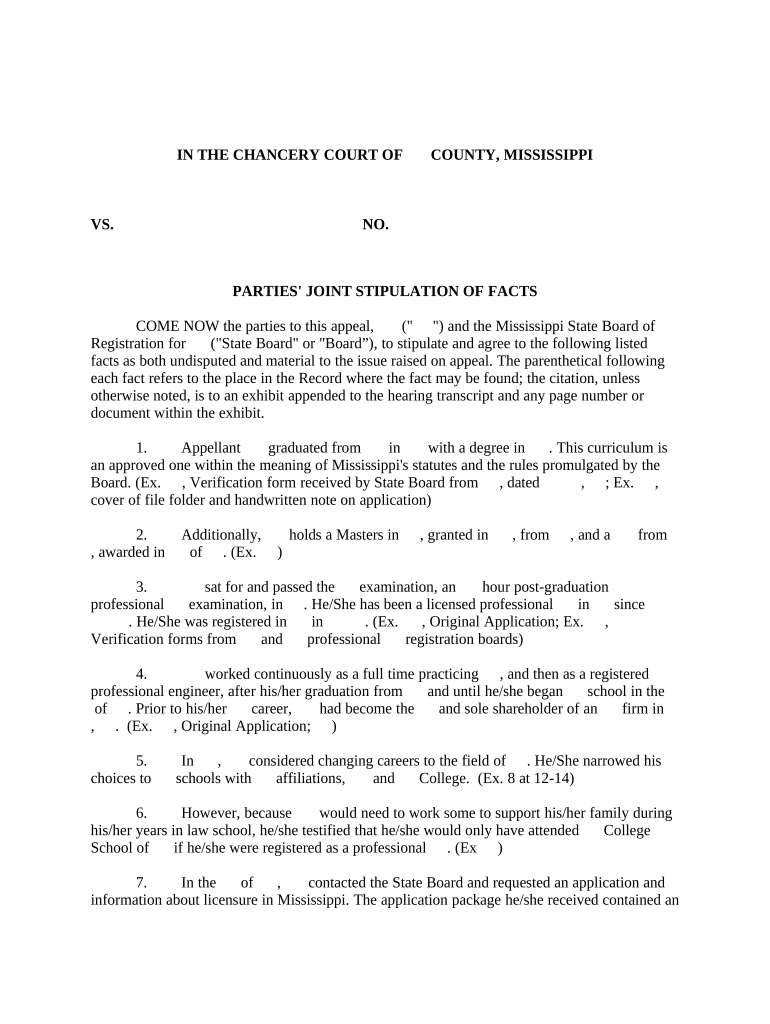
Introductory Statement

A brief clause describing the purpose of the stipulation and confirming parties' mutual agreement to the listed facts.

Numbered Facts

Concise, discrete factual statements numbered for easy reference in motions and at trial.

Reserved Issues

A short statement listing legal or factual issues the parties do not waive by stipulating facts.

Signatures

Signature blocks for counsel or authorized representatives with printed names, titles, and dates.

Certificate of Service

A signed attestation confirming how and when the stipulation was served on all parties.

Essential administrative details to record with the stipulation

Case Number: Docket ID and court
Party Names: Full legal names
Contact Info: Counsel emails and addresses
Signature Date: MM/DD/YYYY format
Authority Notation: Signer title or role
Service Method: How the filing was served

Risks and consequences of an incorrect or incomplete stipulation

Agreement Ambiguity: May cause evidentiary disputes
Unauthorized Signature: Court may reject the stipulation
Late Submission: Judge may refuse consideration
Missing Service: Opposing party may not be bound
Fact Omissions: Key issues may remain contested
Incorrect Dates: Can affect deadlines

Common preparation pitfalls to avoid

  • Drafting facts that mix conclusions of law with facts can blur what remains for the court to decide and cause objections.
  • Failing to identify who has authority to bind a corporate party can lead to a later challenge and possible rejection by the court.
  • Omitting a certificate of service or clear service method can leave opposing parties unaware and undermine enforceability.
  • Using imprecise dates or vague descriptors in numbered facts invites contradictory testimony and requires remediation later.

Practical examples of how stipulations are used in practice

These scenarios illustrate typical uses: narrowing factual disputes before motions and speeding resolution of agreed points at trial.

Pretrial Admissions

Parties agree on chain-of-custody facts

  • Reduces need for live testimony on that chain
  • This concentrates trial time on liability and damages, saving court and counsel hours.

Settlement-Focused Stipulation

After mediation, parties stipulate to certain transactional facts

  • Facilitates drafting of a settlement agreement
  • The stipulation shortens post-mediation review and clarifies obligations to aid enforcement.

Step-by-step: preparing and filing the stipulation

Follow a simple process to prepare, agree, sign, serve, and file a joint stipulation to ensure the court accepts it without procedural objections.

  • 01
    Draft Facts: List concise, numbered facts for agreement.
  • 02
    Confirm Authority: Verify signers can bind each party.
  • 03
    Sign and Date: Obtain dated signatures from counsel or reps.
  • 04
    Serve and File: Serve opposing counsel and file with court clerk.

How the stipulation moves through the case process

A joint stipulation follows a short path: negotiation, execution, service, filing, and court consideration.

  • Negotiate: Parties discuss and refine factual statements.
  • Execute: Authorized signers sign the final text.
  • Serve: Deliver to all counsel per local rules.
  • File: Submit to clerk and note the filing date.

Digital workflow settings for online completion and signing

Configure a digital signing workflow to replicate the paper process: set signer roles, authentication, and a certificate of completion.

Field Configuration
Signer Role Assign counsel or representative
Authentication Email + optional SMS code
Signature Type Electronic signature with timestamp
Audit Trail Enable IP, time, action logs

Technical considerations for eSigning and eFiling

Choose a platform that supports secure e-signatures, audit trails, and PDF export for court filing.

  • File Formats: PDF and DOCX supported
  • Integrations: Works with Google Workspace
  • Authentication: Email and SMS codes

Ensure exported signed PDFs include a certificate of completion and meet the court's electronic filing requirements before submission.

Common timing considerations and deadline checkpoints

Observe scheduling orders, local rules, and service deadlines when proposing or filing a stipulation to avoid late objections.

Proposal Timing:

Submit draft stipulation well before pretrial deadlines

Signature Timing:

Date signatures on the day executed

Service Timing:

Serve all parties per local rule timelines

Filing Timing:

File with clerk promptly after service or as ordered

Objection Window:

Allow time for opposing counsel to review and object

How a joint stipulation compares with similar court documents

Compare a joint stipulation to related filings like affidavits to select the appropriate mechanism for agreeing facts.

Criteria Joint Stipulation Affidavit
Court Filing filed and served filed and sworn
Notarization usually not required often notarized
Evidentiary Weight agreed facts binding sworn factual assertions
Typical Use narrow disputes prove facts under oath

Typical eSignature vendor comparison for document signing and processing

Basic pricing and feature differences across common eSignature providers. signNow is listed first per comparative format; verify plan details with each vendor for specific needs.

signNow DocuSign Adobe Sign PandaDoc HelloSign
Starting Price $8/user/mo $15/user/mo $14/user/mo $19/user/mo $15/user/mo
Free Trial 7-day free trial Varies Varies Varies Varies
Bulk Send Yes Yes Yes Yes Varies
Audit Trail Yes Yes Yes Yes Yes
HIPAA Compliant Yes Yes Yes No No
Envelope Cap No envelope cap 100 envelopes/user/year Varies Varies Varies

Frequently asked questions about preparing and filing a joint stipulation

Answers to common questions on validity, signing, electronic submission, and what to do if a stipulation is contested.


Need help? Contact support

be ready to get more
Join over 28 million airSlate SignNow users